

Calc rules
Catalog, under Actions: Calc rules (with rule:read) is where a value is derived from others:
a component’s slowest round trip from its endpoints, whether a component is busy from its call state and
occupancy, a system’s average temperature from its members. A calc rule reads inputs on each
owner it selects, each by an alias, reduces them to one value with an expression, and writes
that as a calculated sample of its output key, naming the rule. The value then reads like any
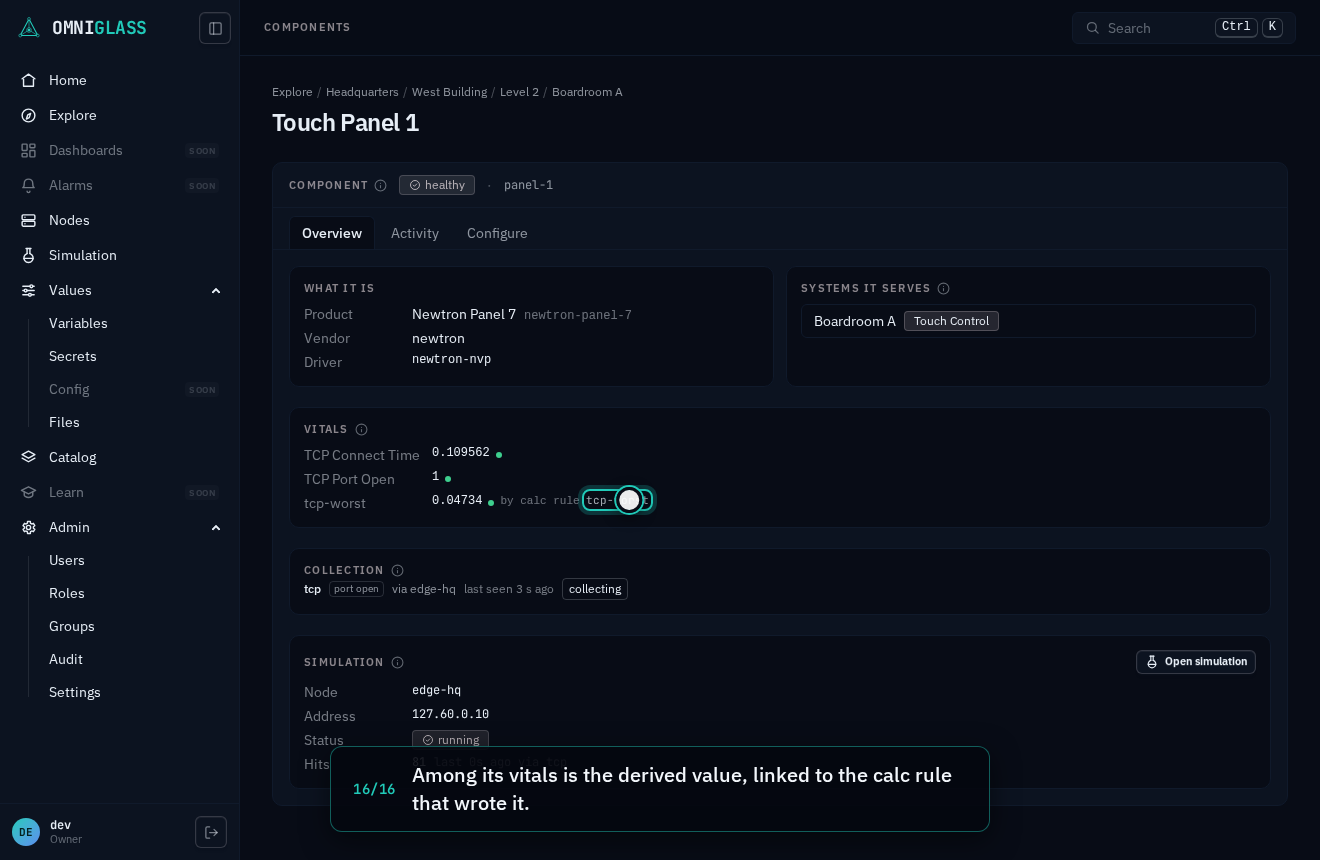
other: it shows among a component’s vitals and properties and a system’s data, linked back to the rule
(“by calc rule rtt-worst”), and event rules judge it on a component like an observed sample. How it runs is on calculations.
Calc rules read like a registry, as event rules do: any grant carrying
rule:read lists them all, with live counts over the owners you may read. Writing one is
fleet-wide, so New rule, Edit, Disable and Delete are offered on an all-scope grant only.
Read the list
Section titled “Read the list”Each row is a rule: its name and label, what it derives on (a component, or a system), what it reads (each input’s alias and key), its reduce (the expression, as code), what it writes, and its live state: owners holding a value it computed, owners pending (an input changed and the server’s tick, about once a second, has not computed yet), owners it wrote nothing for (without inputs: no value of an input, or a system with no members), and owners it failed on. A rule whose stored reduce no longer compiles (an input key retyped) says so on its row.
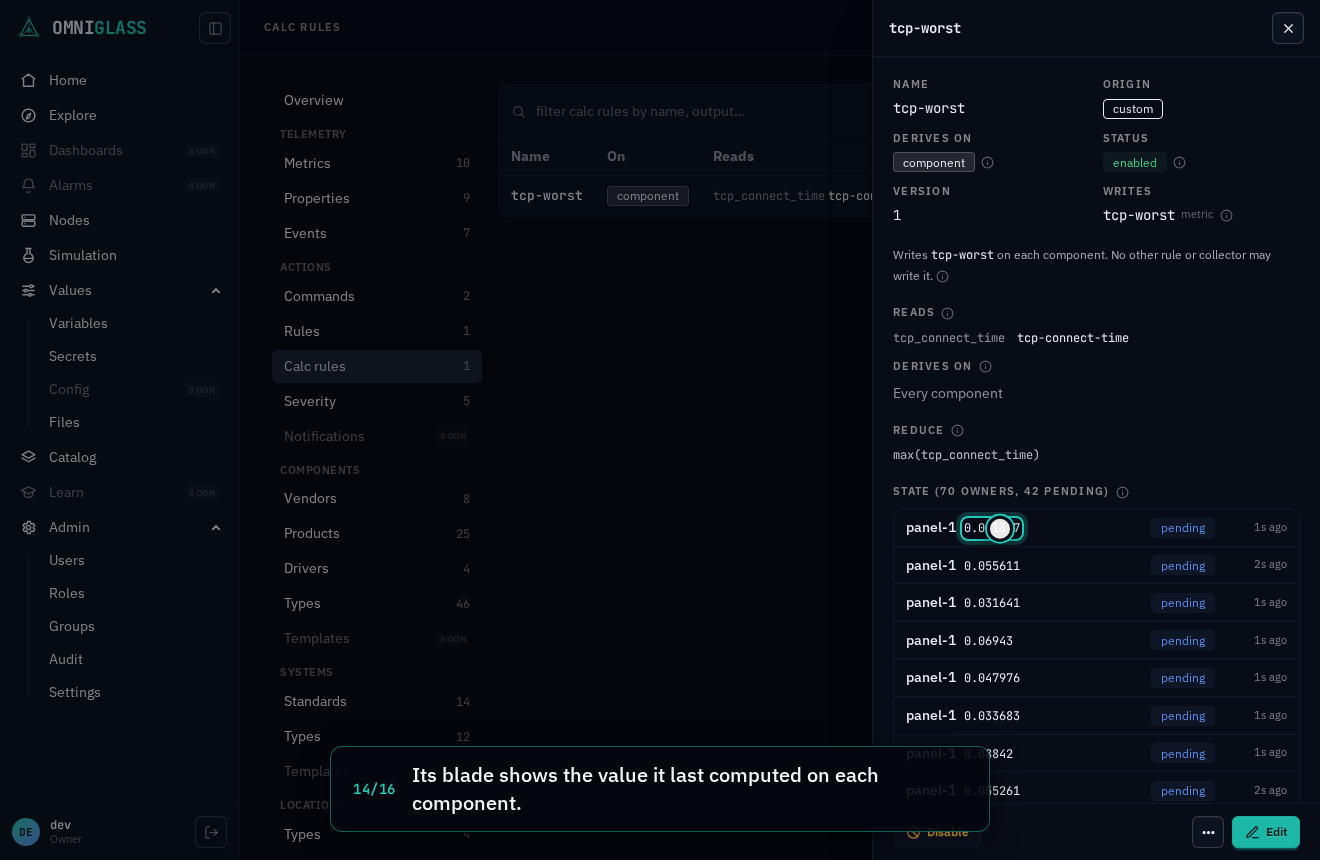
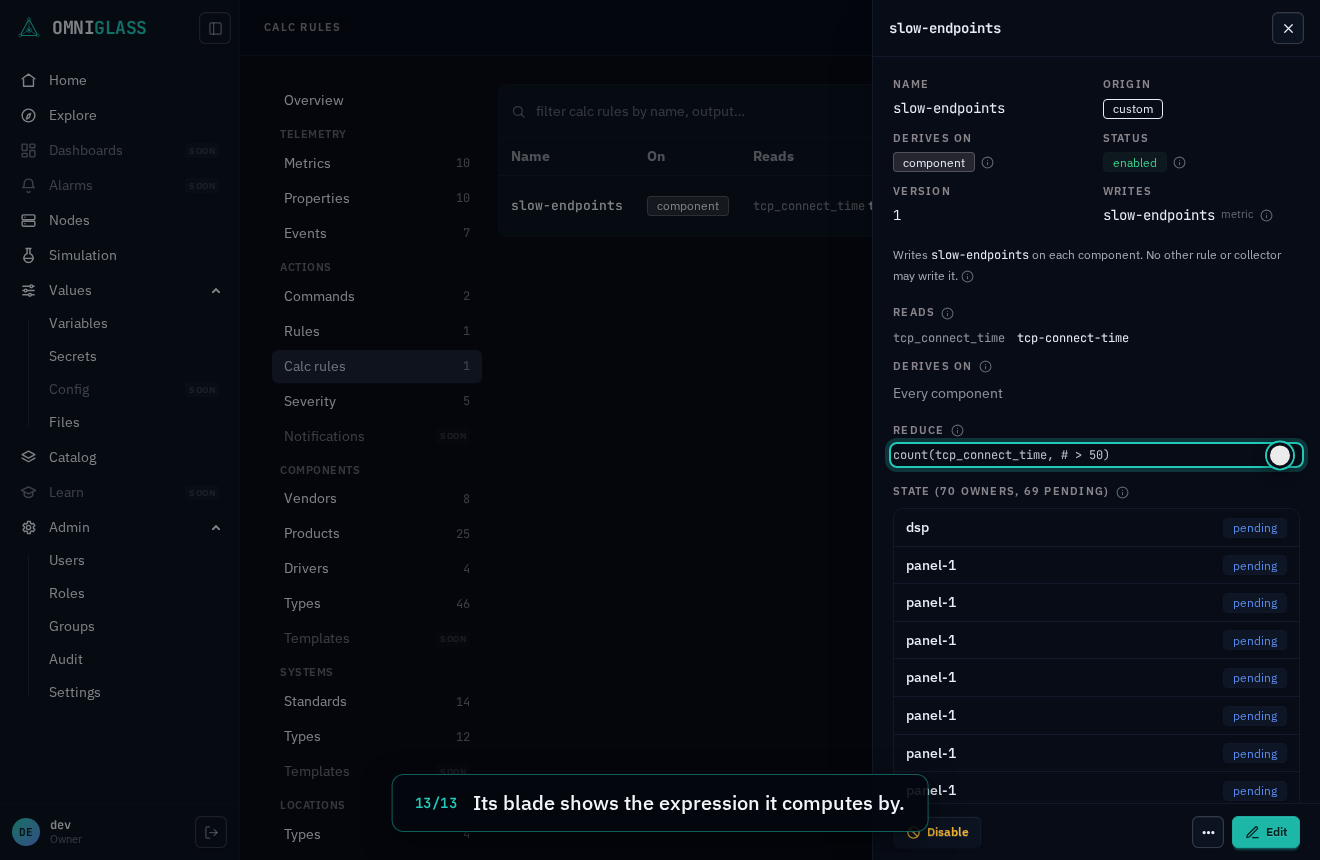
Open a row for its blade: the rule’s facts, its inputs and selector, the reduce, and its state per owner you can read, the owners that need a look first: those it failed on, then those pending, then those it wrote nothing for, then those holding a value. For each, the value it last wrote and when, at which version; what it found no value of; on a system, the members that held none (named when you can read them, counted when you cannot); whether the owner is pending; and, for a system that has no role-bound members, since when (its last value stands, unsupported, until a member returns). The blade lists the first twelve; and N more shows the rest.
Write a rule
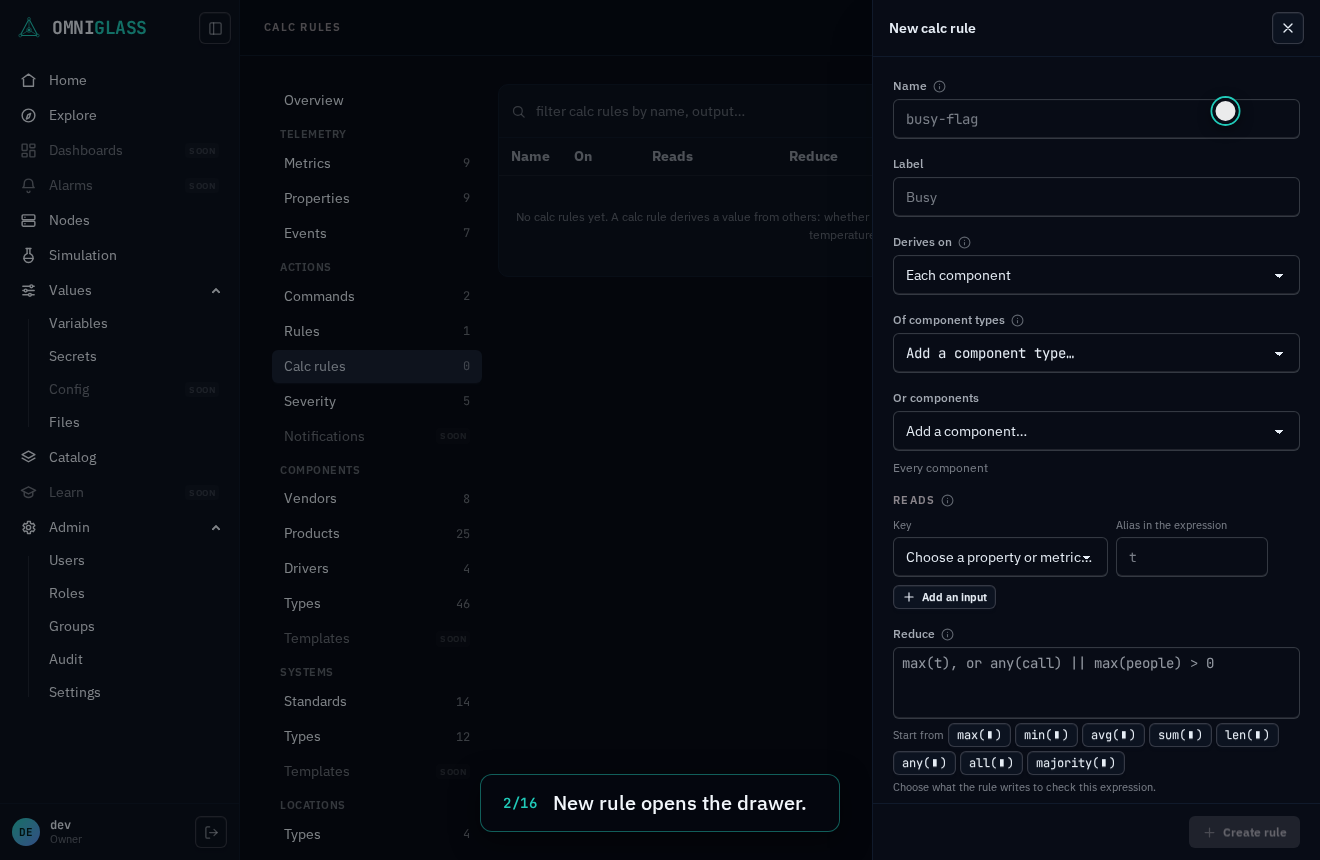
Section titled “Write a rule”New rule opens the form:
- Name and Label, as for every registry; the name is renameable later (Edit, the Name field).
- Derives on: each component, or each system from its role-bound members (the components assigned to its roles). Fixed when the rule is created.
- Of types and Or owners: the selector, as for event rules (a type includes its subtypes); both empty is every owner of the kind.
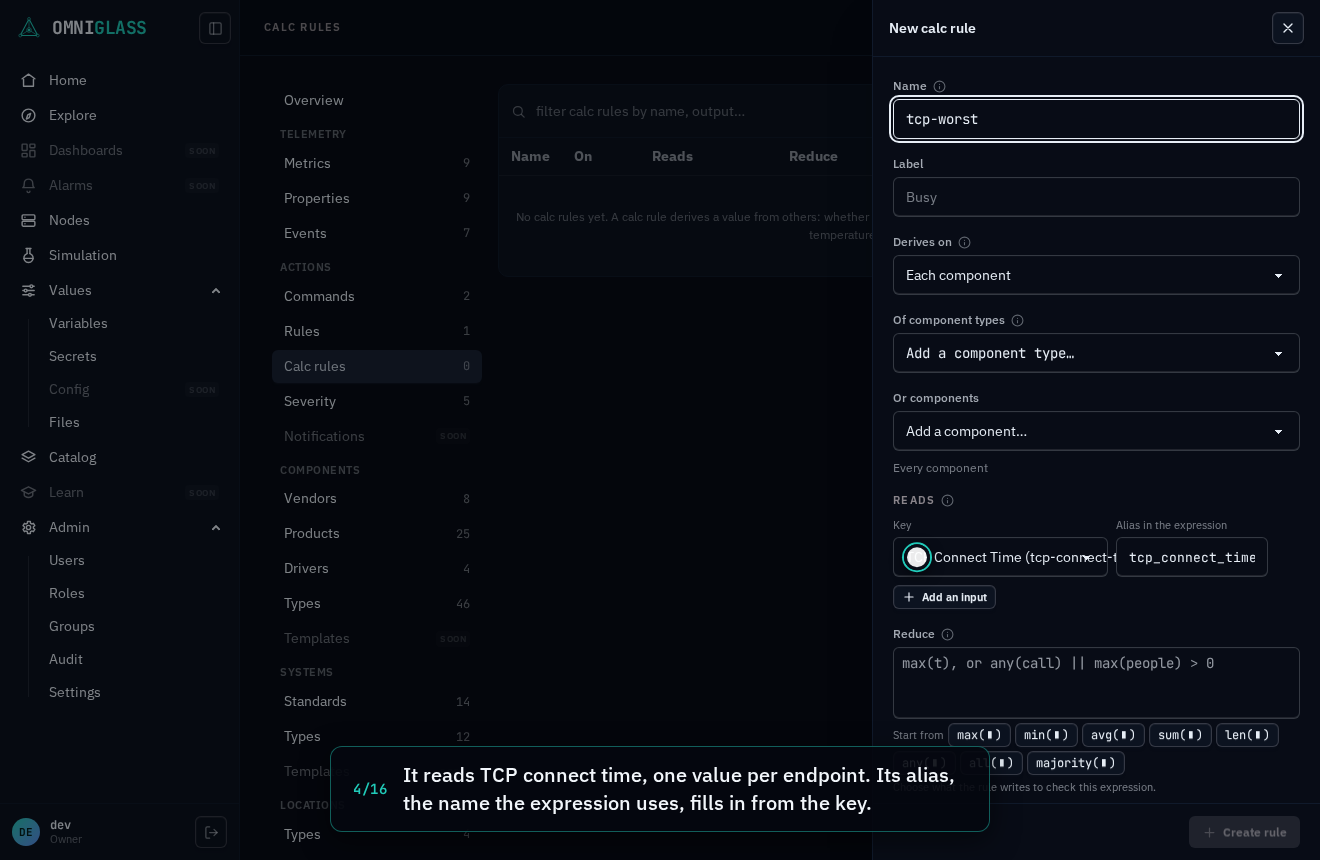
- Reads: one or more inputs, each a key (the property or metric it reads) and the alias the
expression uses for it. Picking a key fills its alias from the key’s name in snake_case
(
tcp-connect-timereads astcp_connect_time); shorten it if you like (tcp,call). An alias is a letter or underscore, then letters, digits or underscores, at most 64 characters, not a word the expression language or the rule keeps for itself (a keyword, a function’s name,members,value,has,component,system), and not one another input uses; the form says why as you type.healthis never an input. The rule holds each key by its id, so renaming the key changes nothing here. - Reduce: an expression over the aliases. Each alias is the list of the input’s current values:
one per endpoint or other instance on a component (a key reported once is a one-value list), every
member’s on a system. Fold a list into one value with
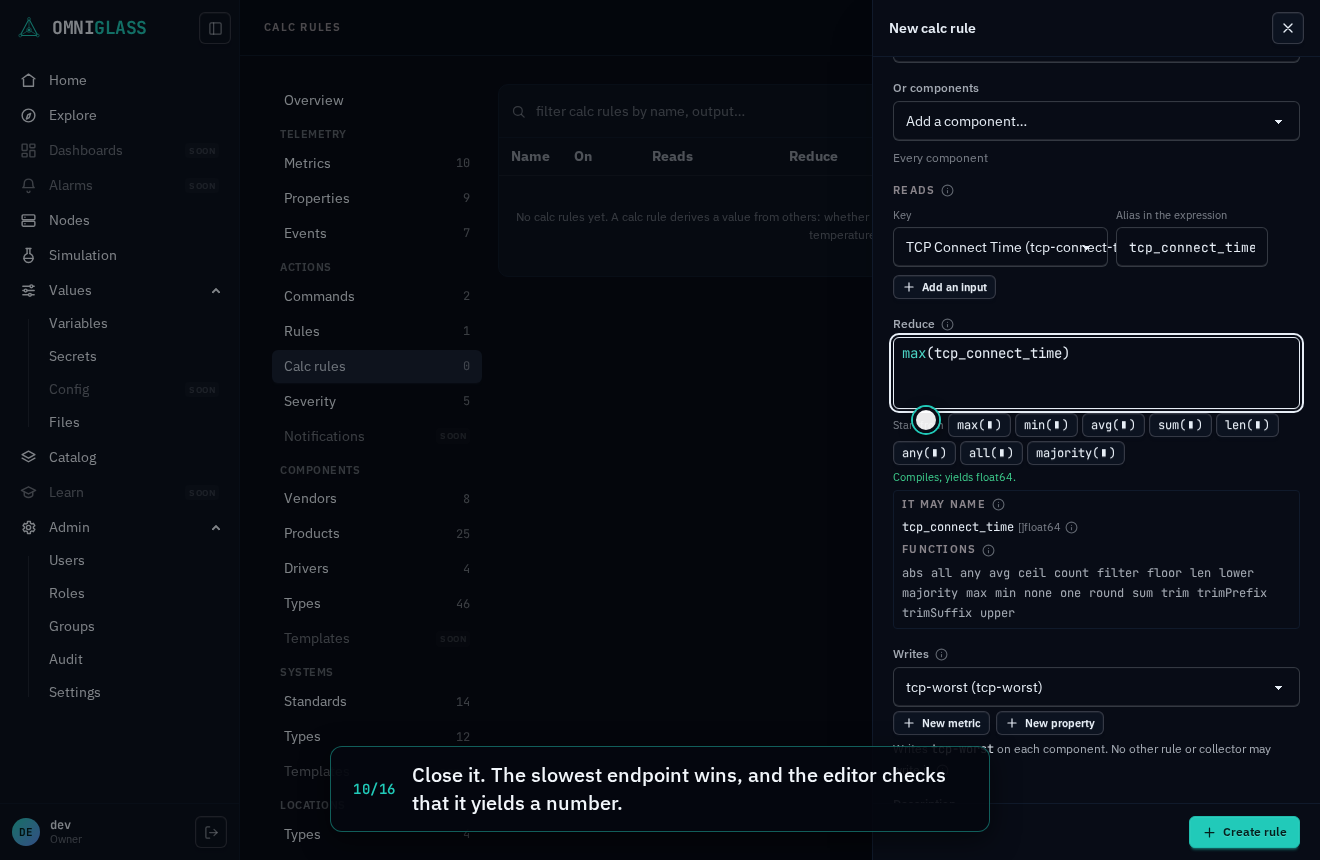
max,min,avg,sum,len(how many),majority(the most common, a tie to the value that sorts first),anyorall(over true or false values):max(tcp)is a component’s slowest endpoint,avg(temp)a system’s mean, andany(call) || max(people) > 0combines two inputs. On a system the expression also readsmembers, one record per member withvalue.<alias>andhas.<alias>, socount(members, .has.t && .value.t > 30)counts members. It is the same code editor as an event rule’s criteria: it completes the aliases, the functions and a member’s fields as you write, and is checked as you type against exactly what the rule binds. Start from inserts a function with the cursor in its slot, ready for an alias. A name the expression uses that no input has as its alias is underlined, with Bind it to a key, which adds an input of that alias for you to choose the key of. A common mistake is said plainly with a fix a click away:sum(members, .has.t) > 0is refused on thesum(“sum adds numbers”) with Use count beside it. An input the expression never names is a warning in amber: the rule still saves, and its blade carries the warning as a note. - Writes: the property or metric it writes, whose type the reduce must yield. Not one a collection
writes, and not one another enabled rule writes. To write a key that does not exist yet, New metric
(a name, a label and a unit; its values are numbers) or New property (a name, a label and a data
type) registers it from the drawer and selects it; a name the catalog refuses is said at its field.
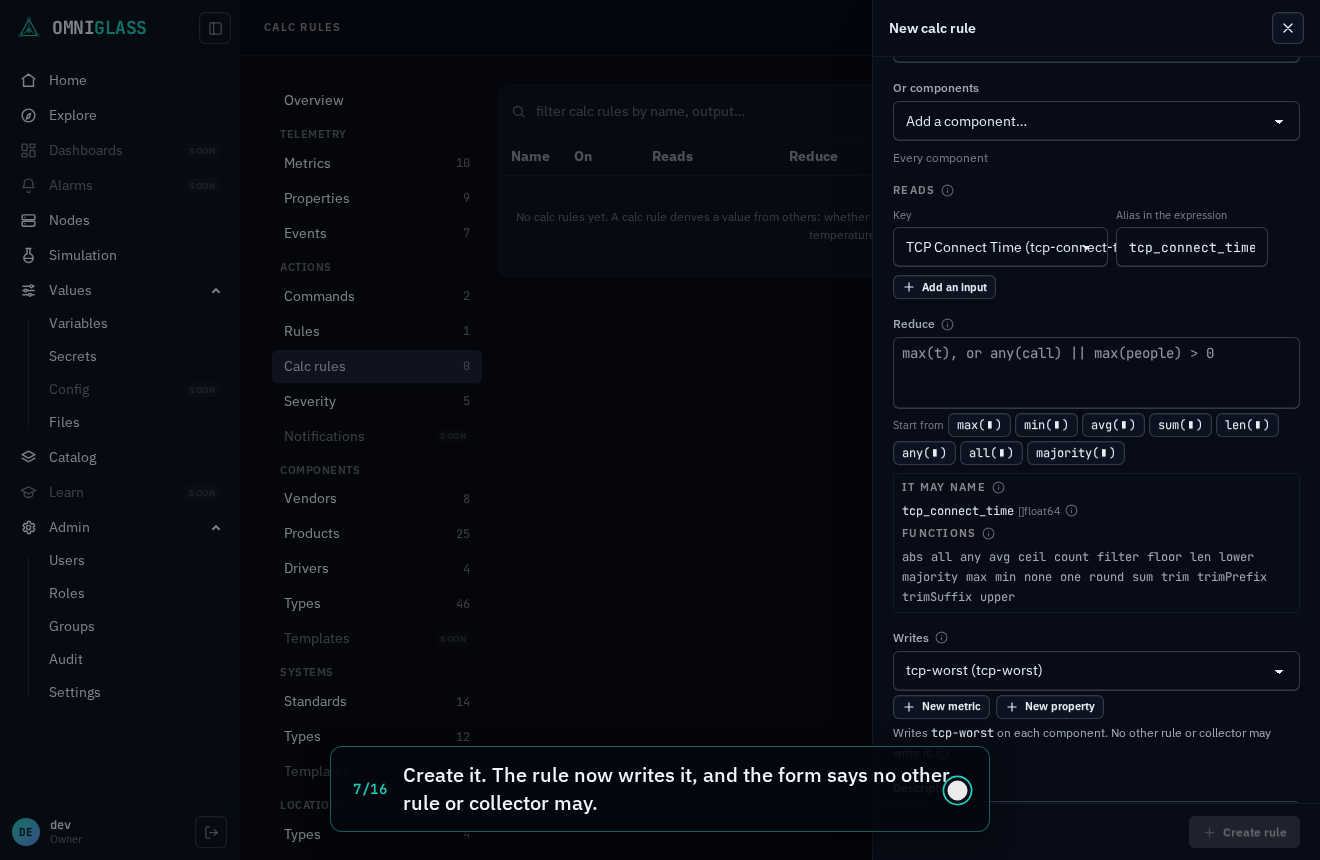
Beneath, the form states the binding: “Writes
tcp-worston each component. No other rule or collector may write it.” The rule’s blade says the same, and the metric’s or property’s own page names the rule that writes it (“Written by calc rule tcp-worst”), linked to it, as its row in the list does. - Enabled.
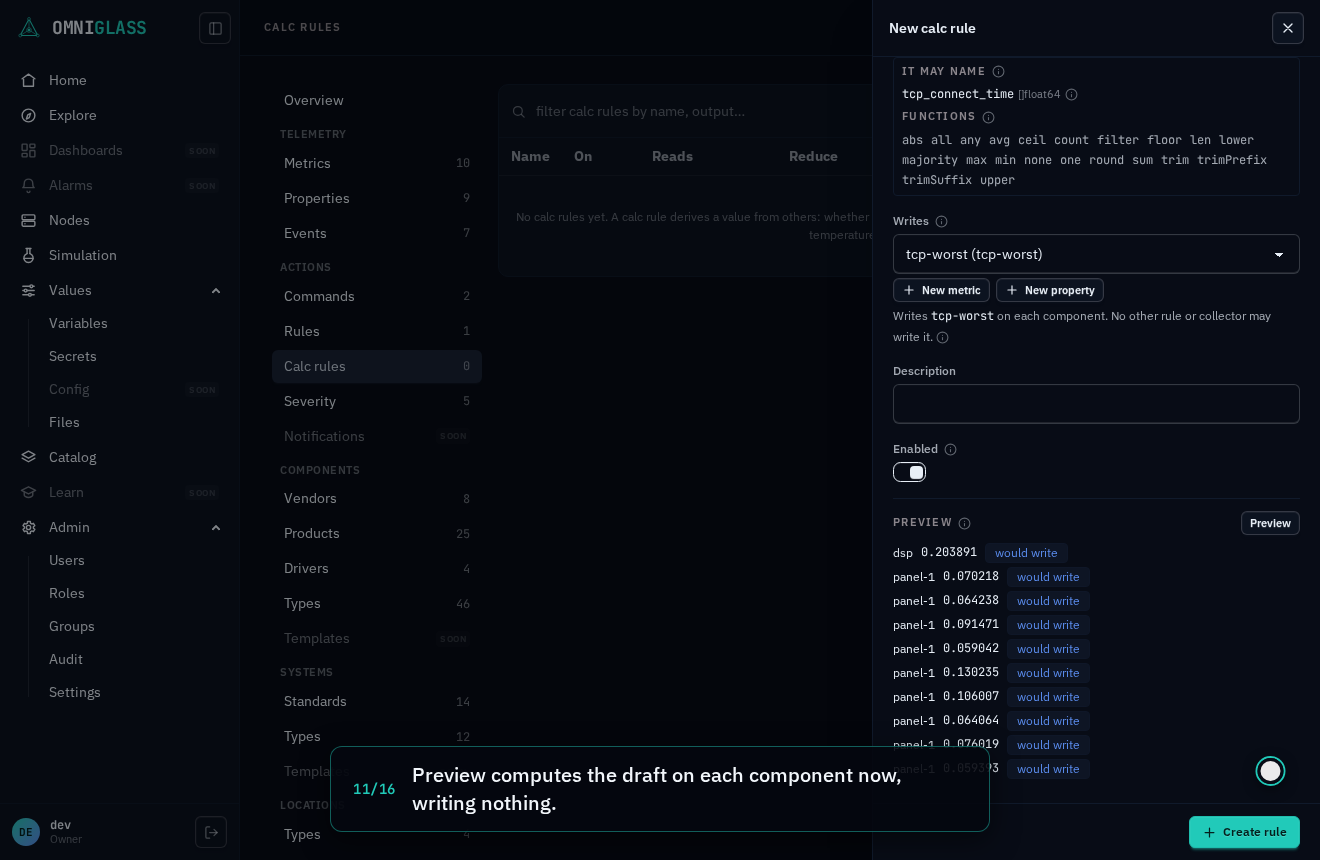
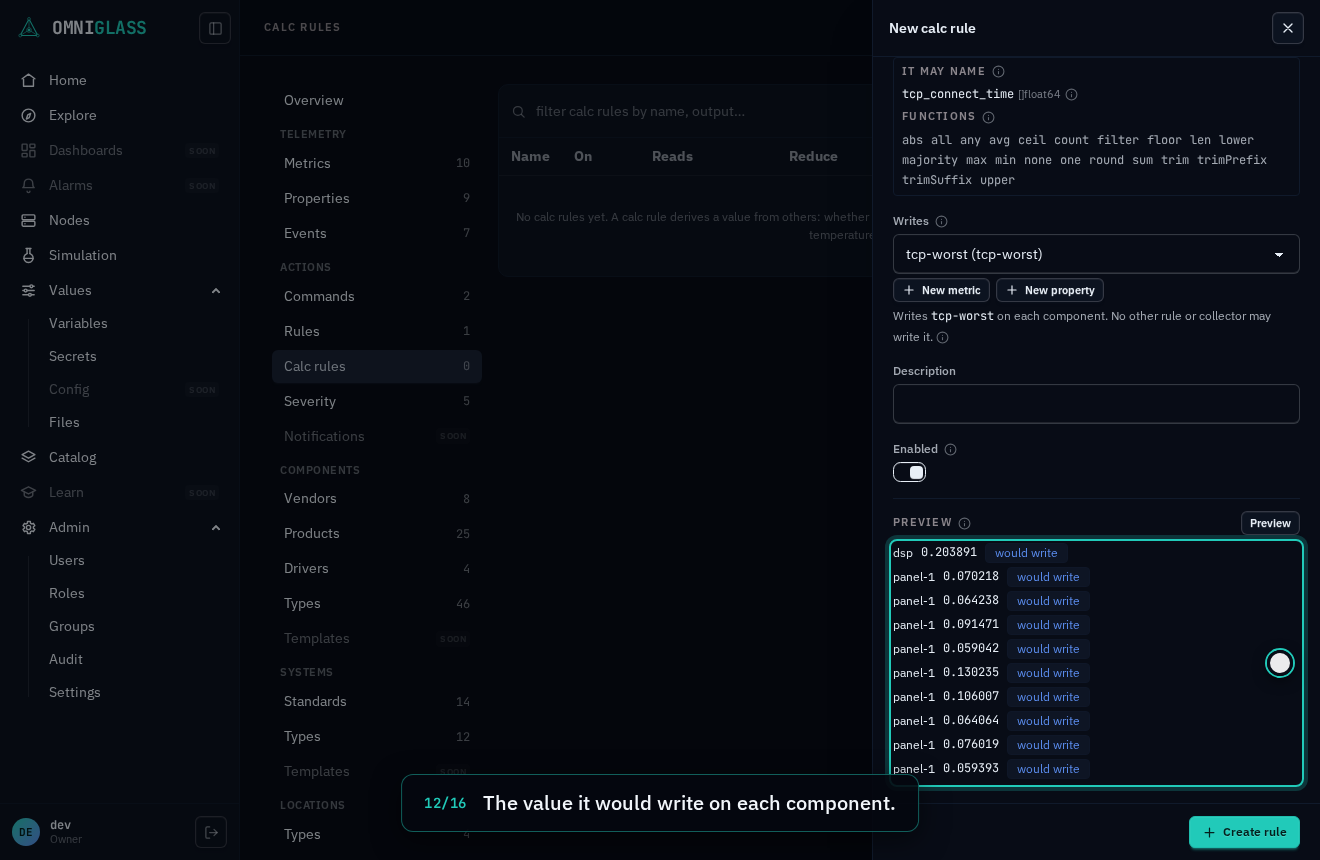
Preview computes the draft now, on the owners it selects that you can read, with the same reduce
the server runs, without saving or writing anything: the value it would write on each, whether that
differs from what the owner holds, and what it found no value of. A draft the server would refuse to
save (a cycle with another rule’s output, a second writer of the key, a reduce that does not compile) is
refused by the preview with the same reason. The owners that already hold a value come first, then by
name, and a preview computes at most 200 owners and says so (those holding a value are never the ones
left out). An expression that can read one member’s own value (an element of a list, a member’s record)
is not previewed on a system with a member you cannot read; the preview says how many of its members are
out of your scope. One that folds each list whole, such as avg(temp), is previewed there.
Saving computes at once: a new rule marks every selected owner that already holds one of its inputs, and the next tick writes its values.
The walkthrough below authors a component rule in one drawer: it picks the input key, registers the
metric the rule writes inline, writes the expression max(tcp_connect_time) (each component’s slowest
TCP connect time), previews and saves it, then opens one of its components, where the derived value
shows among the vitals, linked to the rule.
Every step, captioned (16 steps)
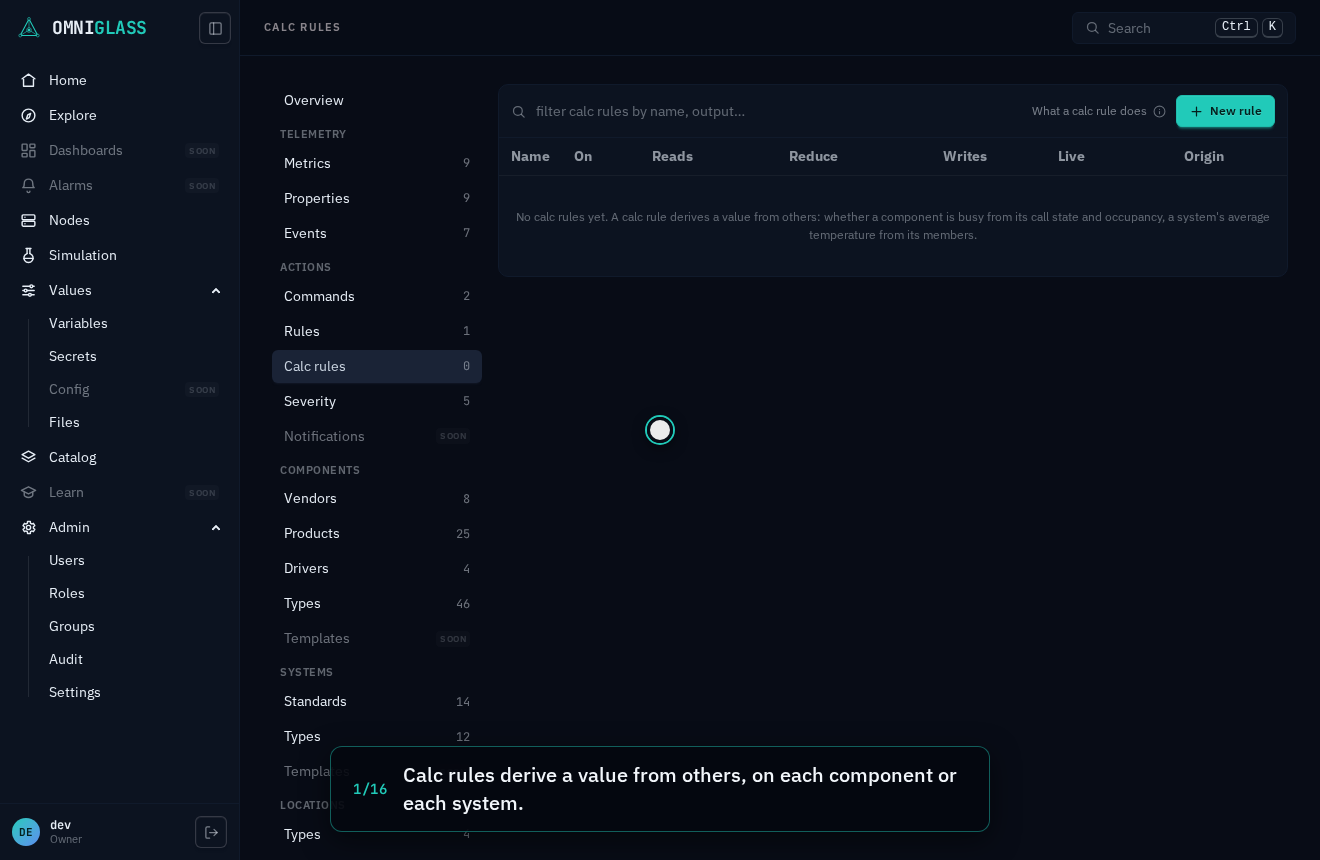
Calc rules derive a value from others, on each component or each system.
New rule opens the drawer.
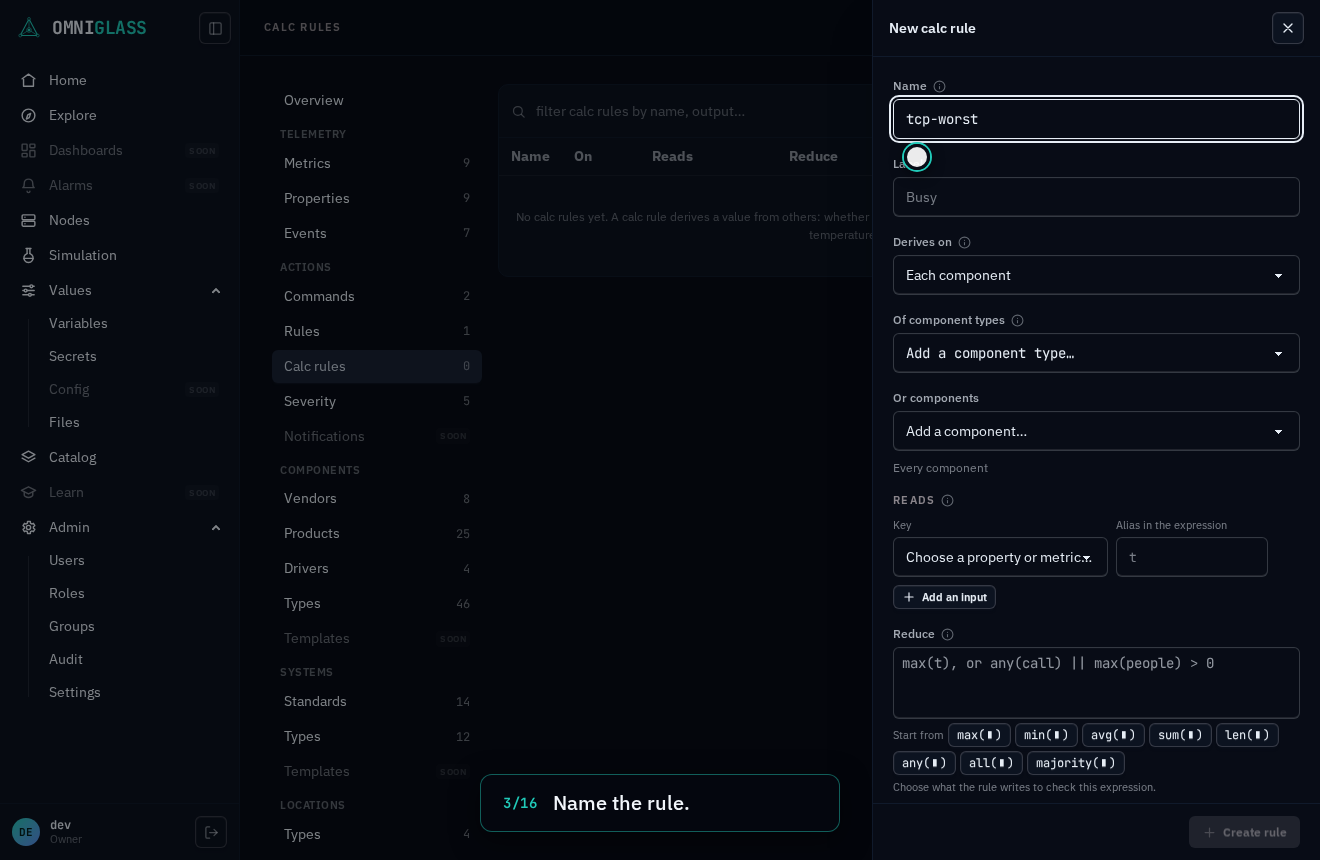
Name the rule.
It reads TCP connect time, one value per endpoint. Its alias, the name the expression uses, fills in from the key.
It writes a metric of its own. Register it here, without leaving the drawer.
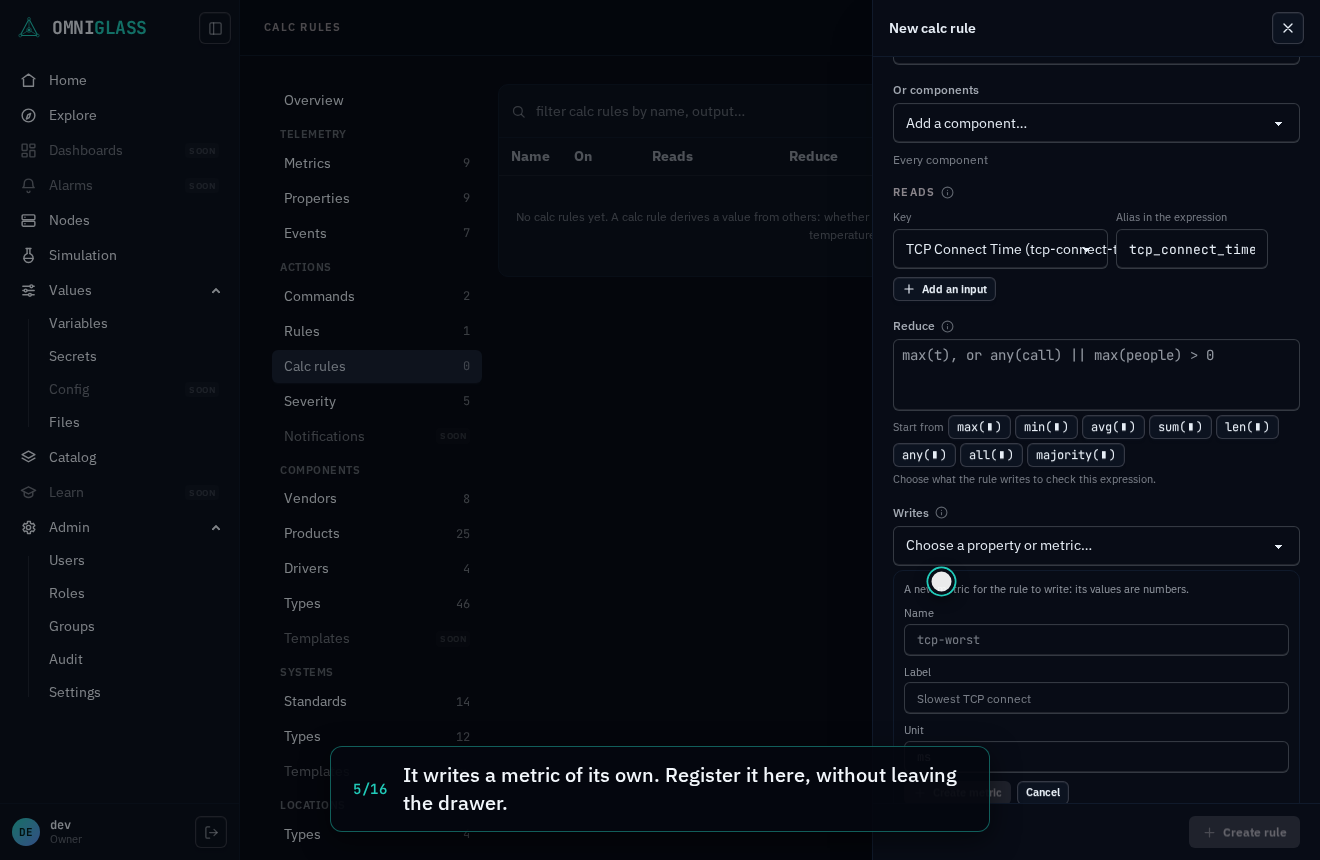
Name the metric. Its values are numbers.
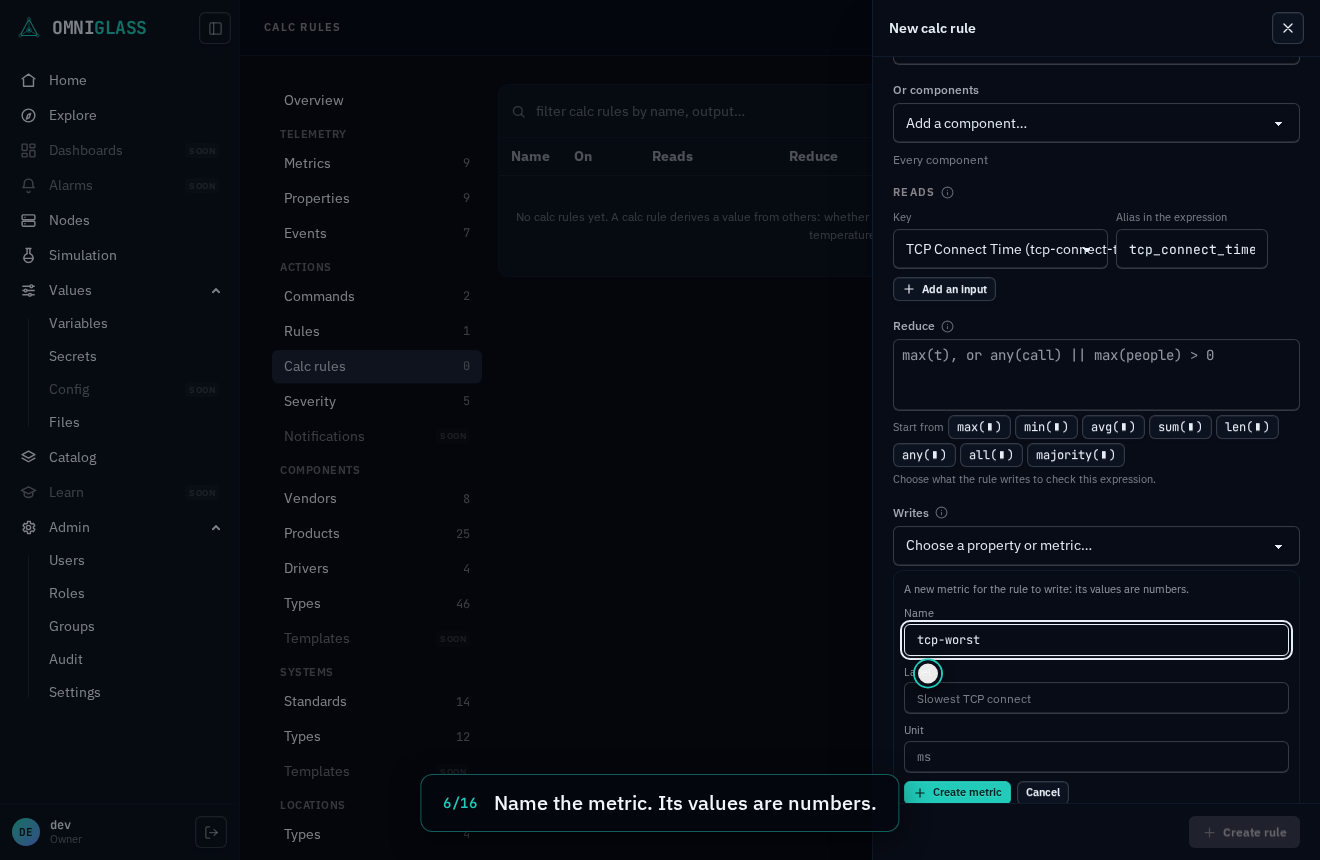
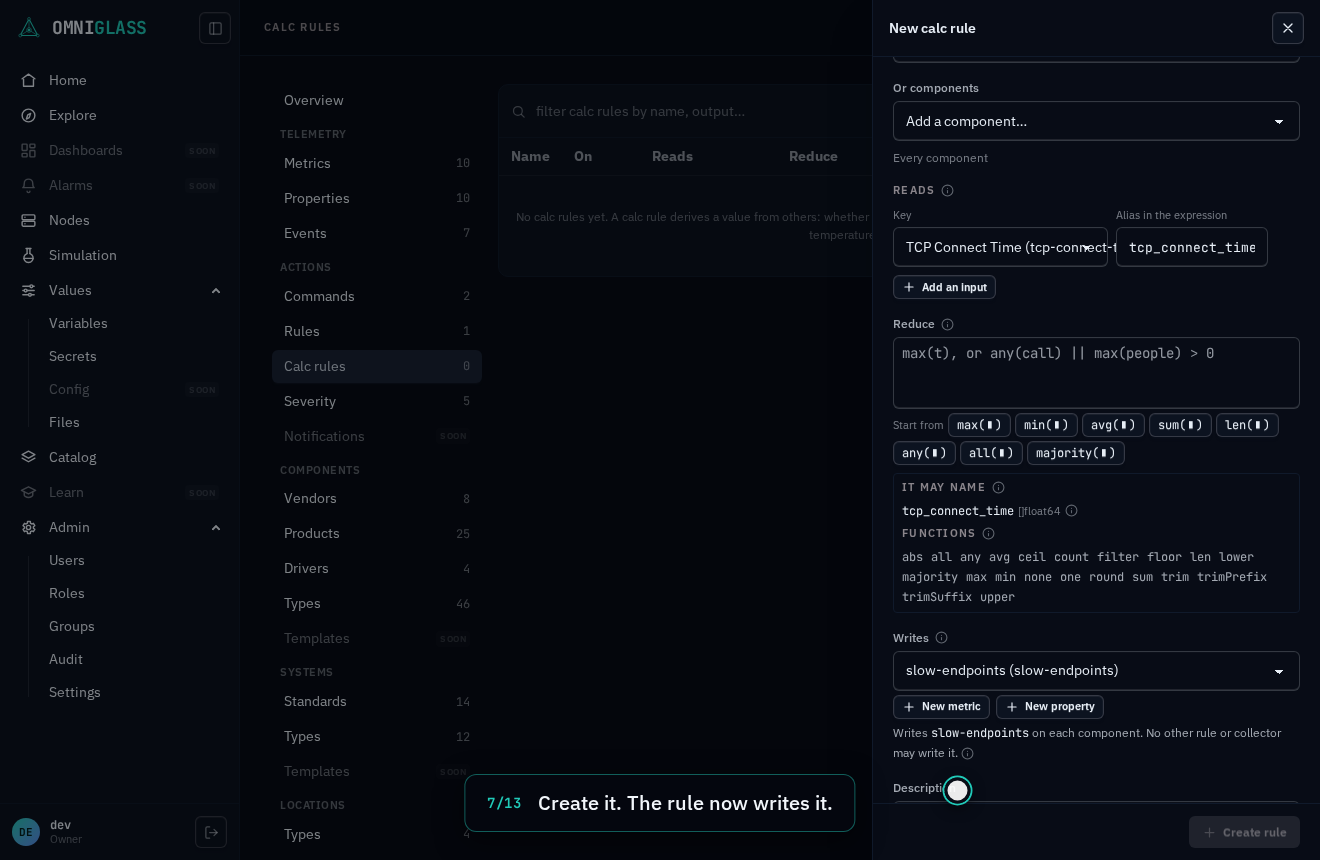
Create it. The rule now writes it, and the form says no other rule or collector may.
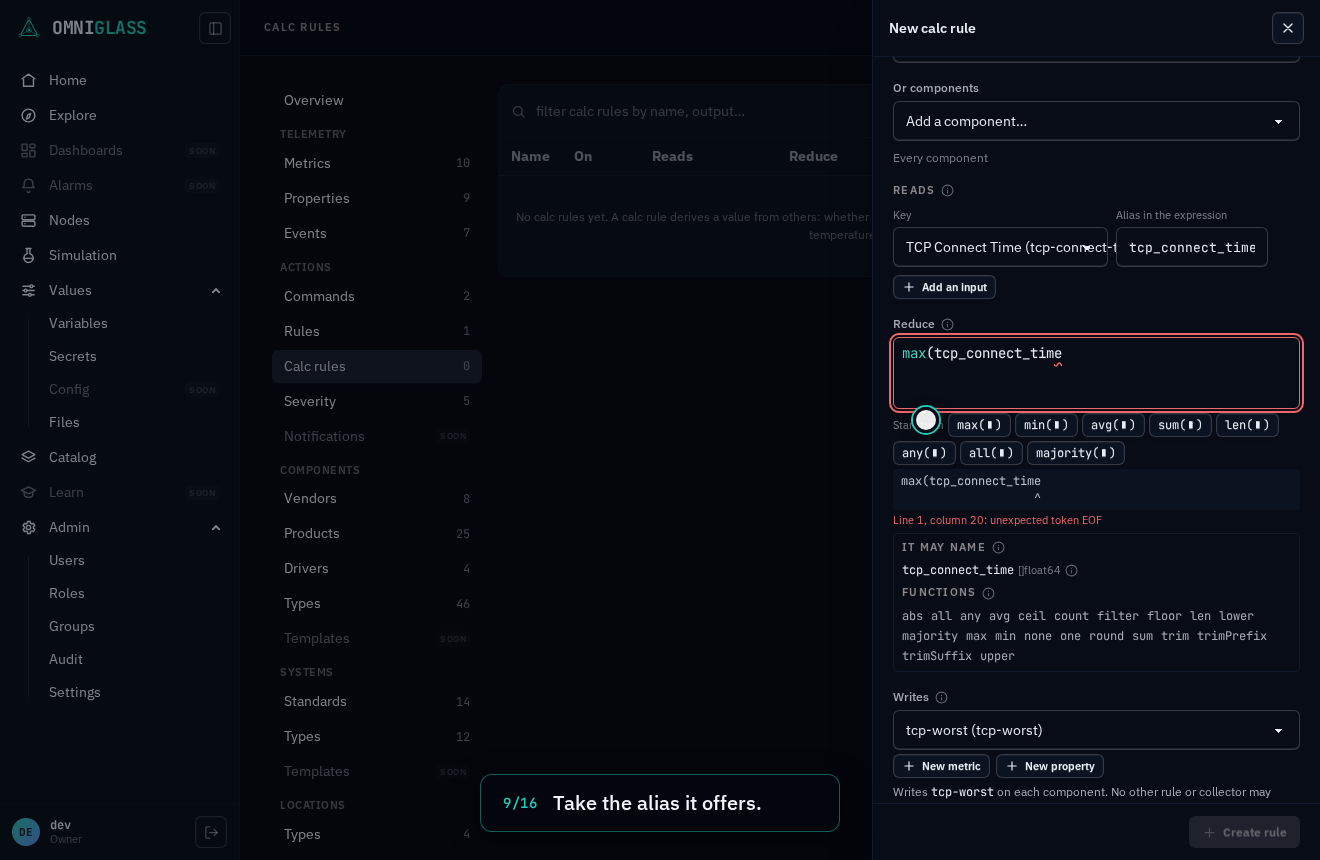
The alias is a list of the endpoints' values. Fold it with max; the editor offers the alias as it is typed.
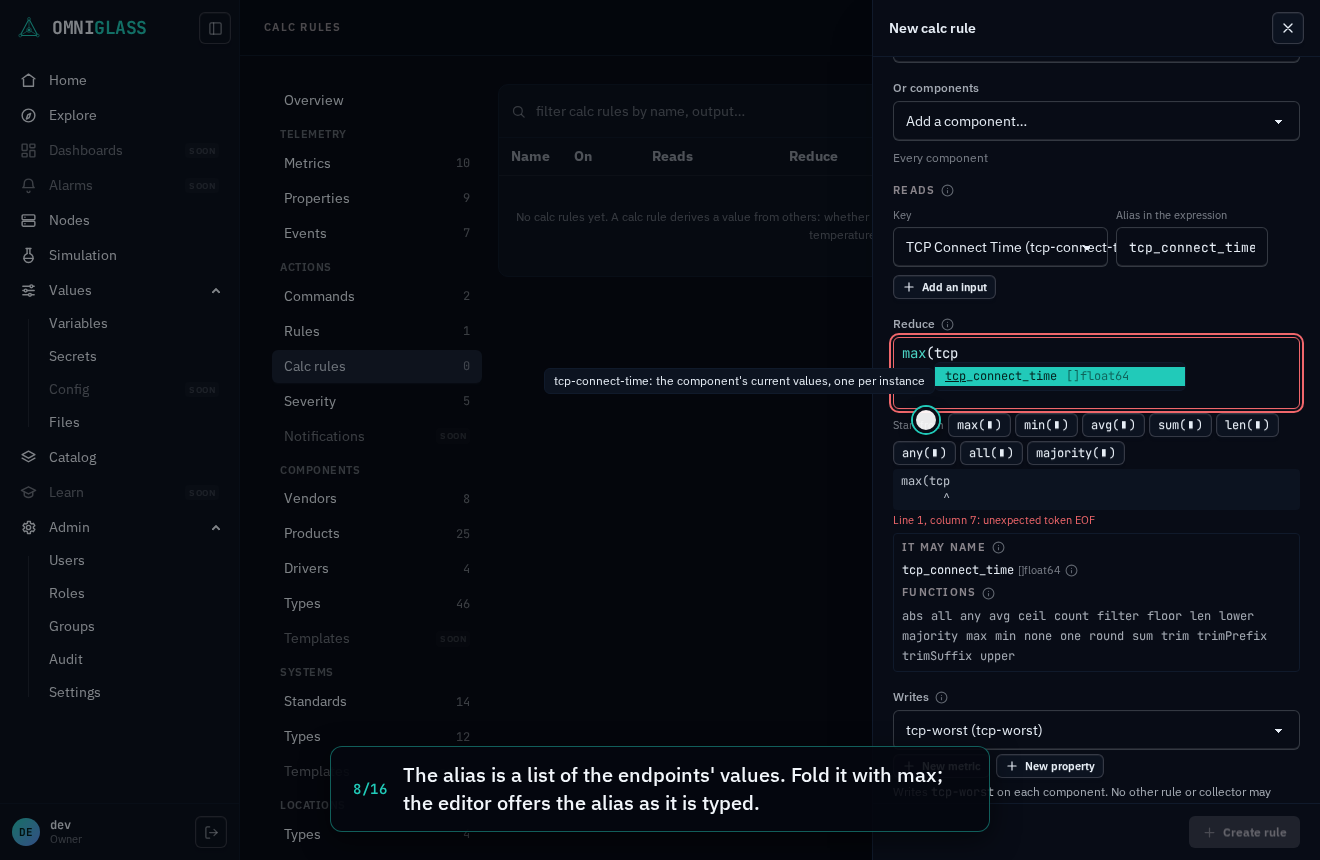
Take the alias it offers.
Close it. The slowest endpoint wins, and the editor checks that it yields a number.
Preview computes the draft on each component now, writing nothing.
The value it would write on each component.
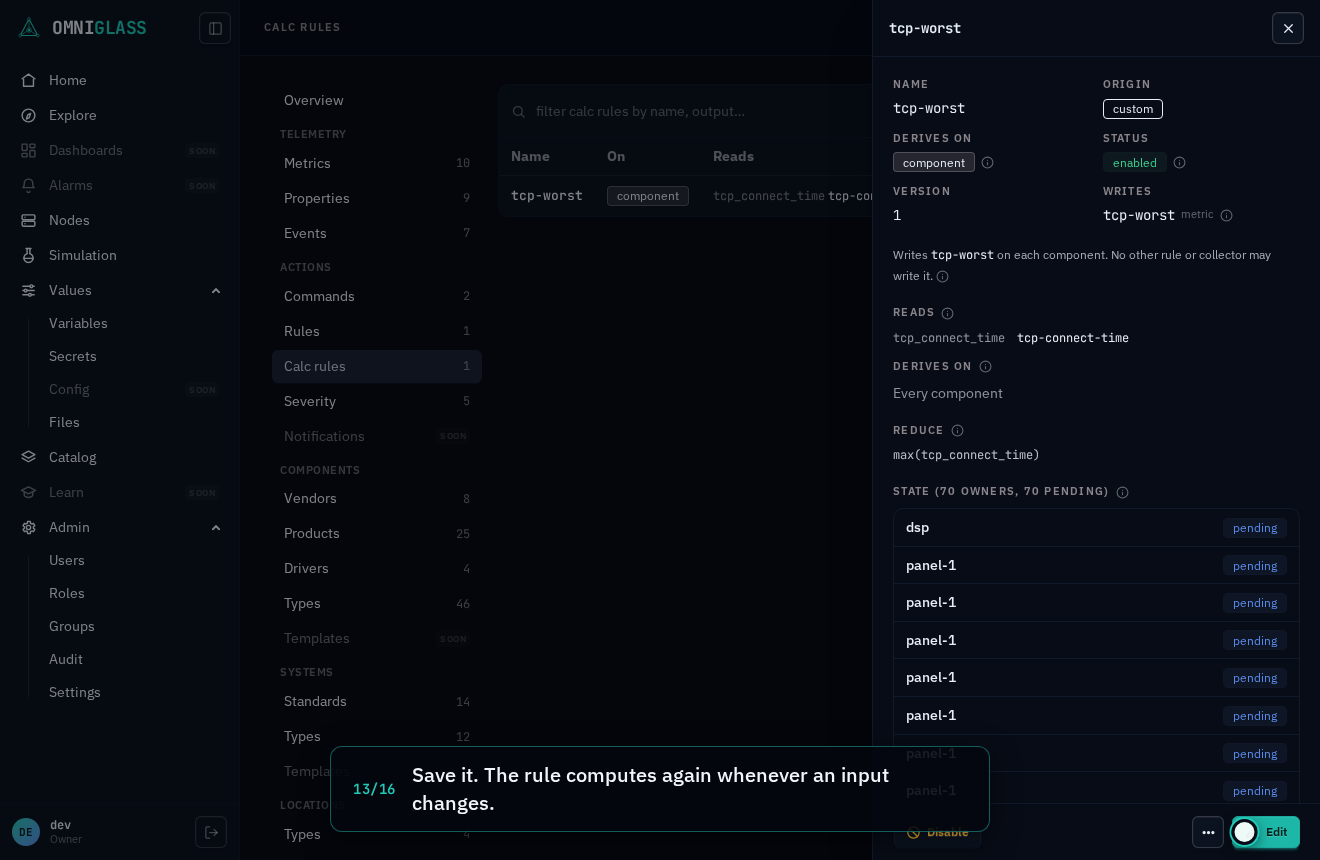
Save it. The rule computes again whenever an input changes.
Its blade shows the value it last computed on each component.
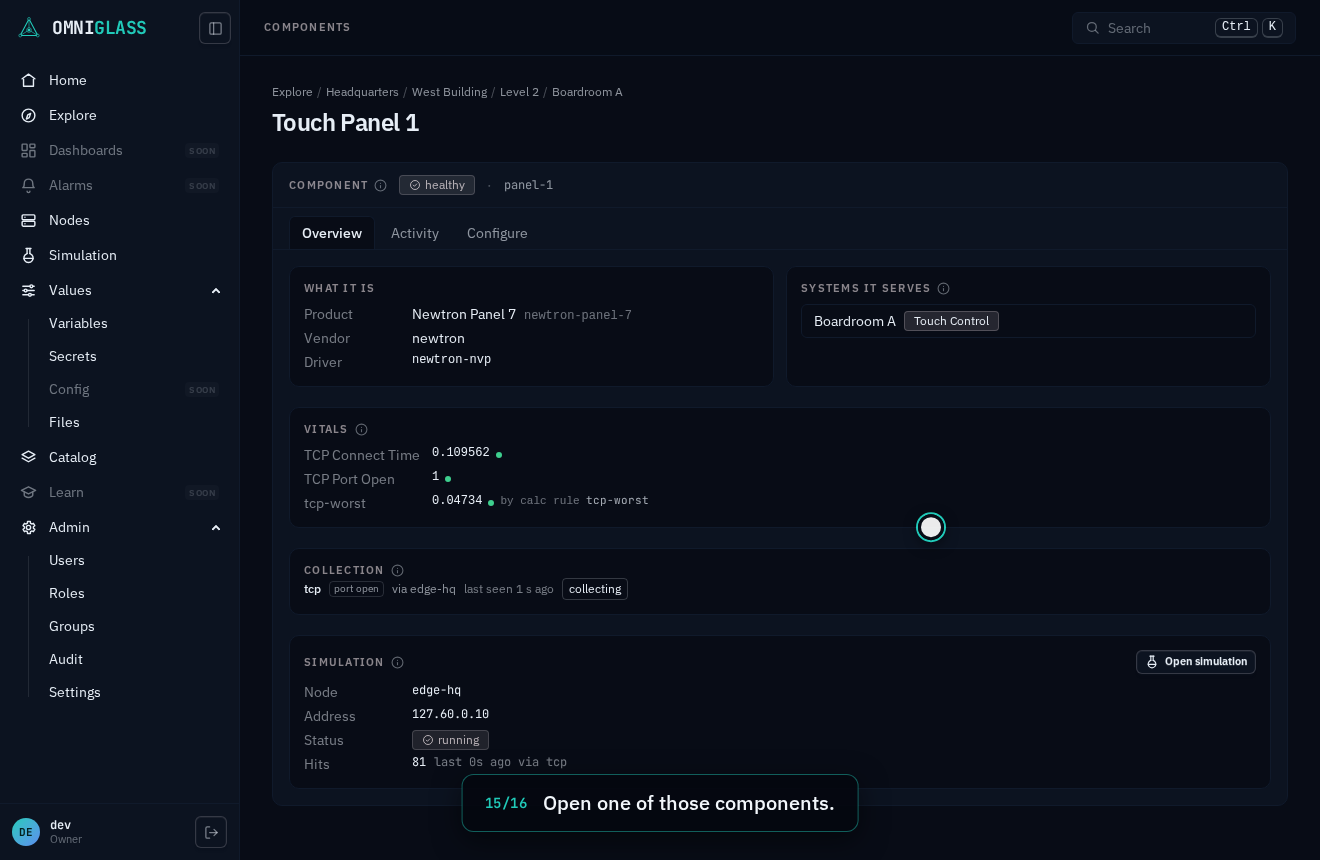
Open one of those components.
Among its vitals is the derived value, linked to the calc rule that wrote it.
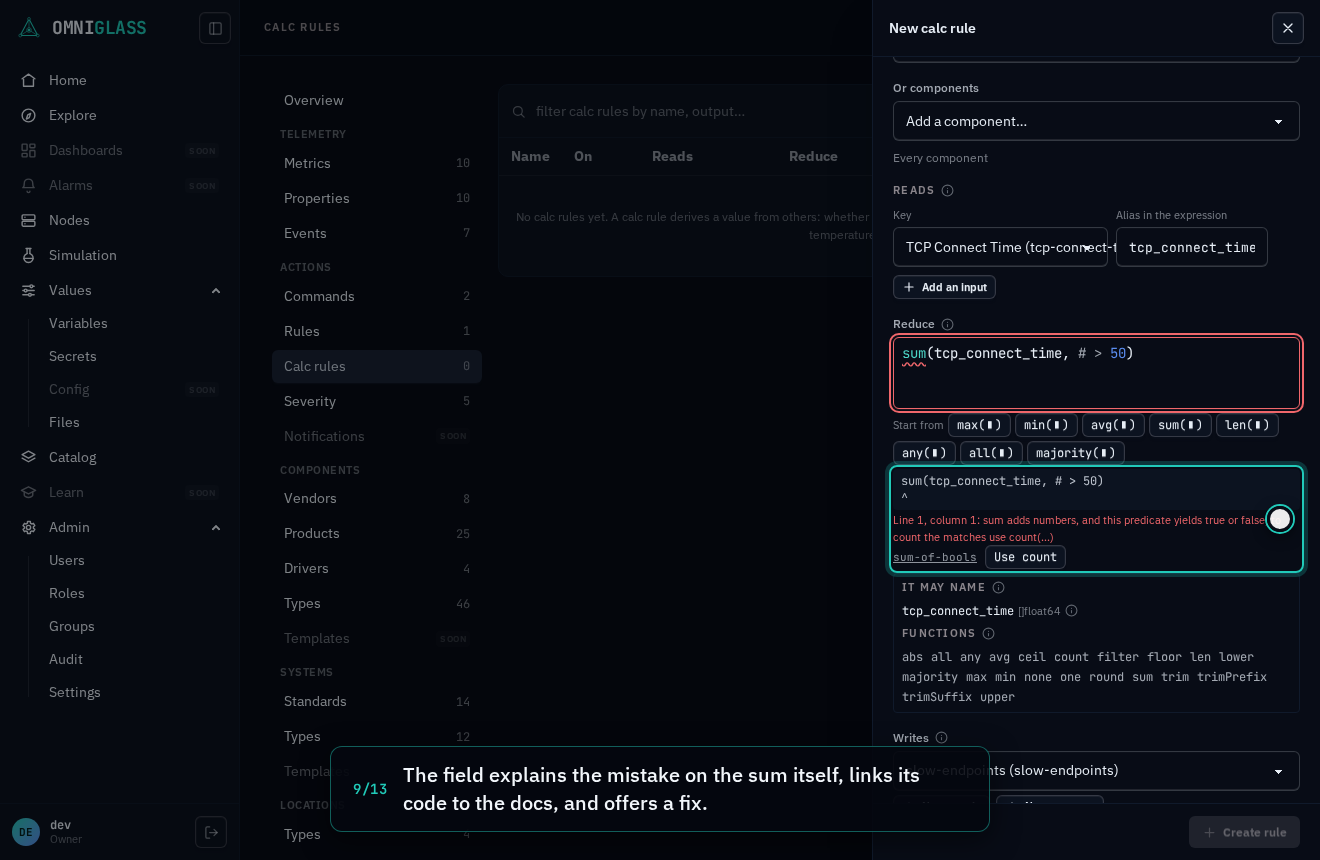
The next one writes a count of a component’s slow endpoints as a sum, the most common first mistake:
the field explains it on the sum, links its code to the
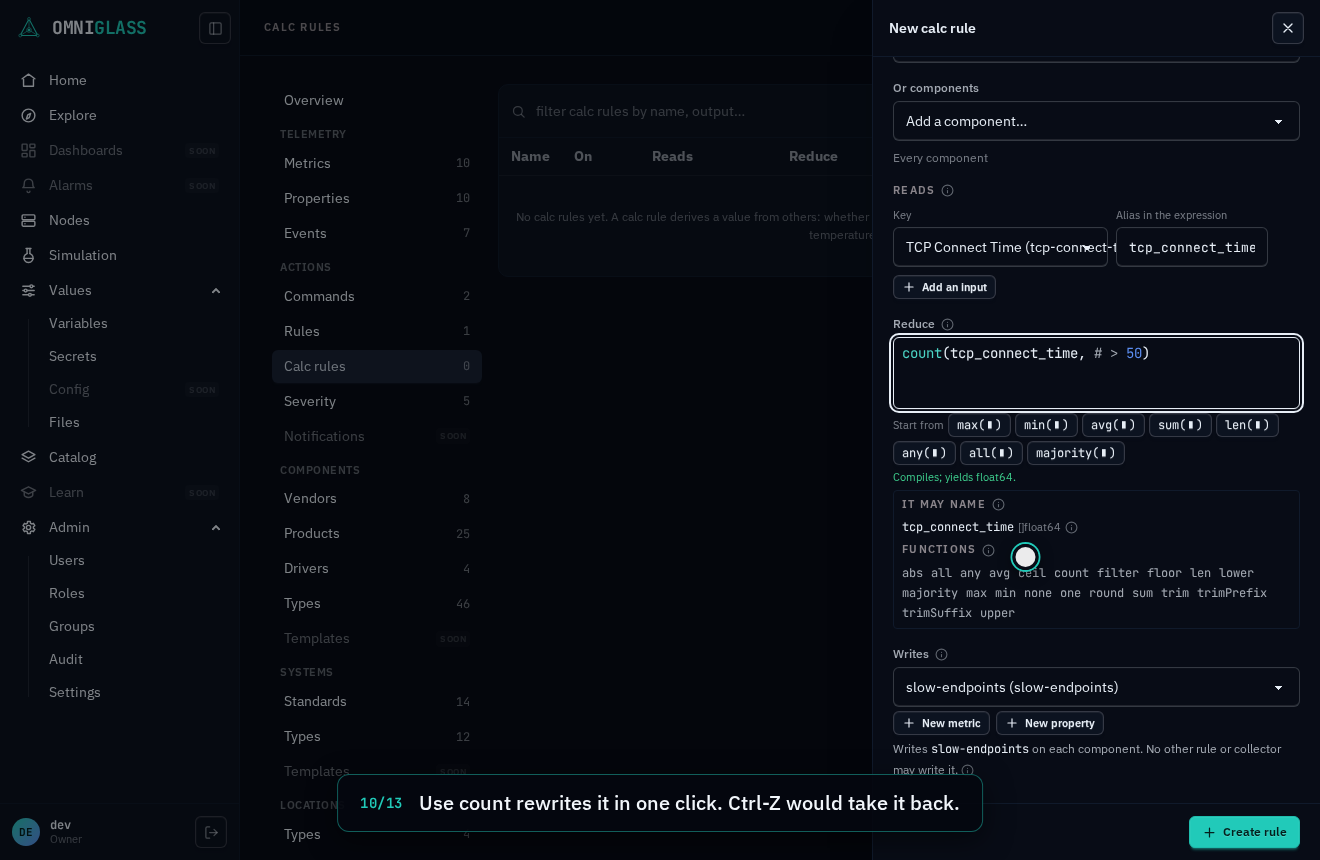
diagnostics table, and Use
count fixes it in one click before the rule is saved.
Every step, captioned (13 steps)
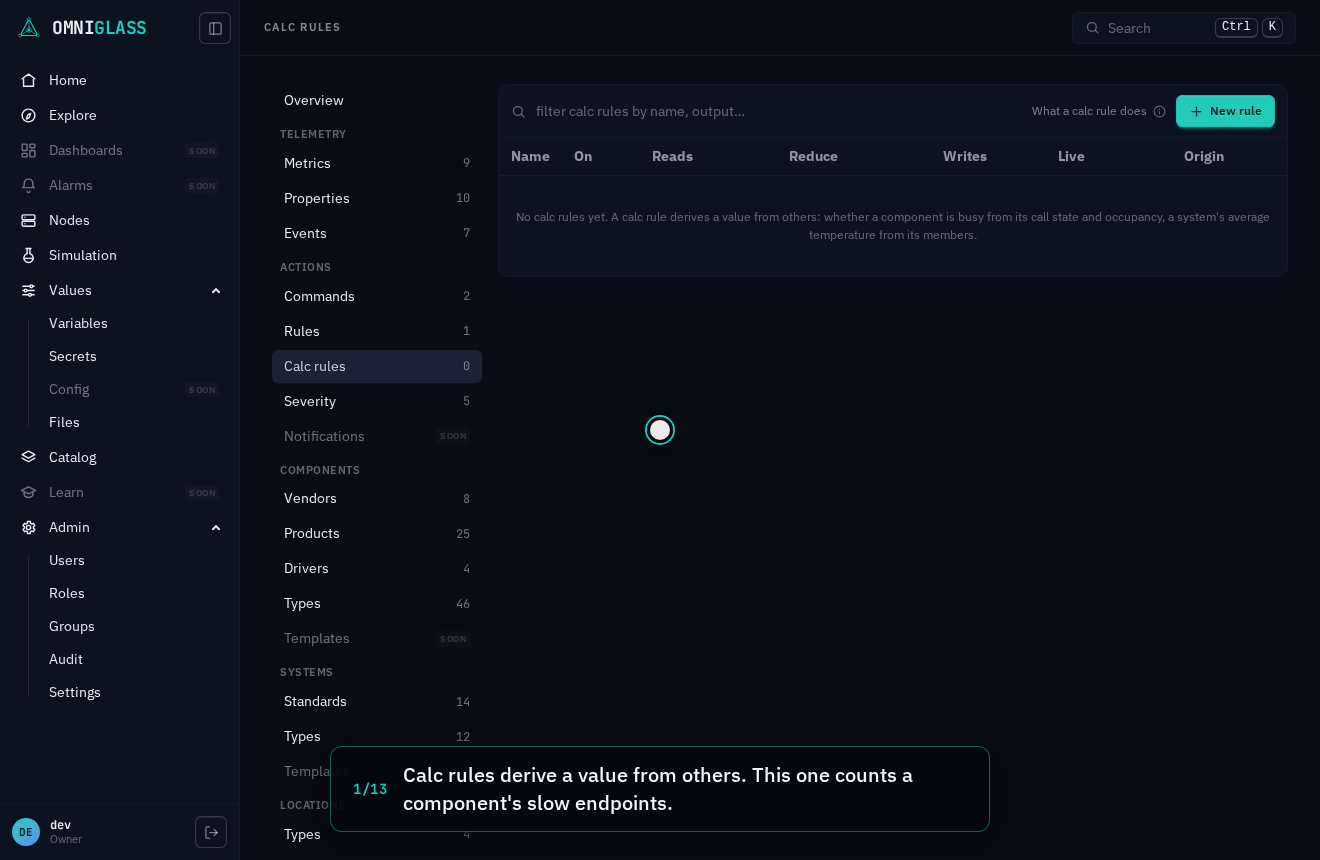
Calc rules derive a value from others. This one counts a component's slow endpoints.
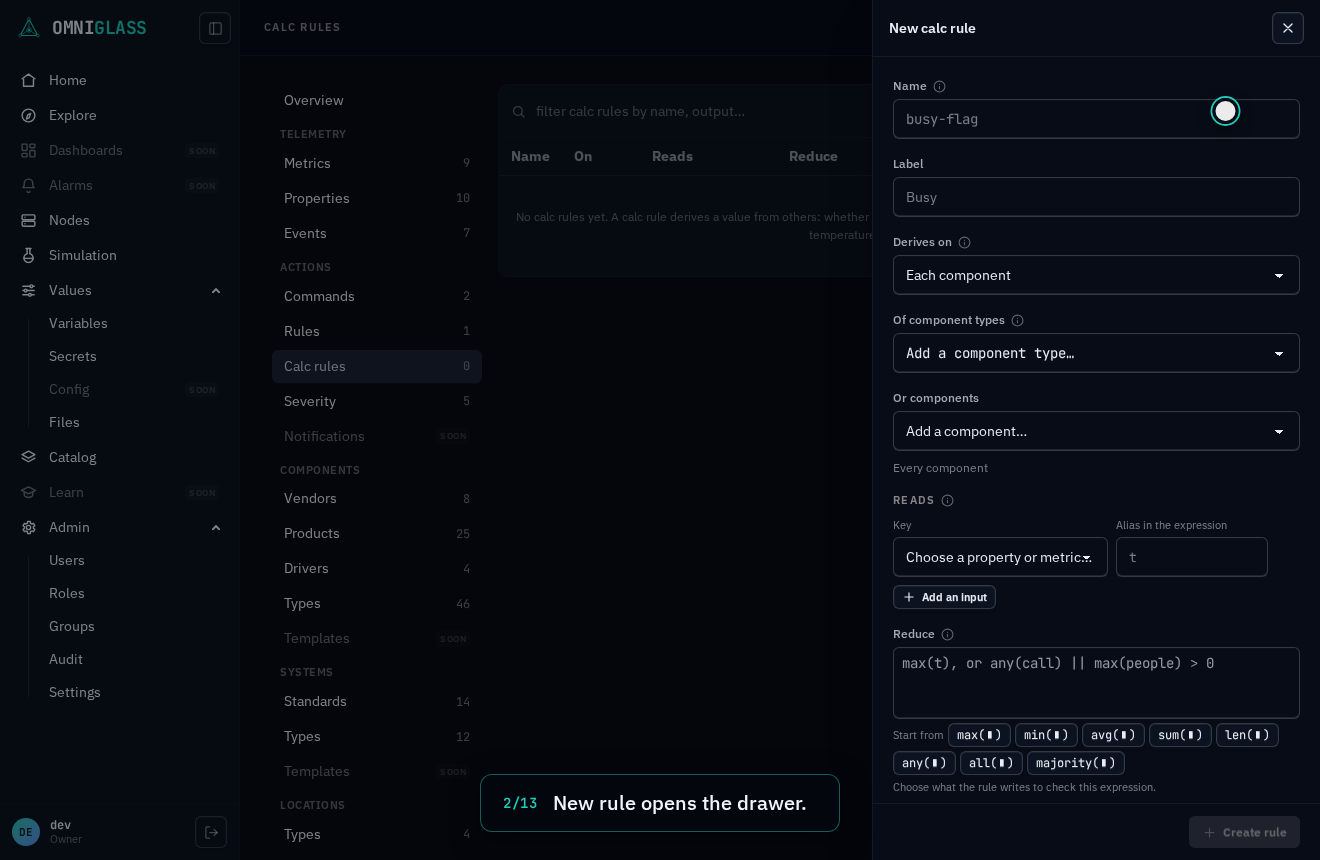
New rule opens the drawer.
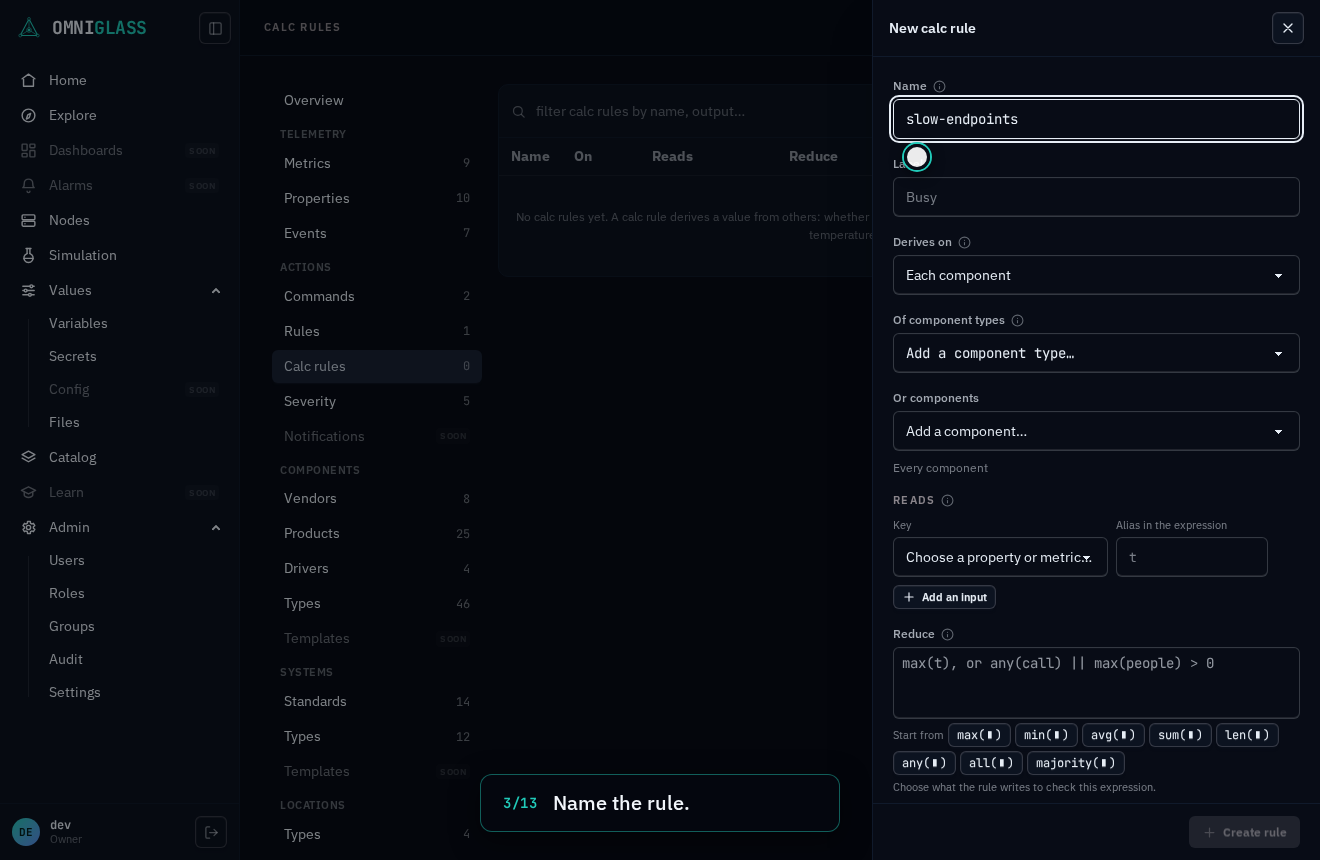
Name the rule.
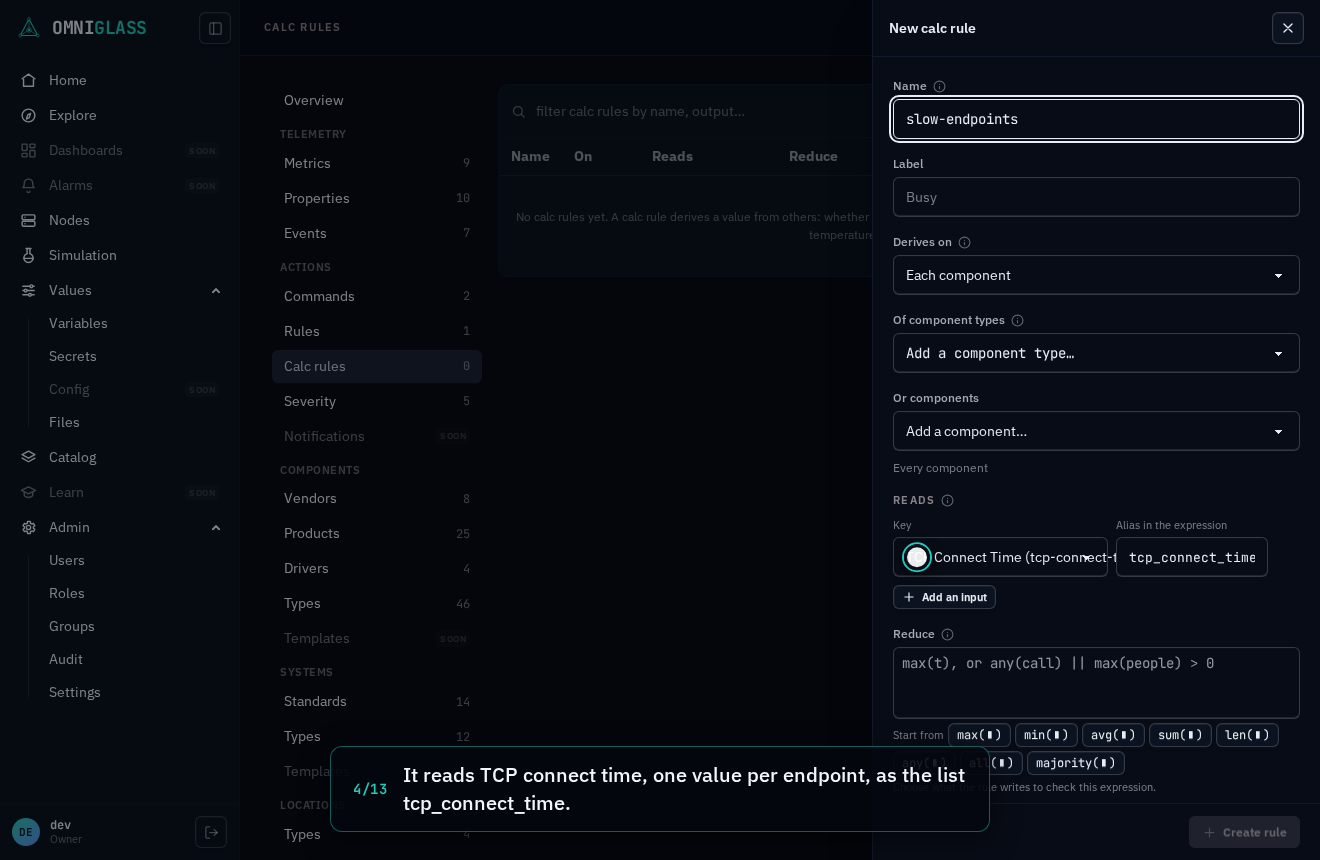
It reads TCP connect time, one value per endpoint, as the list tcp_connect_time.
It writes a metric of its own. Register it here.
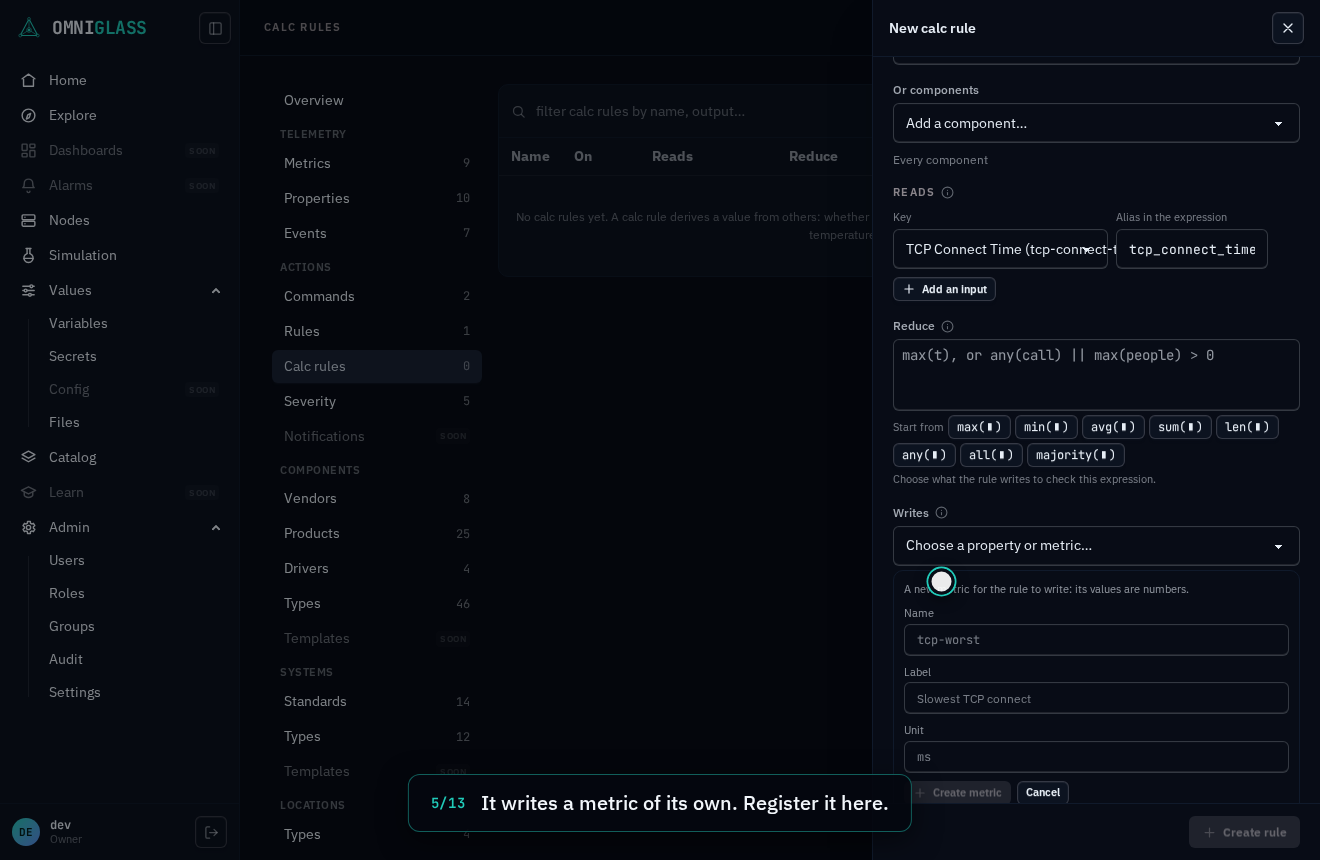
Name the metric.
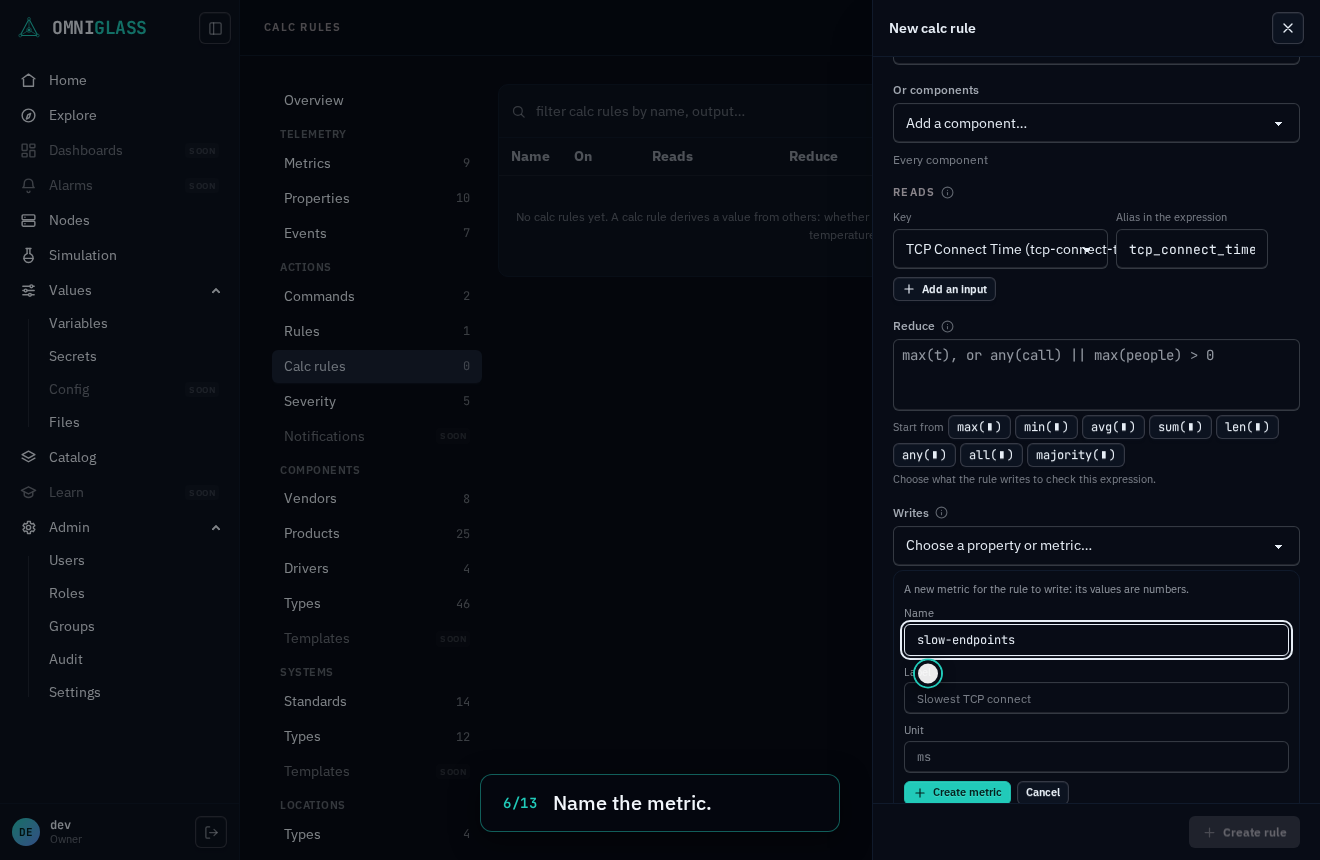
Create it. The rule now writes it.
Count the endpoints slower than 50 ms. A sum is the natural first guess.
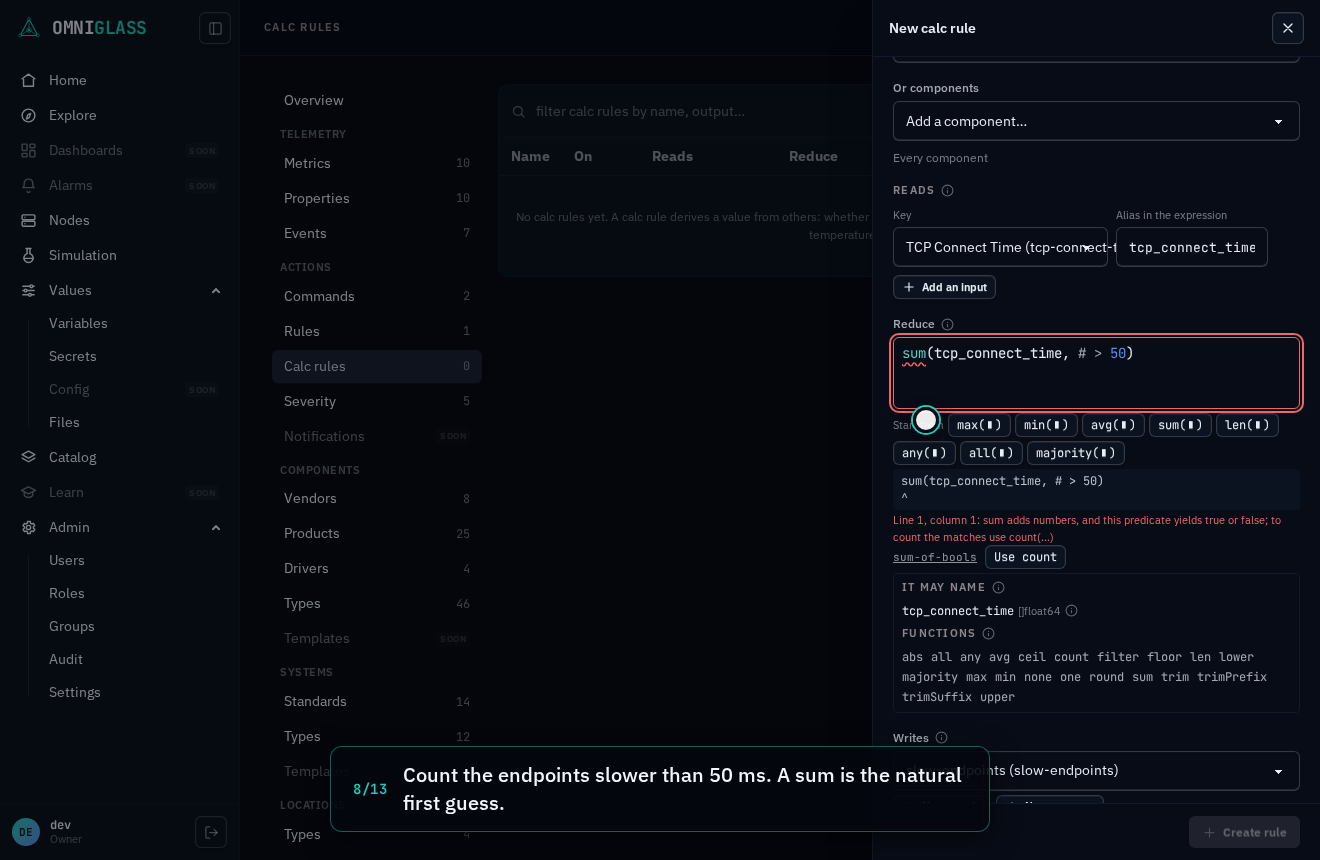
The field explains the mistake on the sum itself, links its code to the docs, and offers a fix.
Use count rewrites it in one click. Ctrl-Z would take it back.
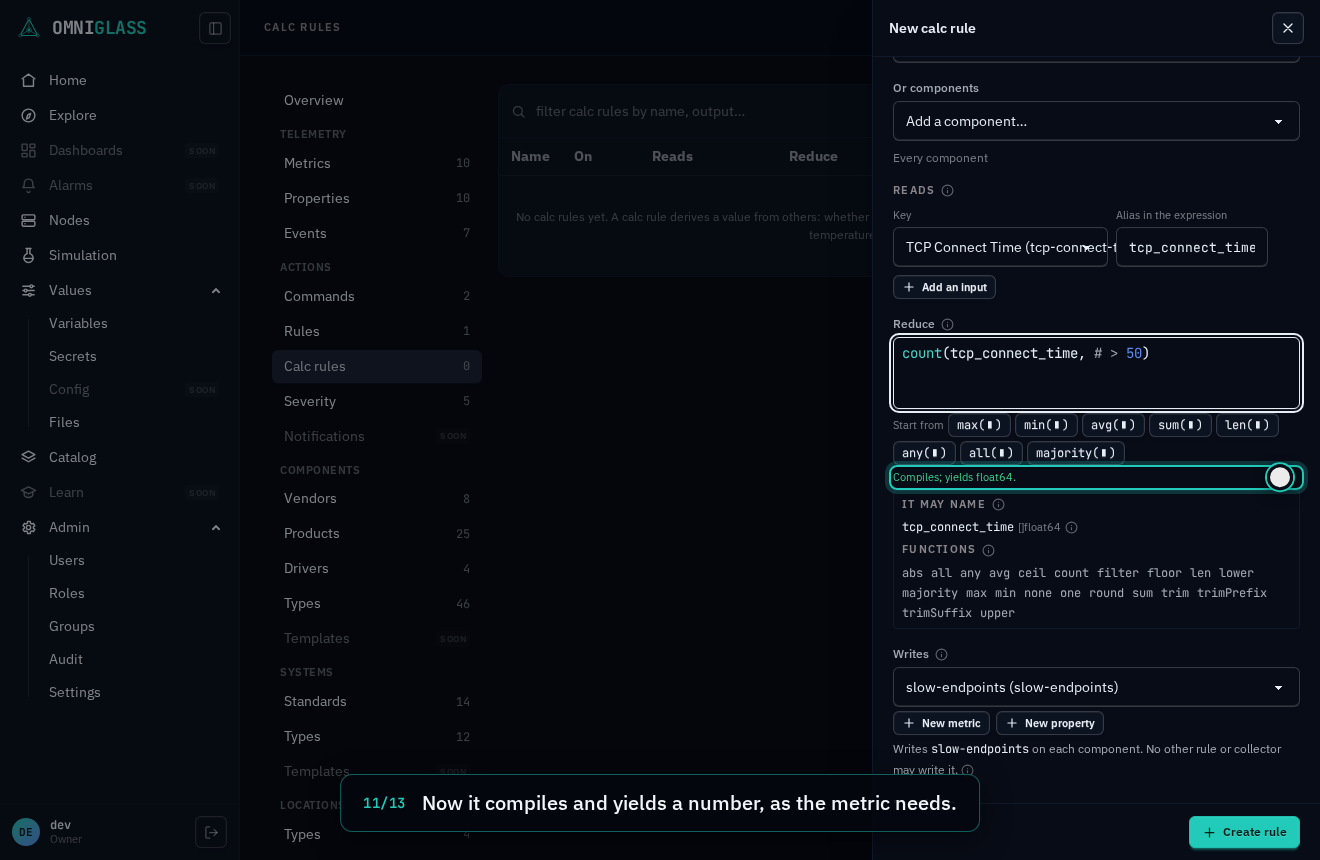
Now it compiles and yields a number, as the metric needs.
Save it. The rule computes whenever an endpoint's time changes.
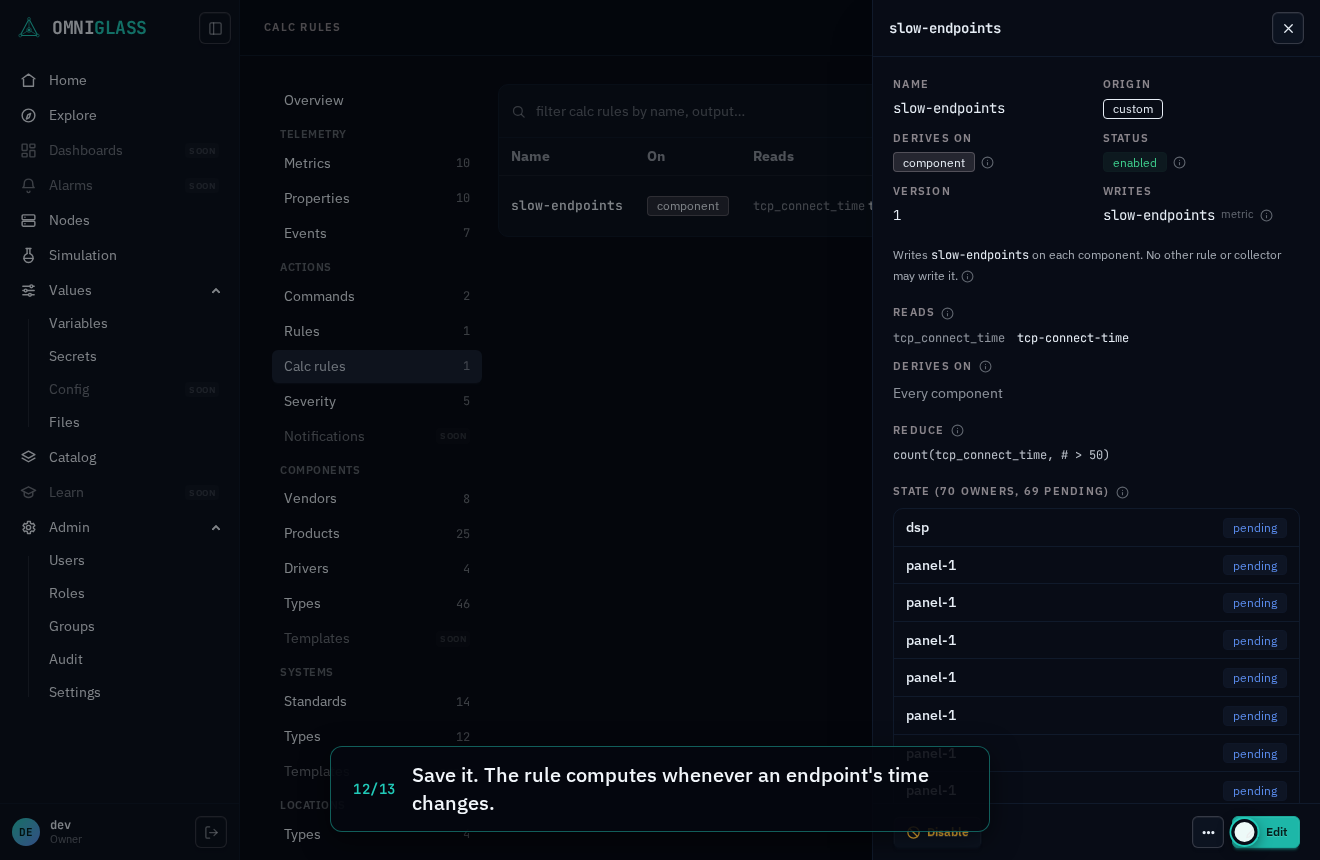
Its blade shows the expression it computes by.
From the CLI and the API
Section titled “From the CLI and the API”| Console | CLI | API |
|---|---|---|
| List | omniglass calc-rule list | GET /calc-rules |
| Open a rule | omniglass calc-rule get <name> | GET /calc-rules/{name} |
| Its state | omniglass calc-rule state list <name> | GET /calc-rules/{name}/state |
| Preview | omniglass calc-rule preview | POST /calc-rules:preview |
| New rule | omniglass calc-rule create | POST /calc-rules |
| Edit, Disable, Enable | omniglass calc-rule update <name> | PATCH /calc-rules/{name} |
| Rename | omniglass calc-rule rename <name> --name <new> | POST /calc-rules/{name}:rename |
| Delete | omniglass calc-rule delete <name> | DELETE /calc-rules/{name} |
omniglass metric-type create --name rtt-worst --data-type float --unit ms --label "Worst RTT"omniglass calc-rule create --name rtt-worst --label "Worst round trip" --owner-kind component \ --inputs '[{"alias":"rtt","key":"icmp-rtt-avg"}]' --reduce '{"expr":"max(rtt)"}' --output-key rtt-worstomniglass calc-rule state list rtt-worst --limit 20