

Nodes and reachability
Collection is how the fleet learns whether a device is reachable and what it reports. An edge node runs the probes, a component’s endpoint is the API the node reaches for, the component’s Reachability panel shows the verdict, and its Events and Logs panels show recent occurrences the node ships back. This page walks the console surfaces; the model behind them is data collection, and every action here has the same scope and permission checks as the rest of the console.
Nodes in the sidebar (with node:read, which must be all-scope, since a node is
fleet-wide, so a location-scoped operator cannot list nodes) is the collection-daemon
inventory. Each row reads the way every list in the console reads: the node’s label on the
first line and its name beneath it (shown only when the two differ), then a liveness pill (up,
down, or never, derived from its last heartbeat against the server’s down window), the relative
last-heartbeat time, and its tags. A row opens the node’s detail.
- With
node:createandnode:enroll, New node registers a node (the name is its fleet address) and mints its enrollment token. The form also takes an optional label and location. The token is a secret shown once, in a copy-to-clipboard field with a “shown once, cannot be retrieved again” warning. Copy it now and hand it to the node deployment; the node presents it to claim its NATS credential. The server stores only a hash of the token and never logs it. - The detail is read-edit-save, like a component or location. With
node:update, Edit changes the node’s label, description, and location (a descriptive placement picked from the fleet’s locations, not a scope); the name is immutable (it is the fleet address and enrollment identity). The location clears if that location is deleted. - The detail carries a Tags panel: with
node:update, edit mode adds and removes governed tags (keys whose vocabulary allows nodes), the same tag editor the component and location details use. The node list shows a Tags column and filters by any tag key. - With
node:delete, Delete (the destructive action, left of the footer) decommissions the node after a confirm: its endpoints, derived tasks, tags, and enrollment are removed. The telemetry it collected for components stays. - Enroll (or Re-enroll, if it is already enrolled) is a secondary action in the detail’s kebab: it re-mints the token, invalidating the previous one.
- The detail also shows whether the node is enrolled and when it last sent a heartbeat.
The node detail also carries a read-only Self-logs panel (backed by GET /nodes/{name}/logs,
gated by node:read): the node’s own recent operational log lines, newest first, over the last
24 hours, so a node that is up but misbehaving explains itself without a shell on the box.
Endpoints
Section titled “Endpoints”An endpoint is an API on a component that a node reaches for, and it lives on the
component: there is no standalone Endpoints surface. Open a component from the Fleet
list’s Components tab (with endpoint:read) and its endpoints read as a panel on the
detail, each
showing the endpoint’s label over its transport name, its reachability, its node placement, and
its probed target. An endpoint is named by its transport: you pick the wire it speaks over and
the endpoint takes that transport as its name, unique within its component, so one component can
have one tcp and one http (and an https beside them), and a second endpoint of a transport it
already has is refused.
Because you never type that name, the label is the one string on an endpoint that is yours:
give it one (“Control processor”) to say what the connection is FOR, since ssh only says how it is
reached and reads the same on every component in the fleet. It is optional, and an endpoint
without one reads its transport name exactly.
-
With
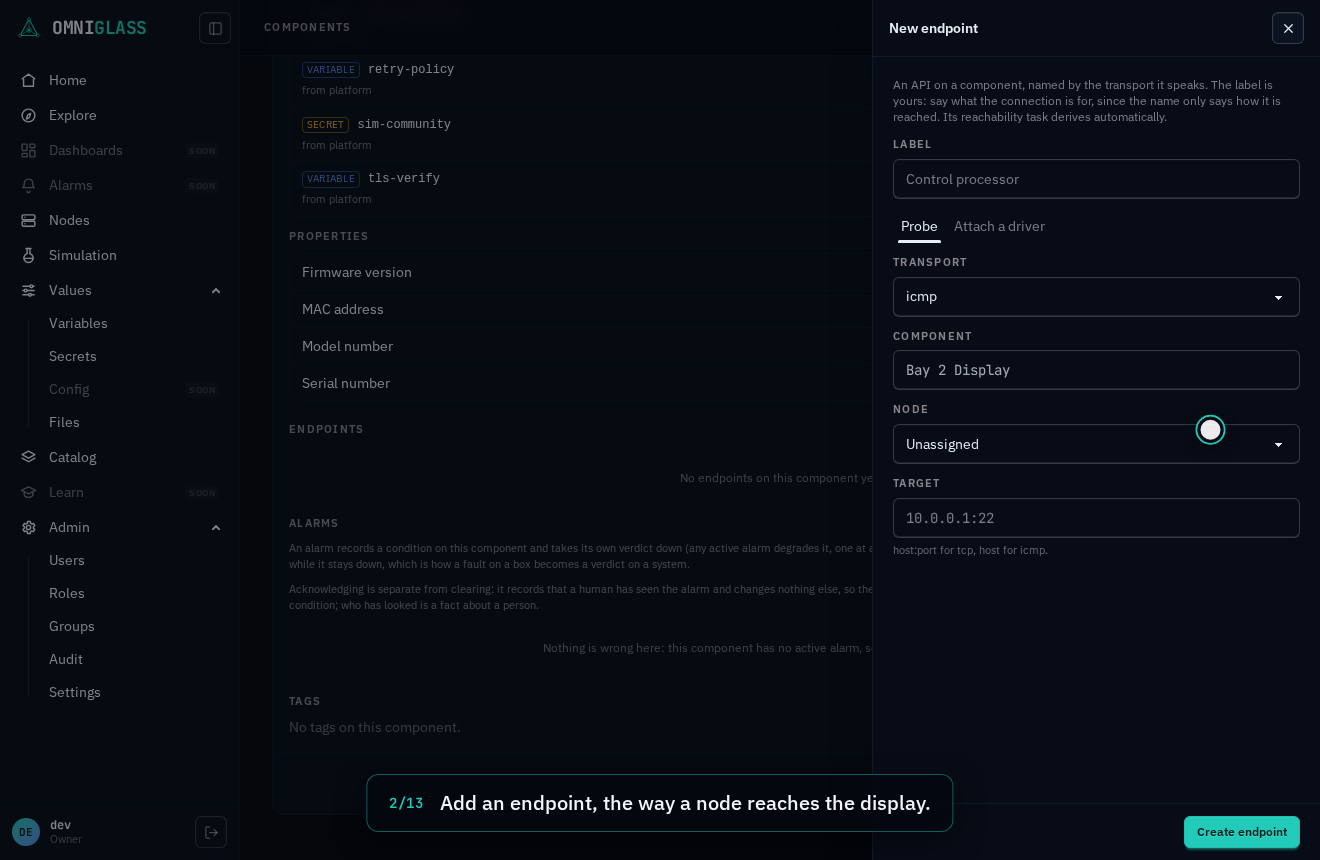
endpoint:create, Add endpoint on the component detail creates one, in either of two faces:- Probe: give it a label (optional, and the only name-like string you type here),
choose a transport (the picker reads the code registry the binary ships,
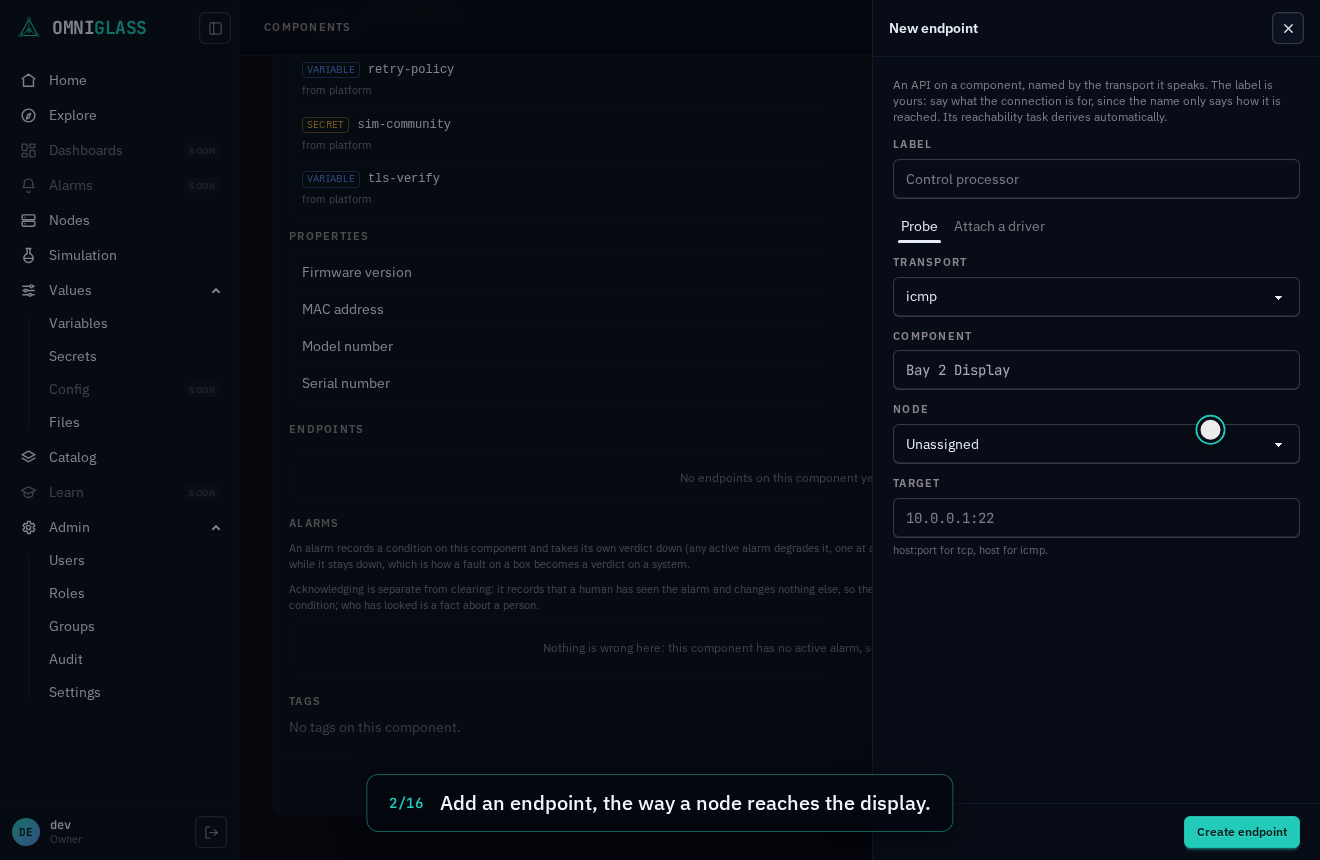
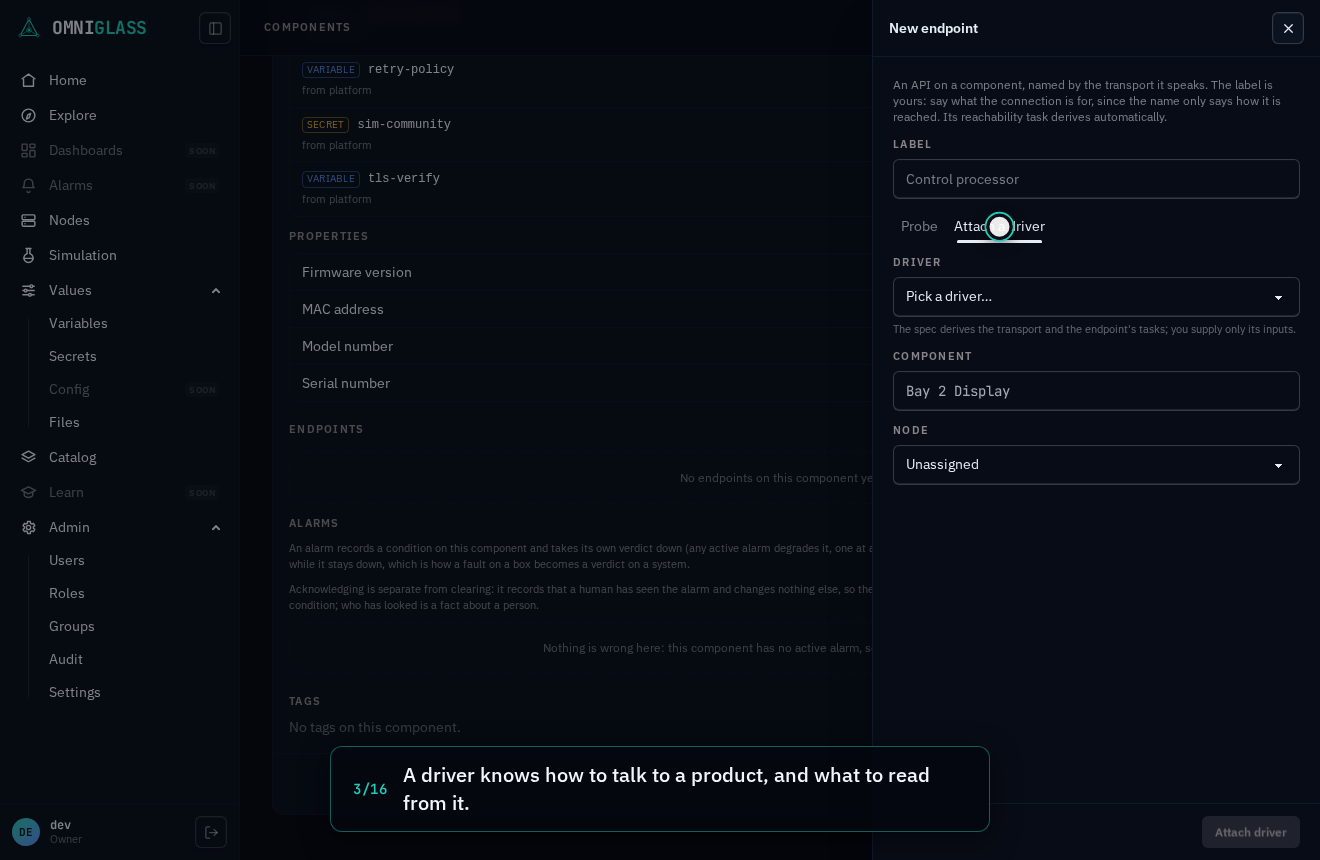
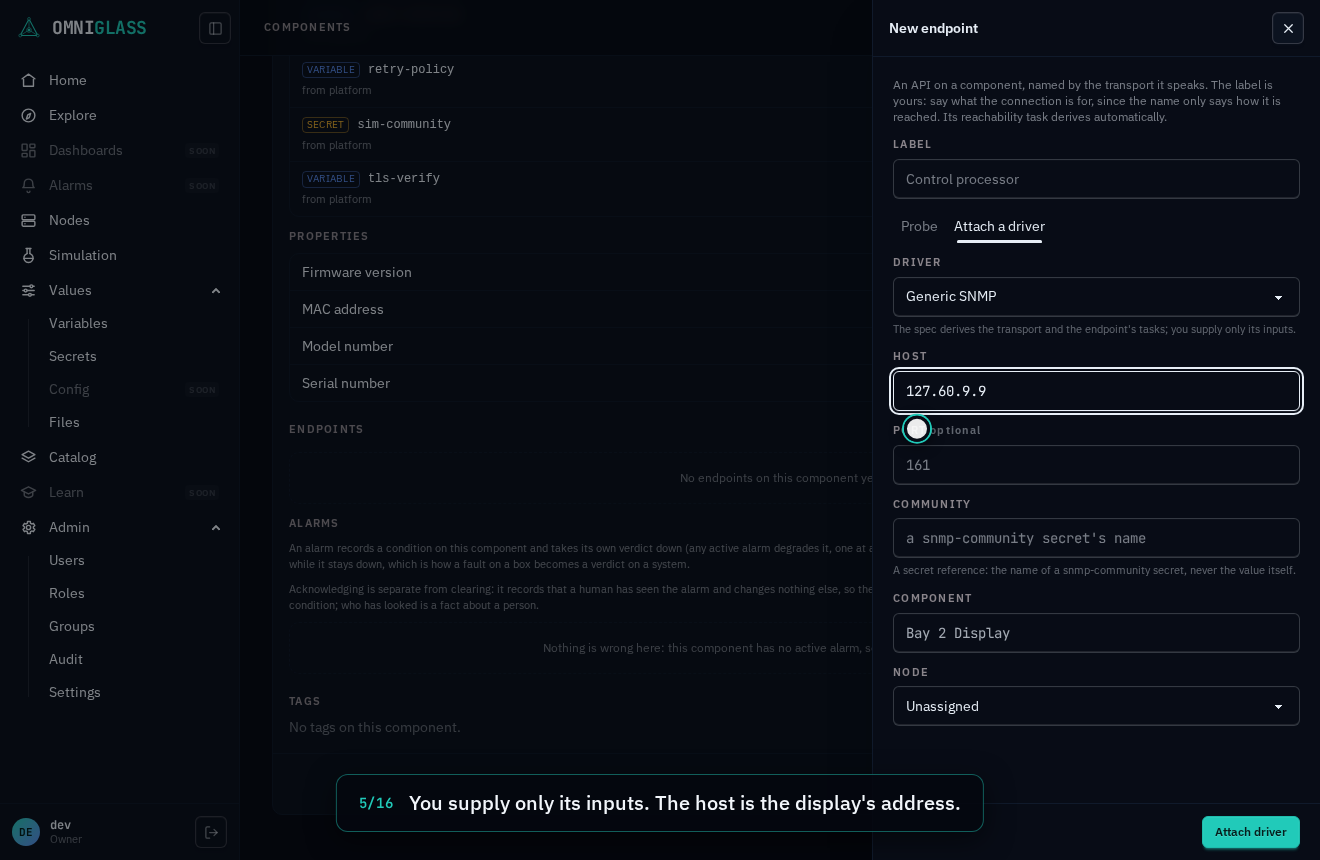
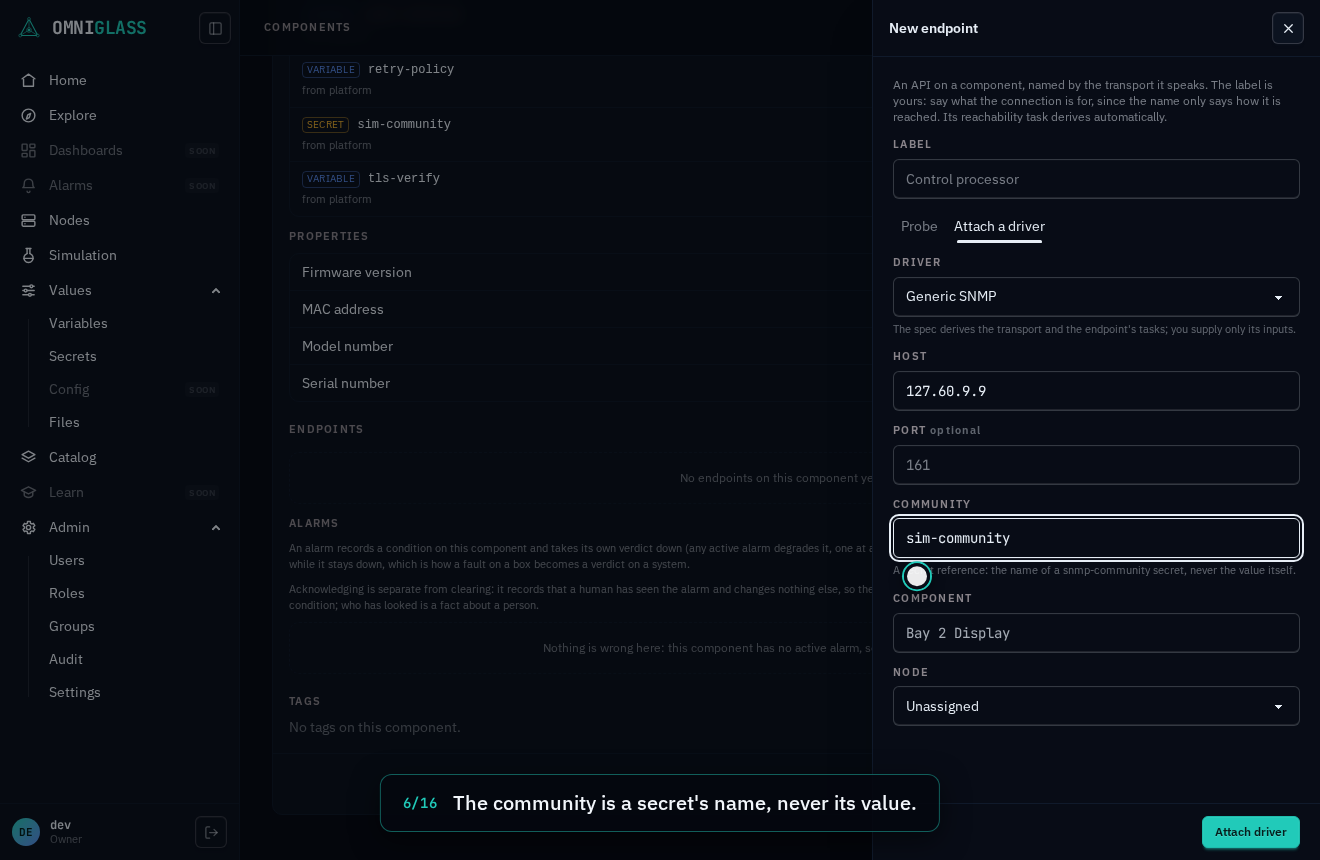
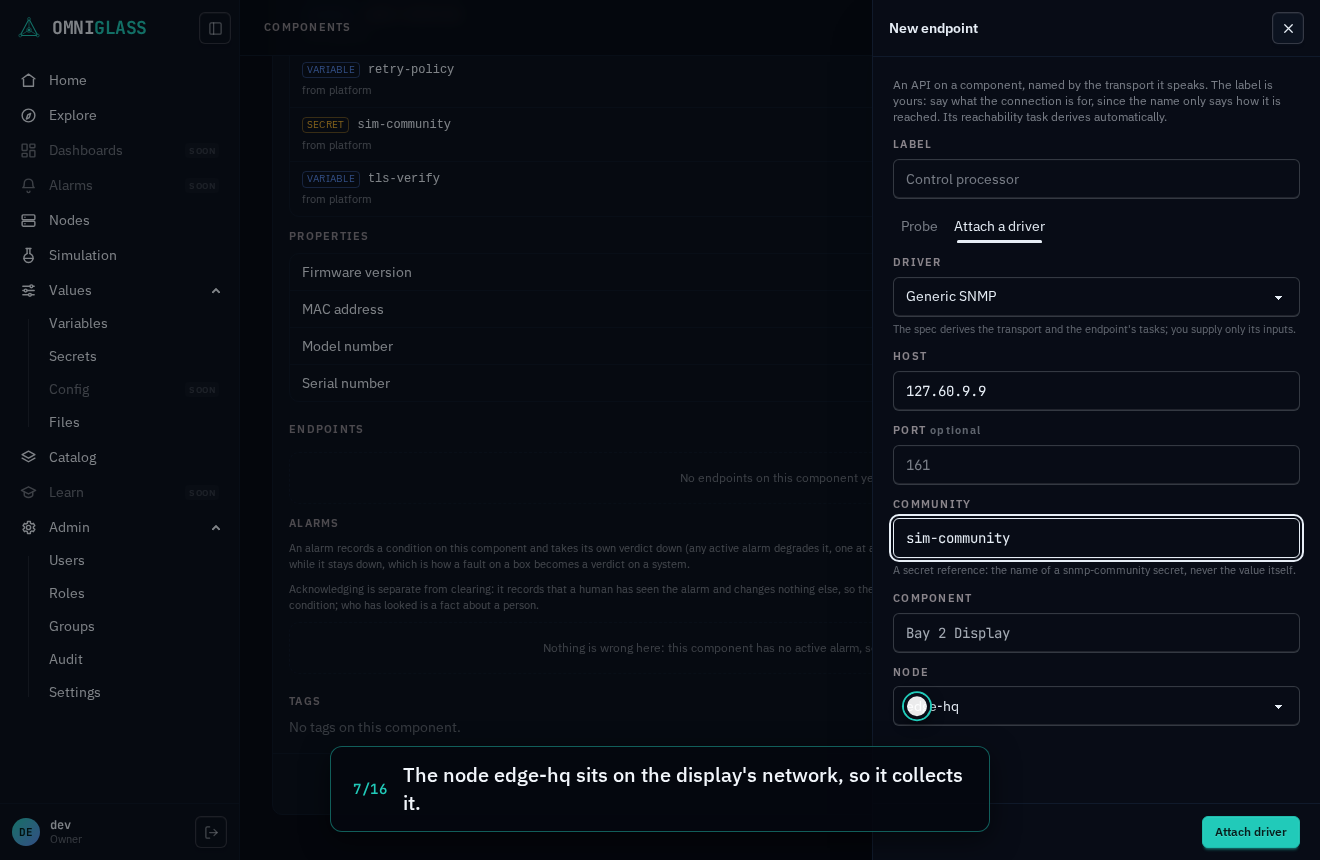
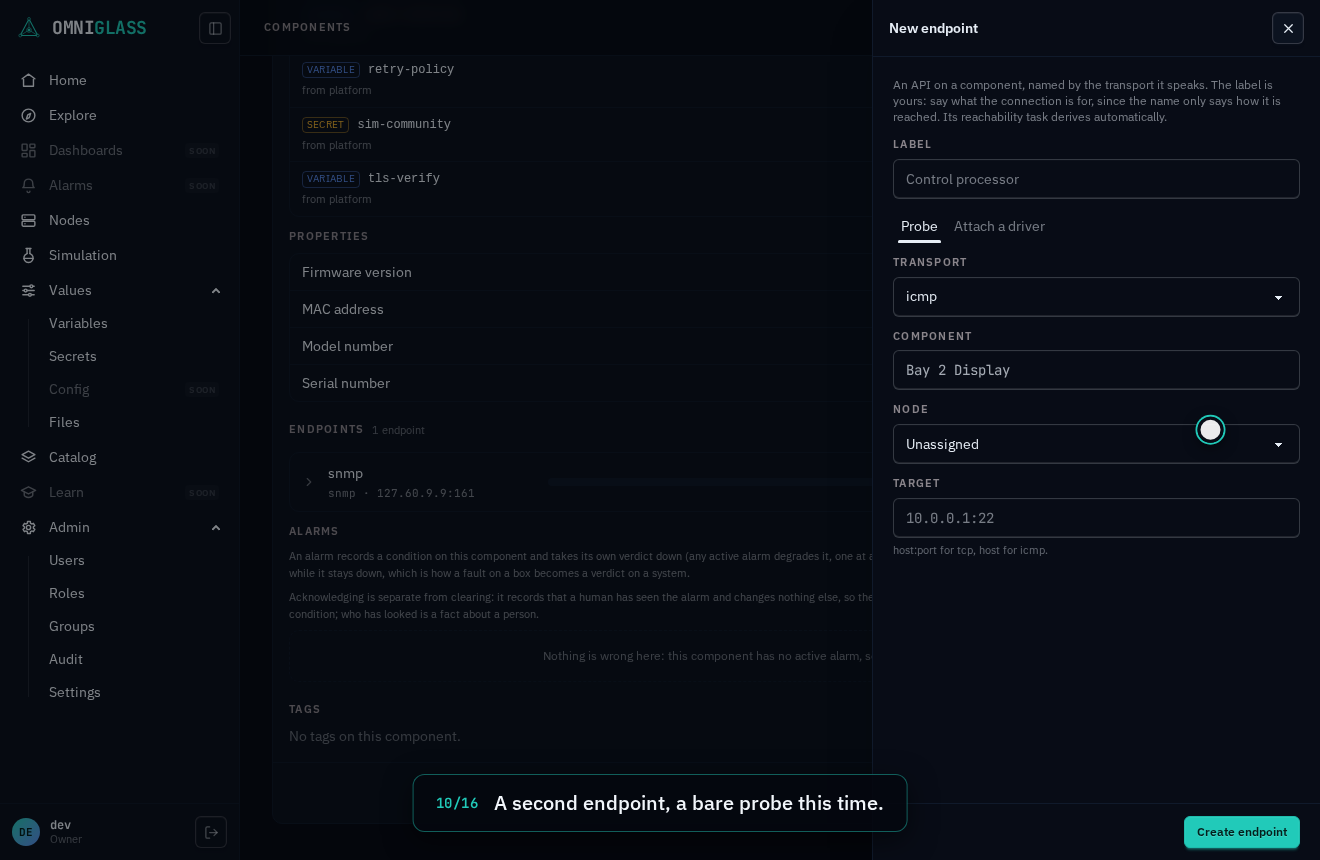
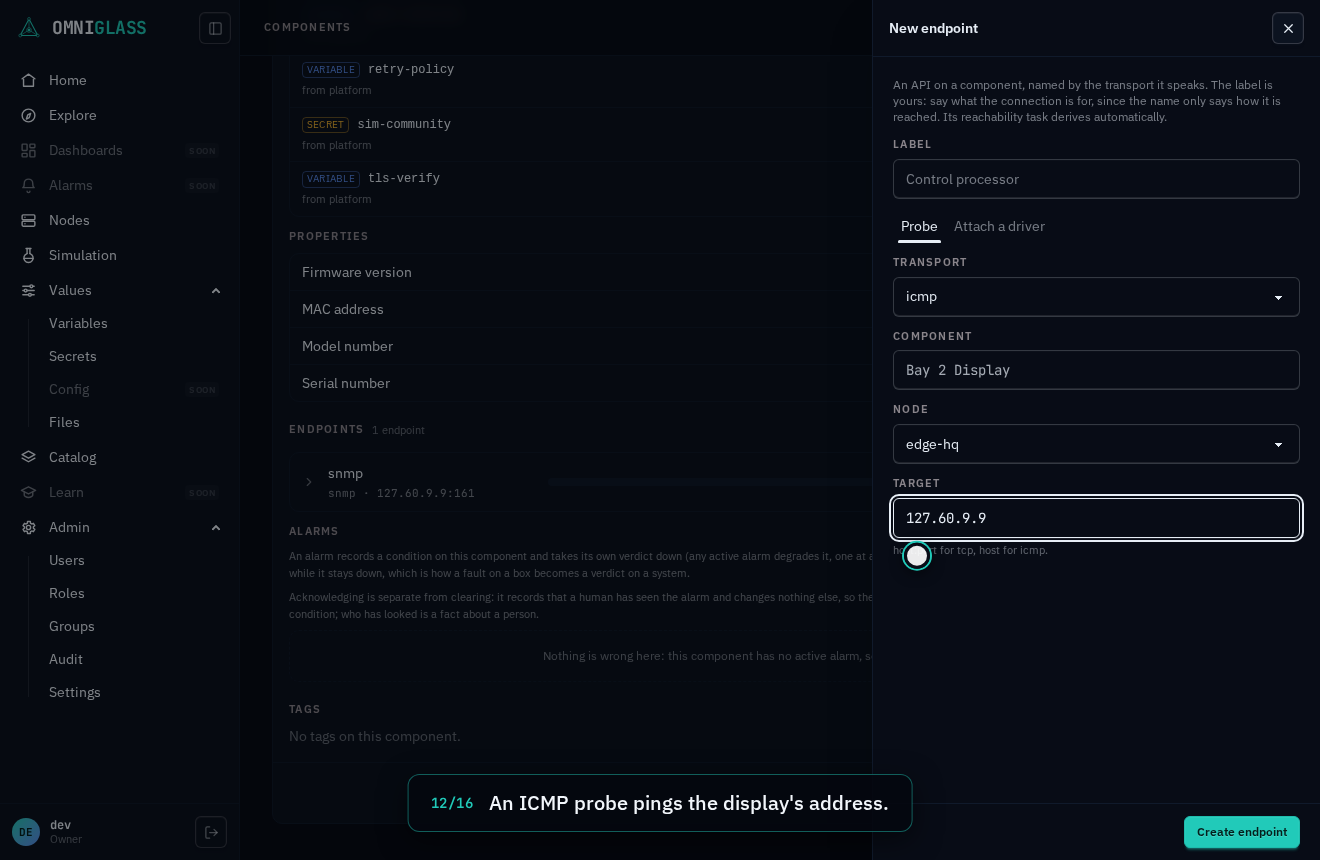
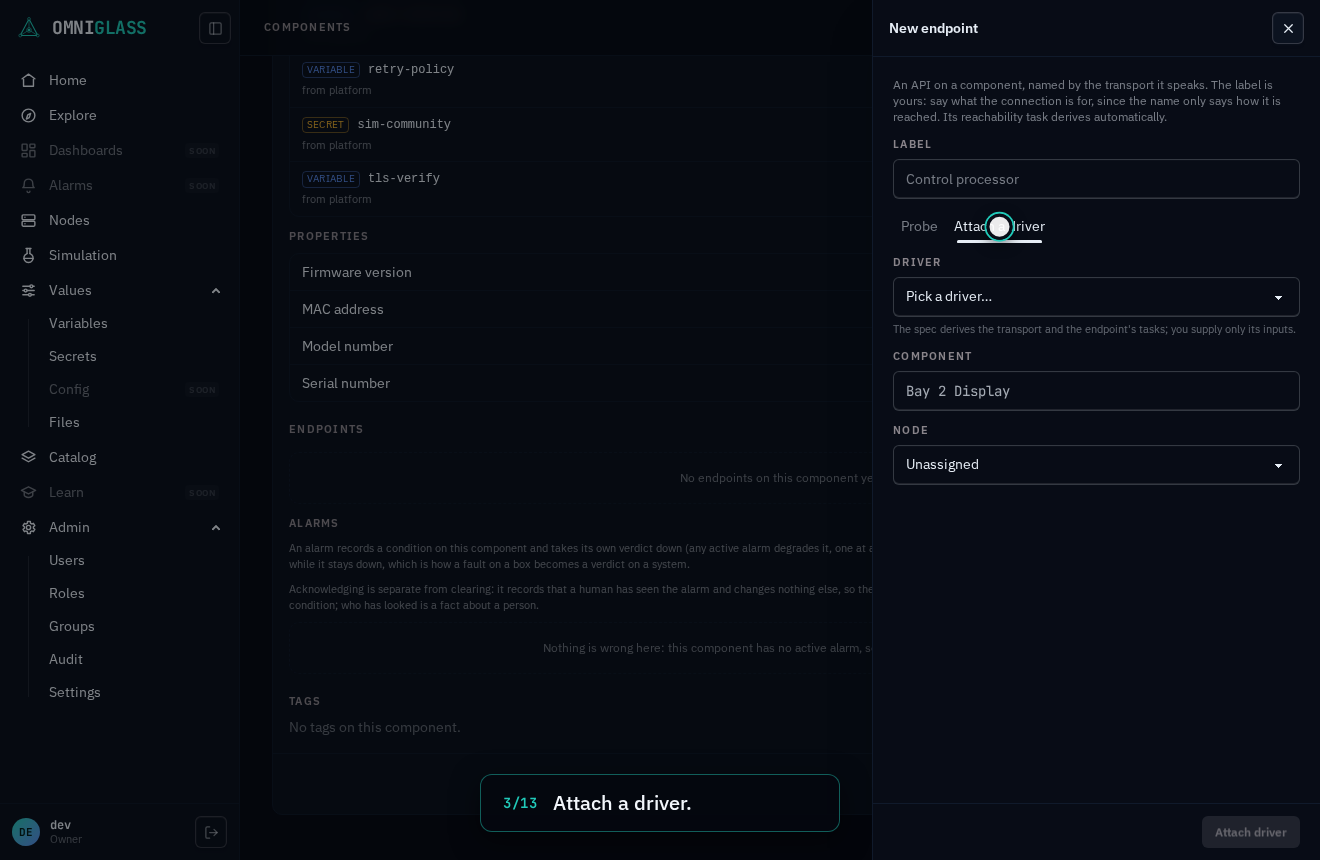
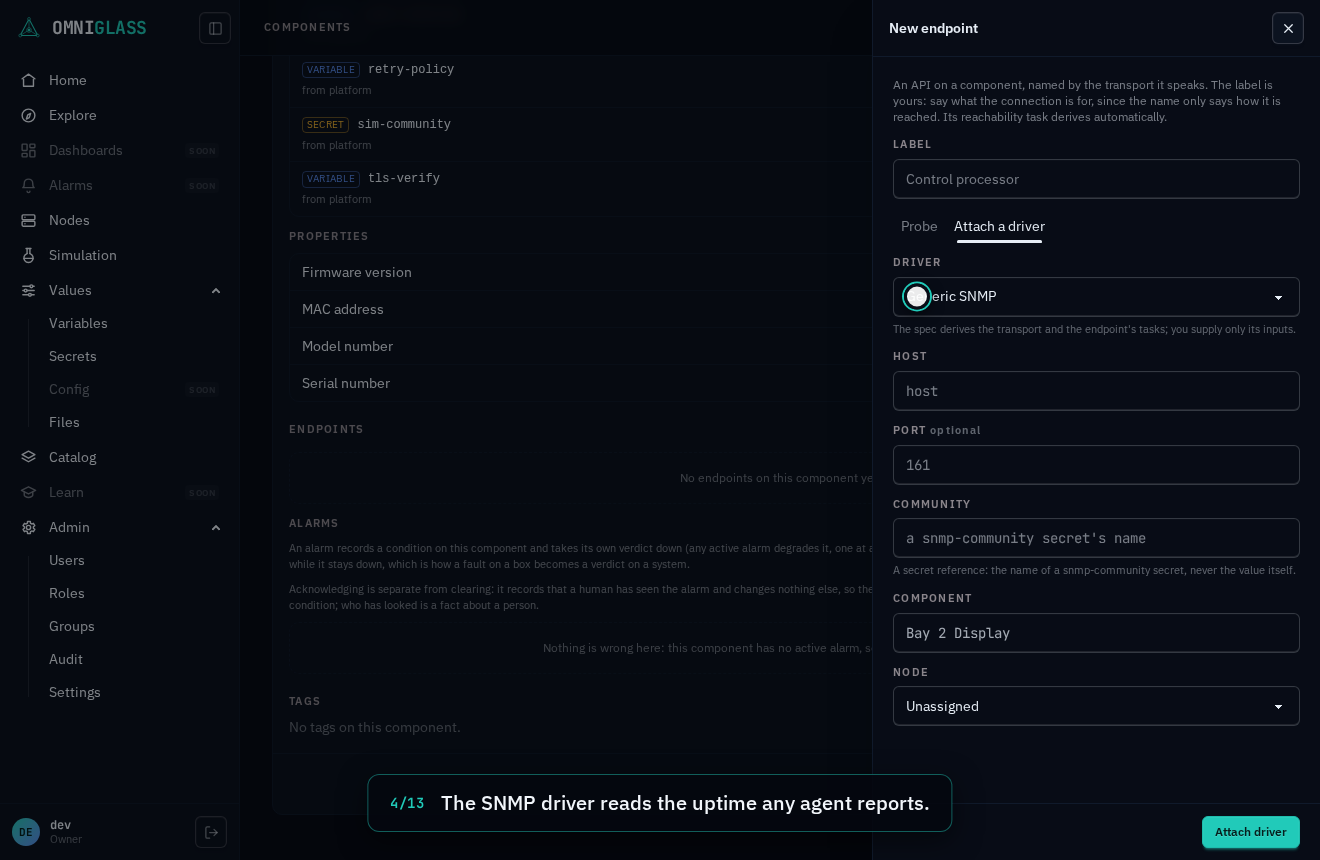
GET /transports:icmpandtcpprobe layers 3 and 4,ssh,httpandhttpsclimb to layer 7 (the probe draws a real response, so reached-but-not-responsive and responded-but-not-authenticated are visible states; an http probe never sends a credential),udpproves its rung with its driver’s request, so attach a driver rather than probe it bare, andsnmpproves its rung with a standard get carrying its driver’s community, so it too needs a driver, never a standalone probe; there is no free-text name), a node placement, and a target (host:portfor the tcp-family transports,hostfor icmp). - Attach a driver: pick a driver (only drivers whose declarative spec exists are offered) and fill the inputs its spec declares: a host, a port with its default pre-filled, credentials as secret references (the name of a secret of the declared shape, never a value). The spec derives the transport, the target, and the endpoint’s tasks: a poll task per poll function, a standing listen task per listener. The Drivers page shows each spec’s menu before you attach it.
The owning component is the one you are on. Either face derives the endpoint’s tasks for you, so a fresh endpoint is working collection with no second step.
- Probe: give it a label (optional, and the only name-like string you type here),
choose a transport (the picker reads the code registry the binary ships,
-
With
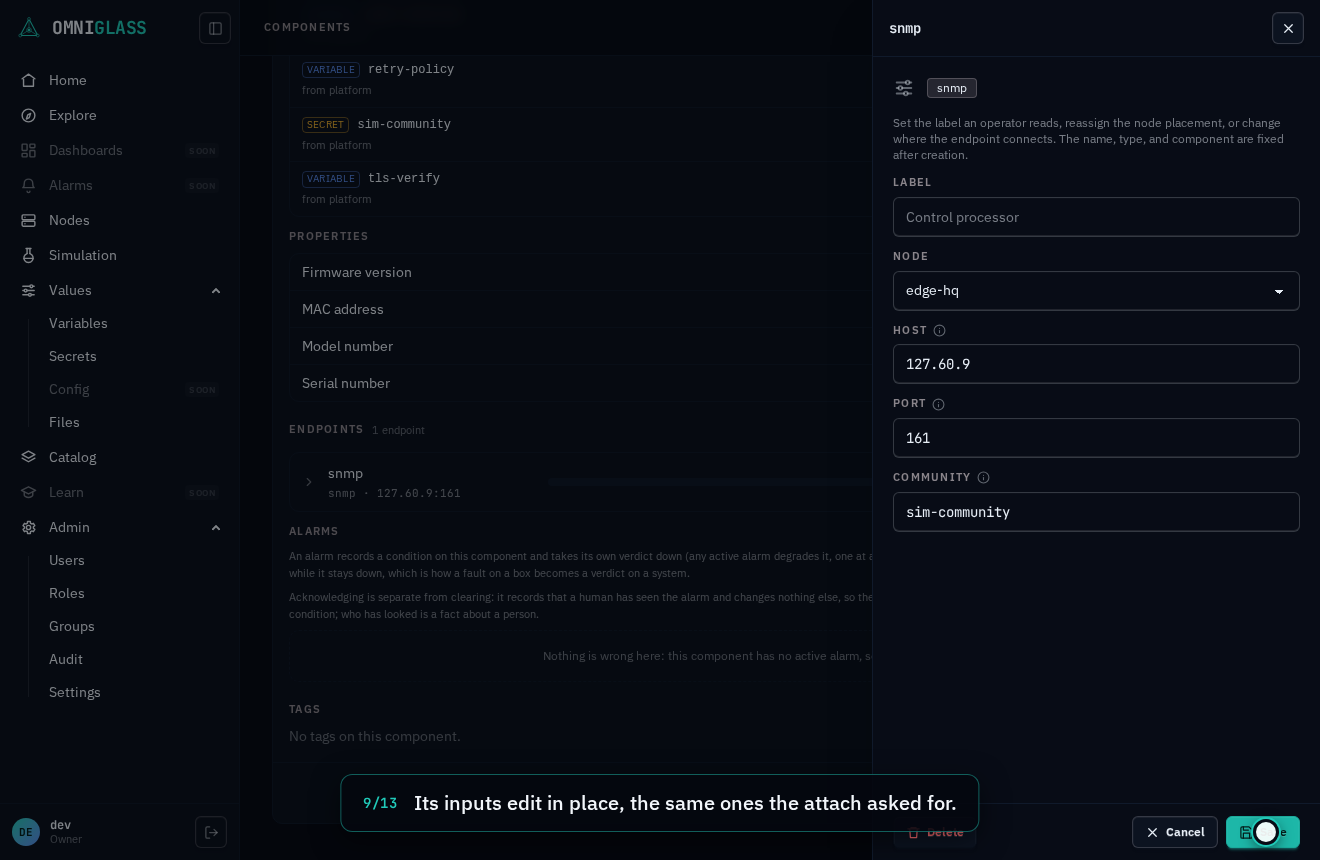
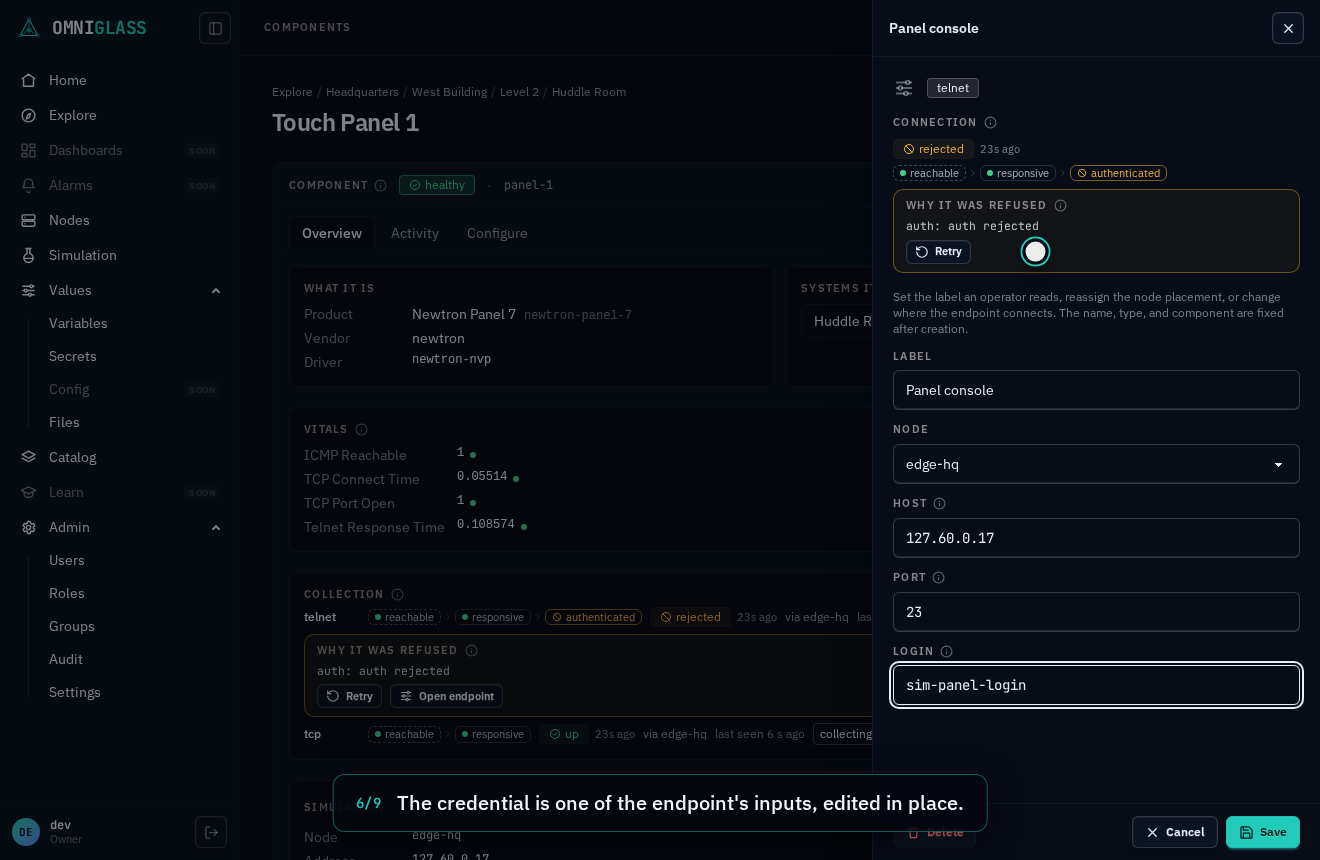
endpoint:update, editing an endpoint changes its node placement and where it connects: a bare probe’s target, or an attached driver’s inputs (its host, its port, the name of the secret it authenticates with), edited in place and checked against the driver, with no re-attach. The transport (and so the name) is fixed at creation. -
With
endpoint:delete, deleting an endpoint removes it and cascades its derived task.
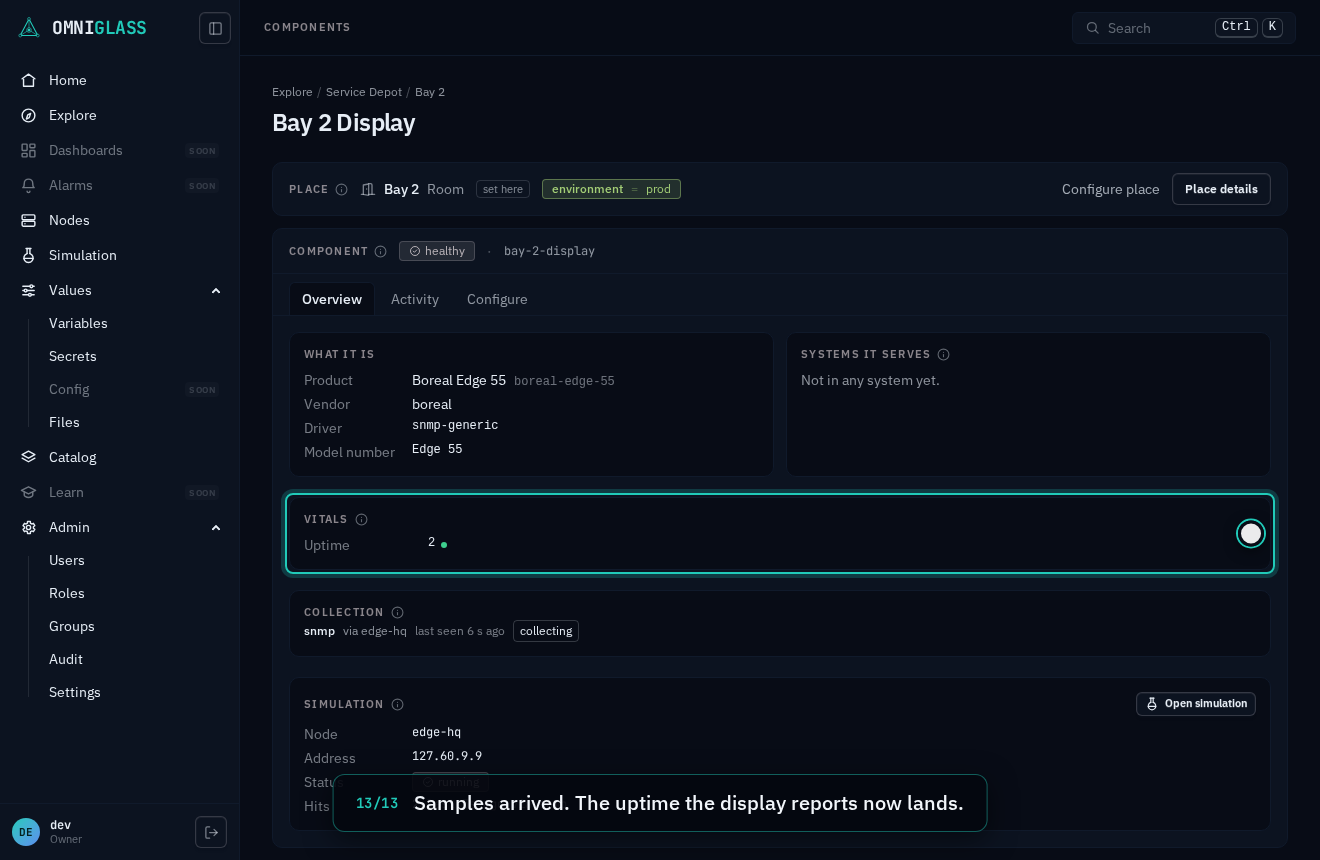
Setting up monitoring on a component nothing collects from yet is both faces in turn: the SNMP driver for what the component reports, then a probe for reachability, each placed on a node, with reachability and samples arriving on the component’s view seconds later. The view refreshes on its own as they land, so there is nothing to reload. The walkthrough runs against a simulated component, so the node is really collecting.
Every step, captioned (16 steps)
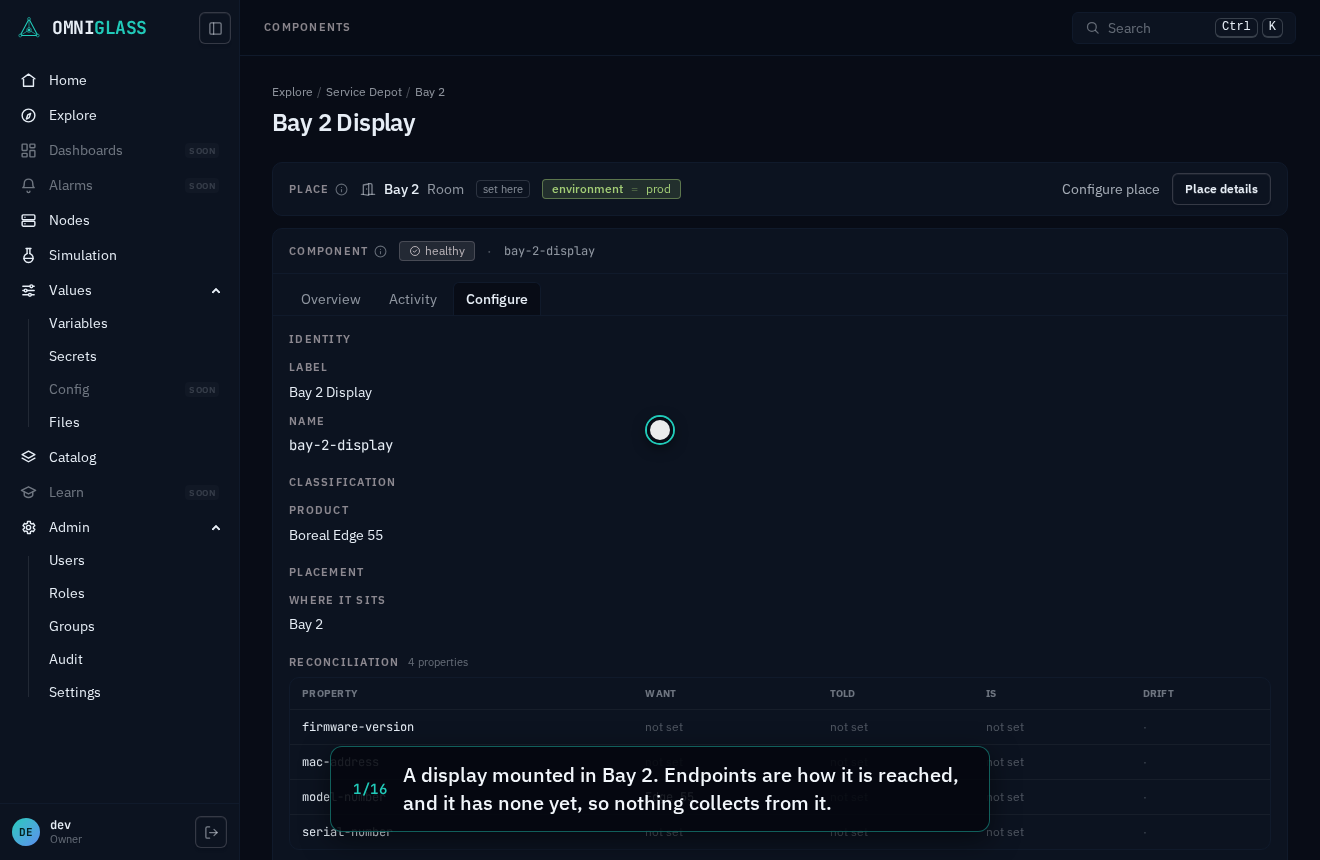
A display mounted in Bay 2. Endpoints are how it is reached, and it has none yet, so nothing collects from it.
Add an endpoint, the way a node reaches the display.
A driver knows how to talk to a product, and what to read from it.
The SNMP driver reads standard data any SNMP agent reports, such as uptime.
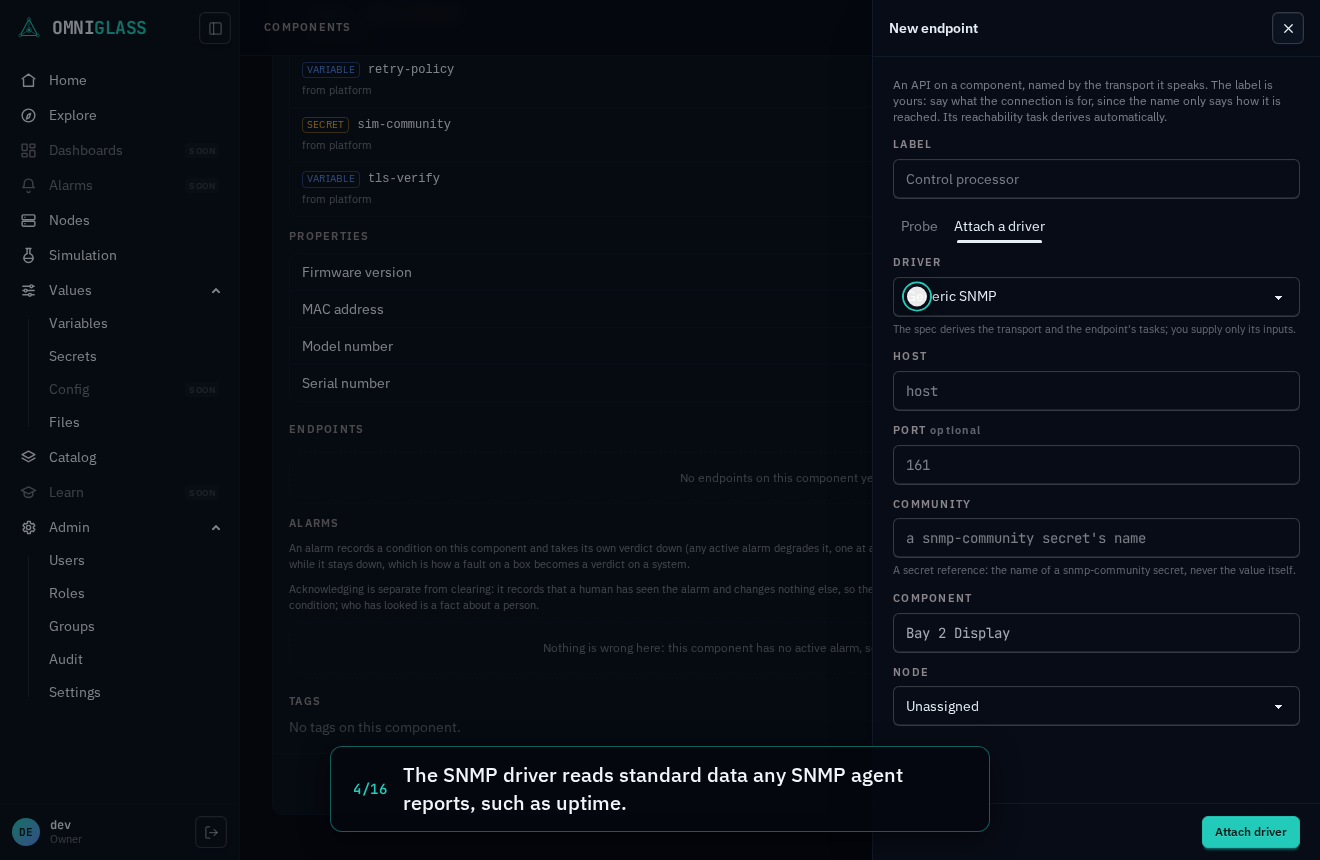
You supply only its inputs. The host is the display's address.
The community is a secret's name, never its value.
The node edge-hq sits on the display's network, so it collects it.
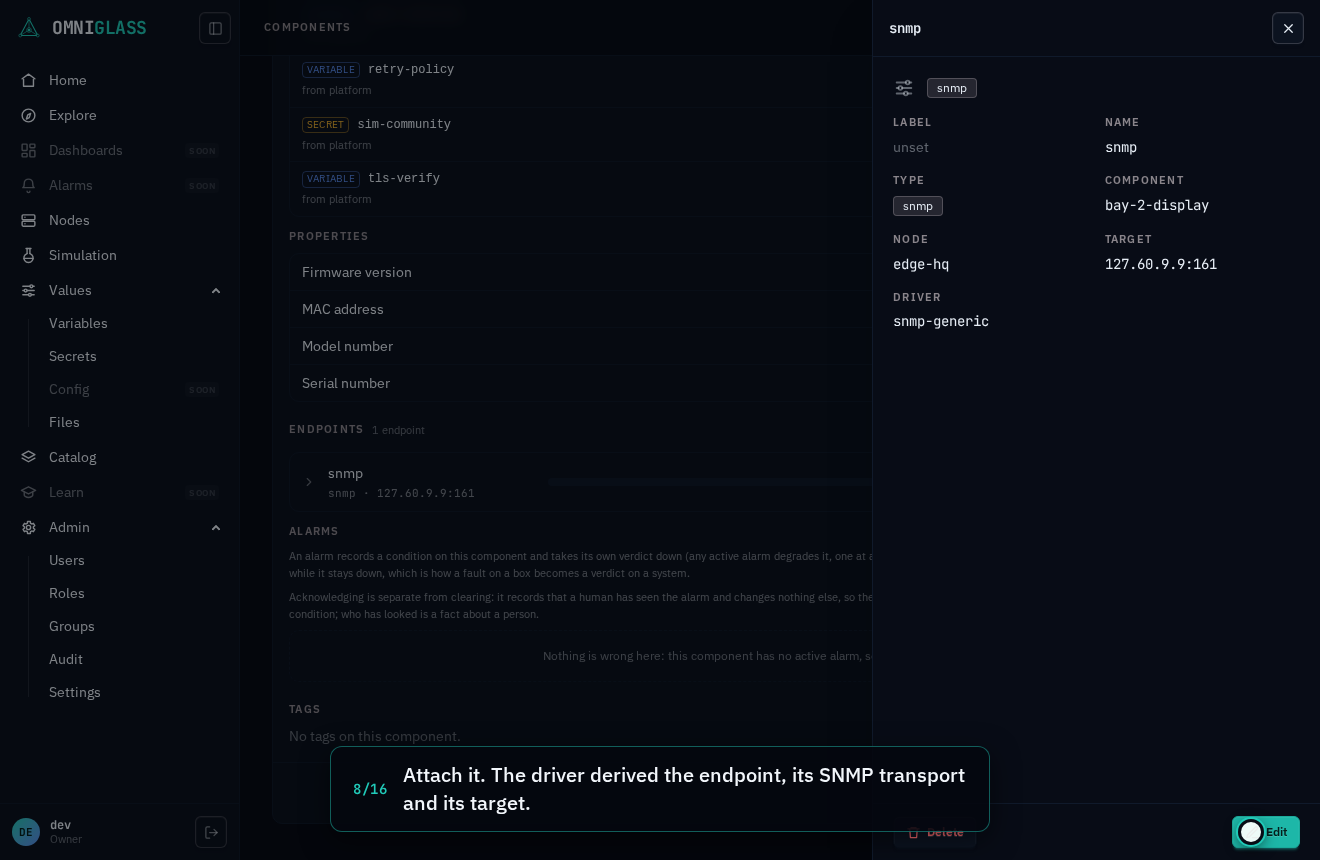
Attach it. The driver derived the endpoint, its SNMP transport and its target.
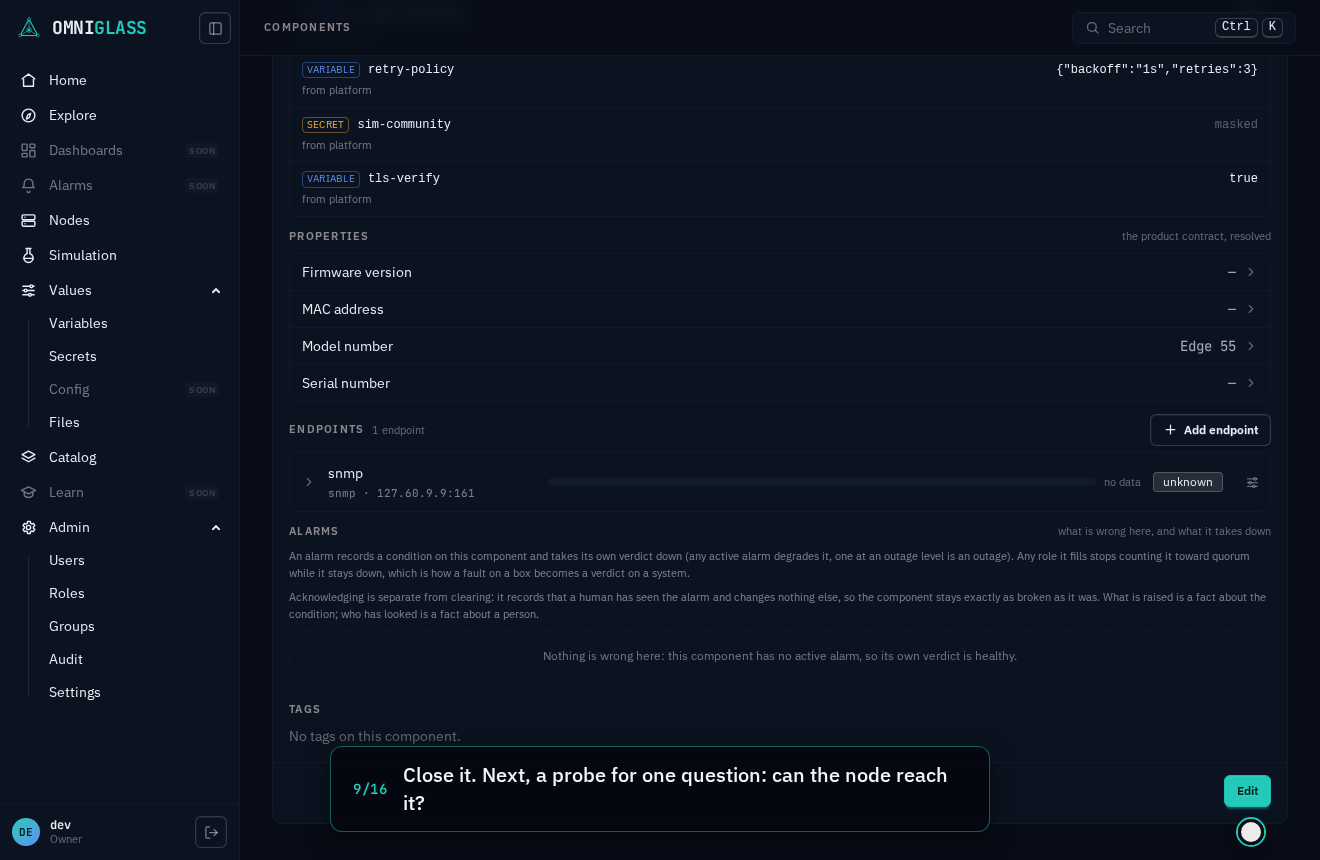
Close it. Next, a probe for one question: can the node reach it?
A second endpoint, a bare probe this time.
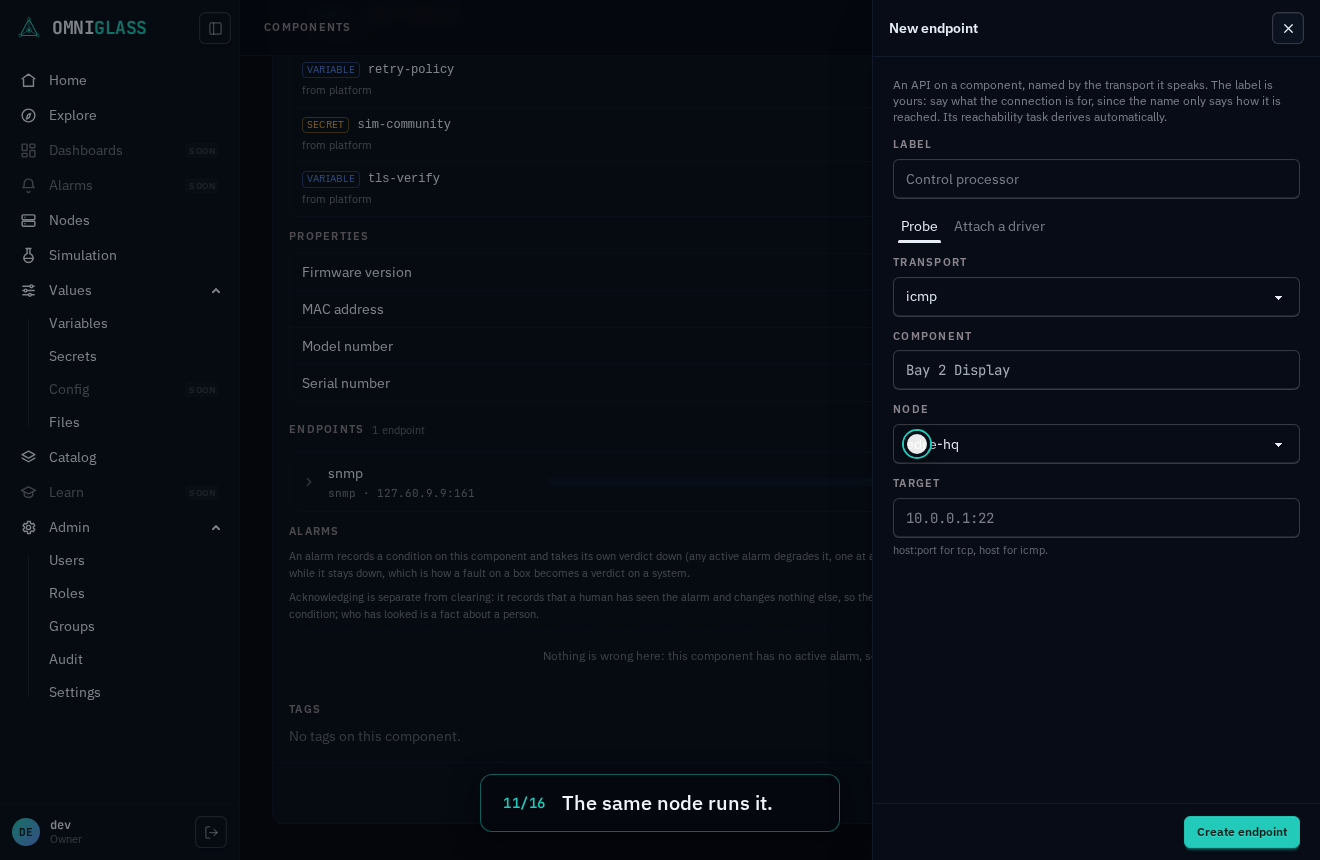
The same node runs it.
An ICMP probe pings the display's address.
Create it. The probe is placed on edge-hq, aimed at that address.
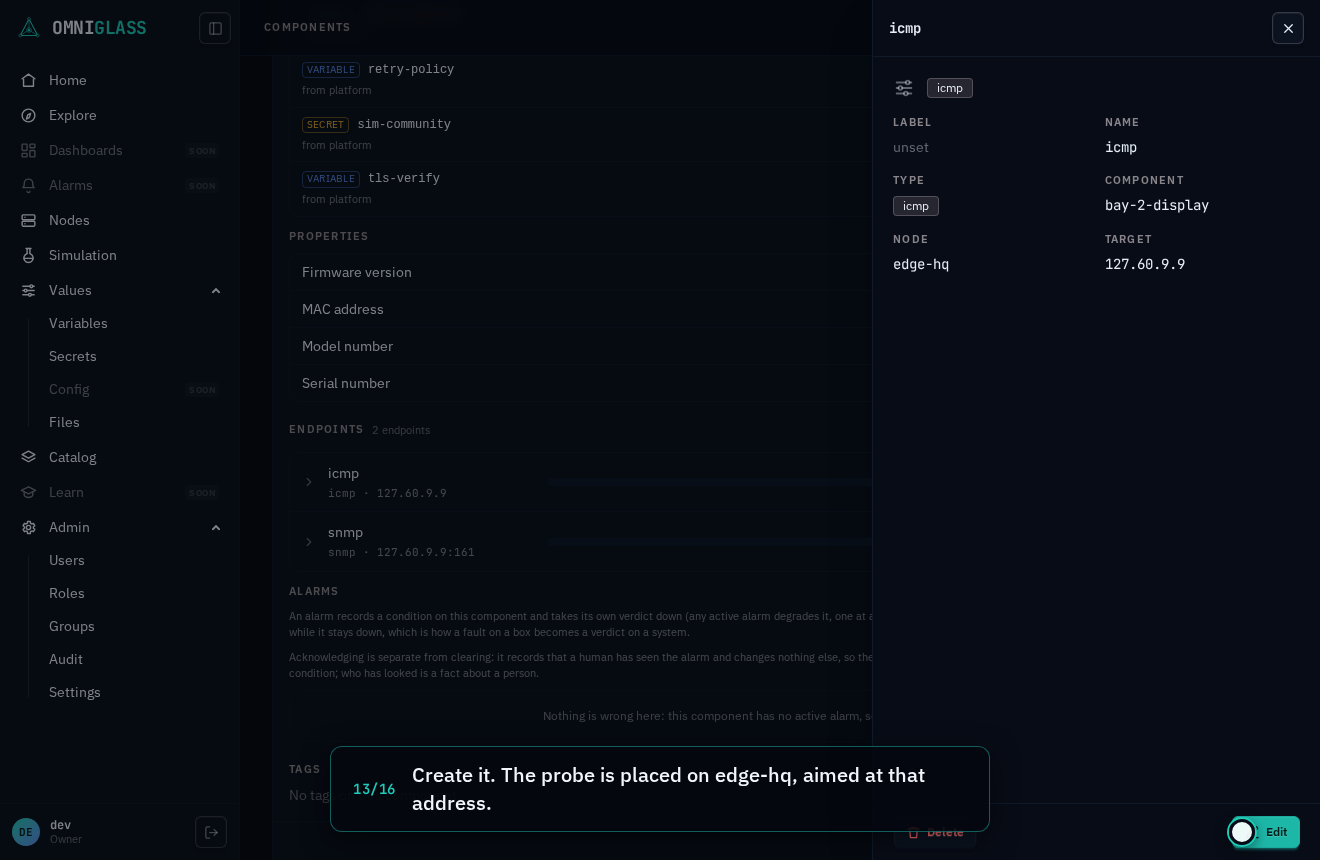
Close it. Nothing has been collected yet.
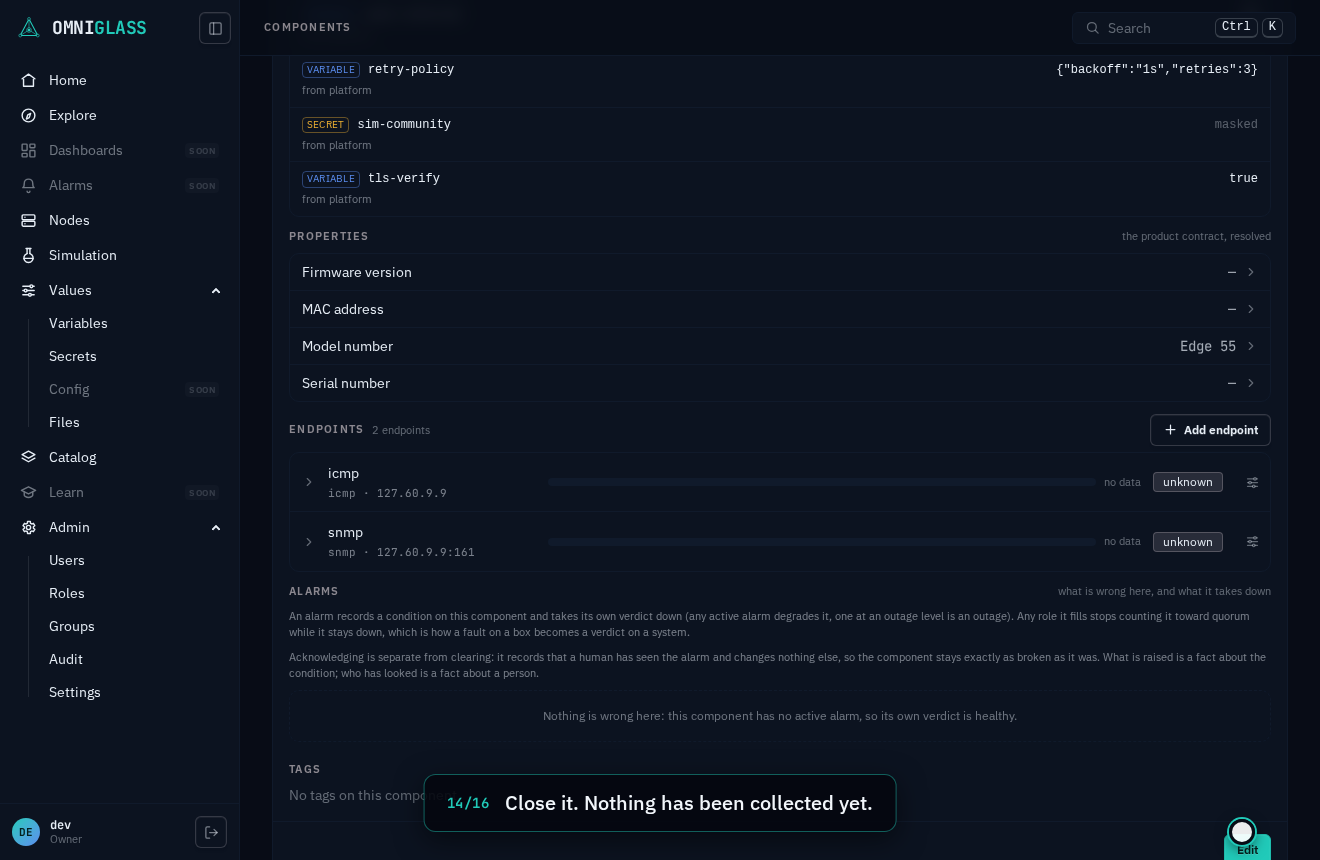
Overview reads the display as it is collected, and refreshes on its own as samples land.
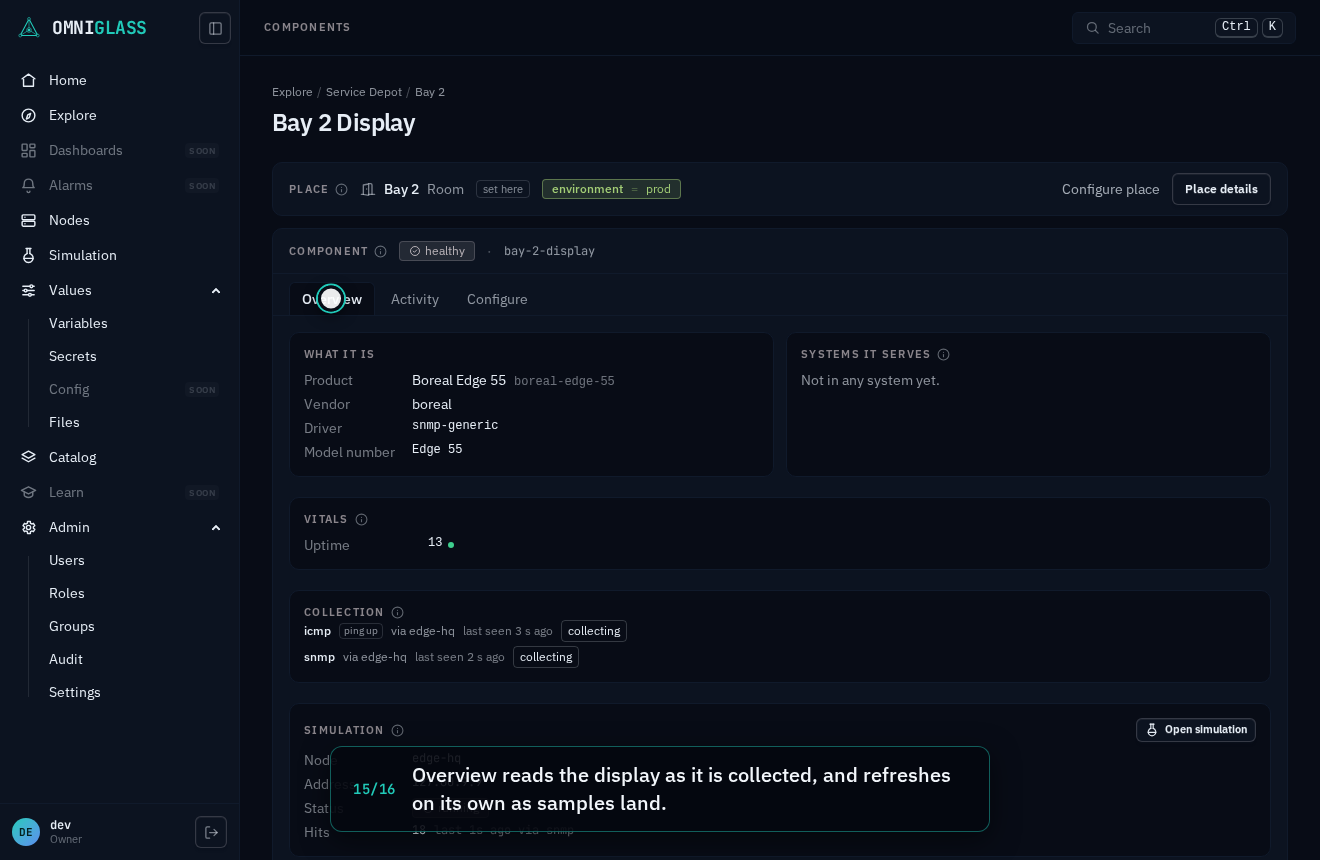
Samples arrived. Vitals reads the ping and the uptime the display reports, and both endpoints read collecting.
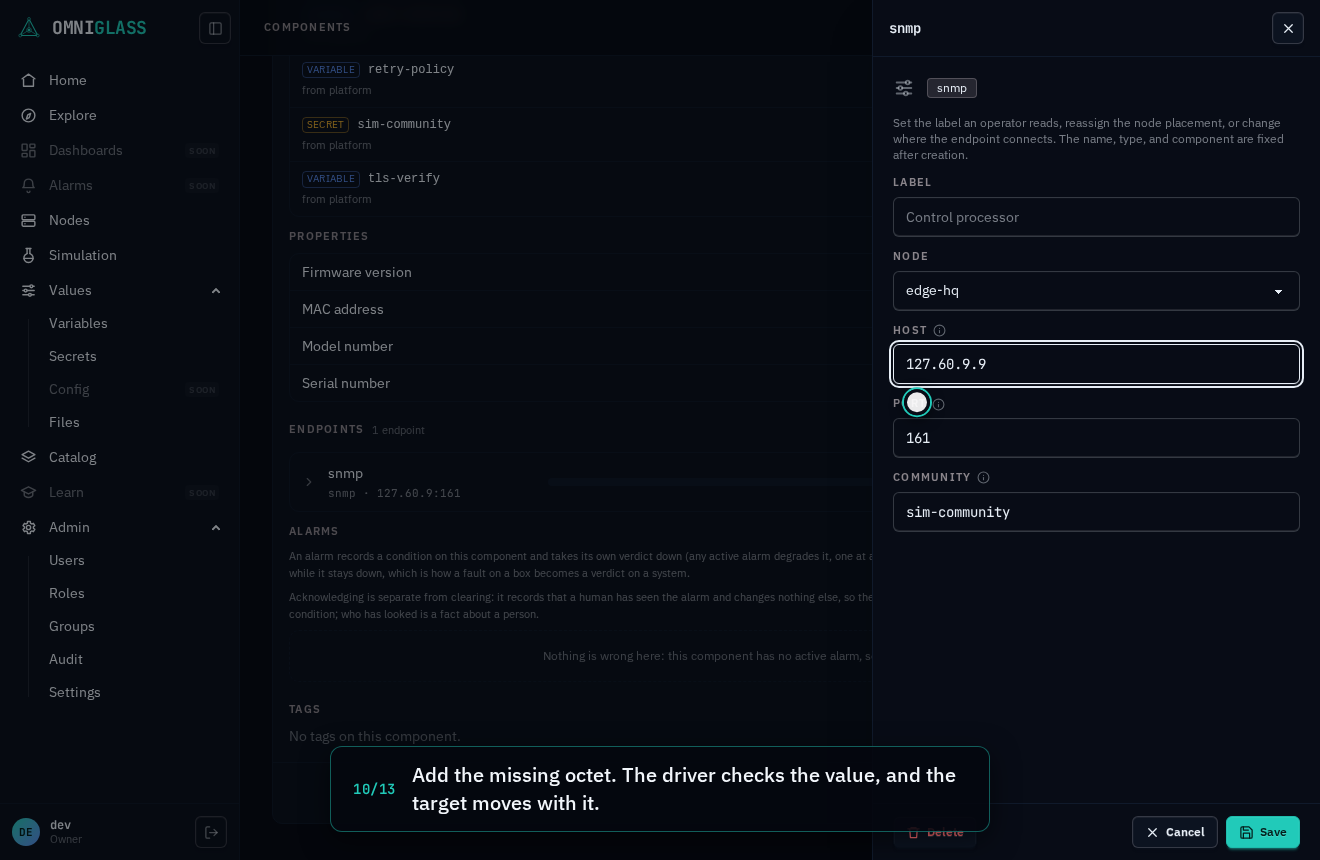
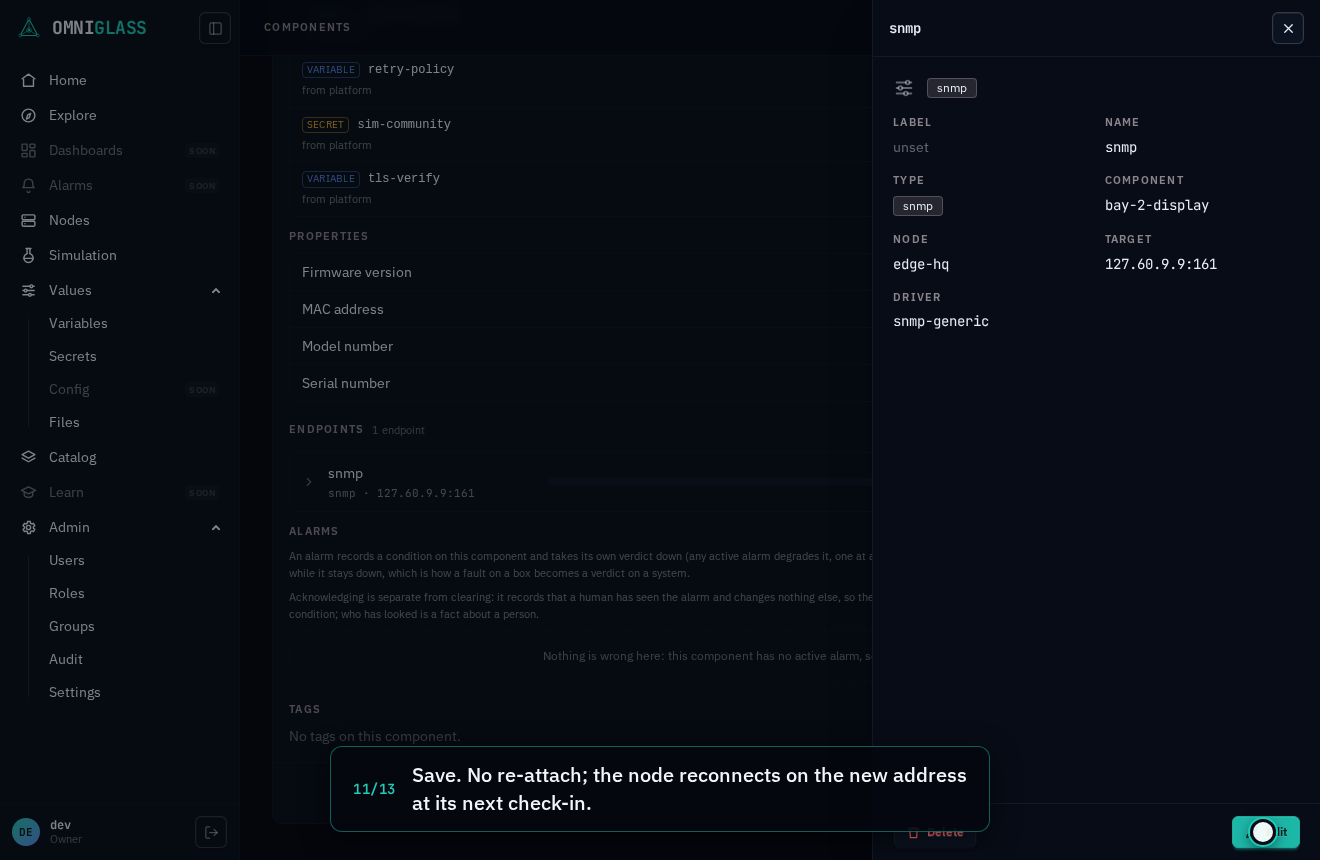
A driver attached with a mistake (an address typed one octet short) is fixed on the endpoint itself: correct the input, save, and the node reconnects at its next check-in, so samples arrive seconds later.
Every step, captioned (13 steps)
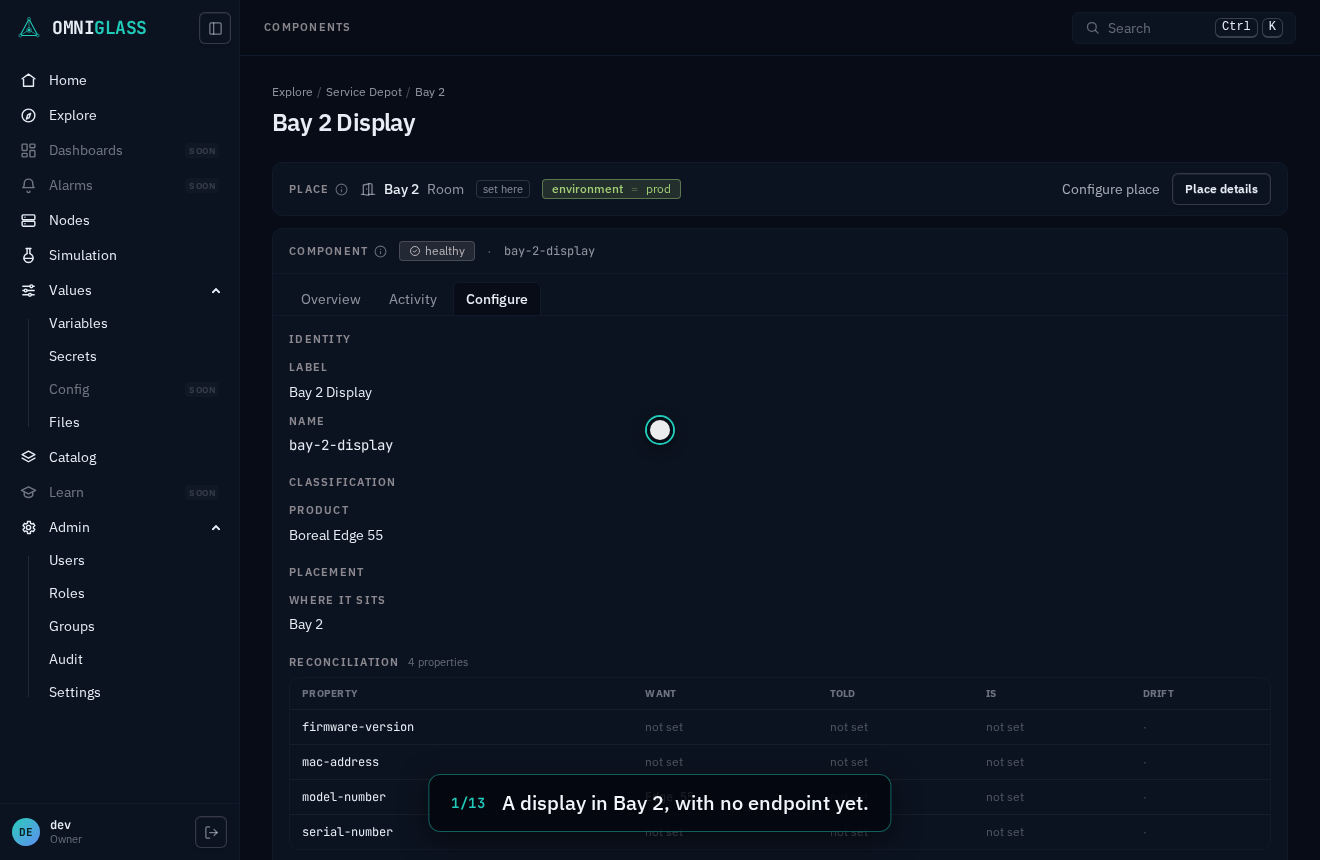
A display in Bay 2, with no endpoint yet.
Add an endpoint, the way a node reaches the display.
Attach a driver.
The SNMP driver reads the uptime any agent reports.
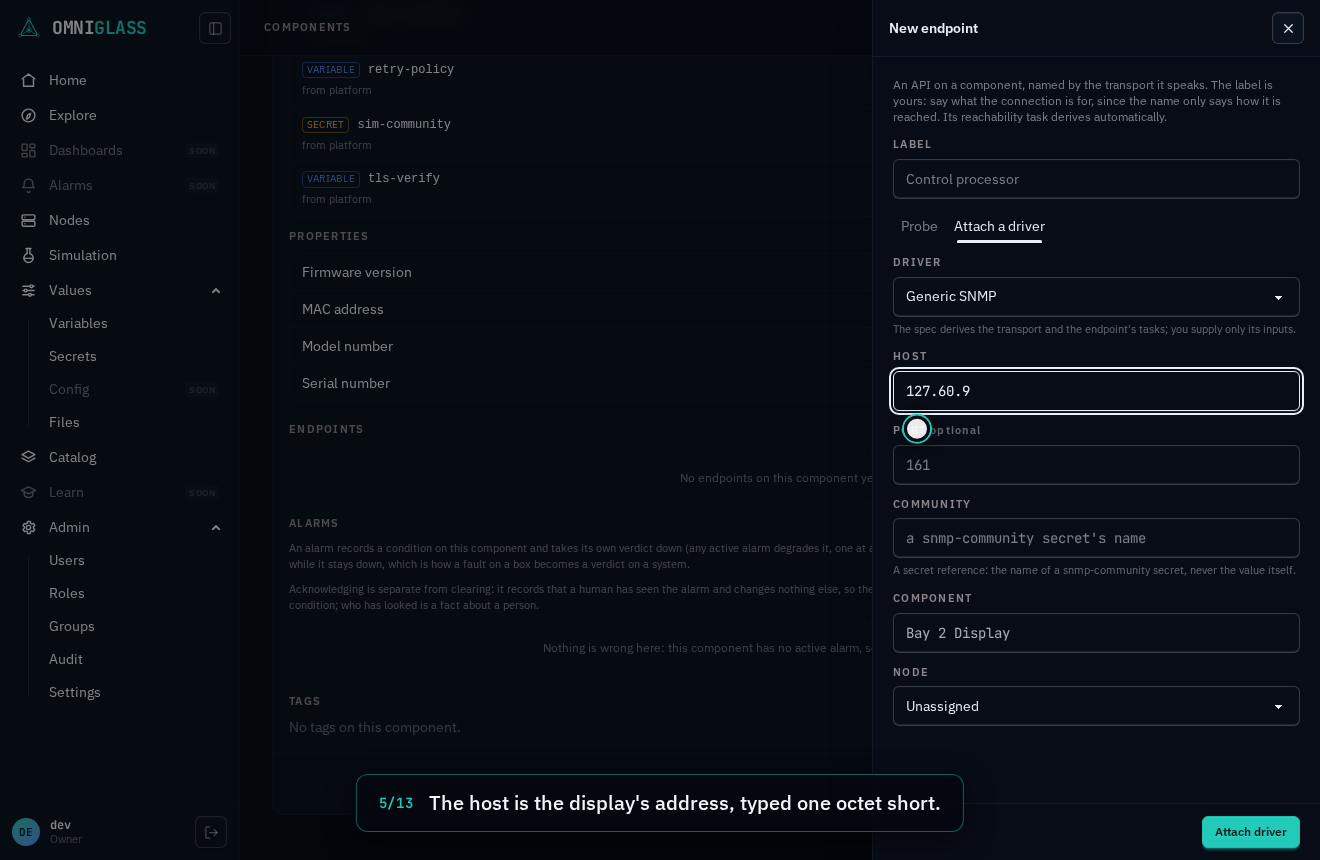
The host is the display's address, typed one octet short.
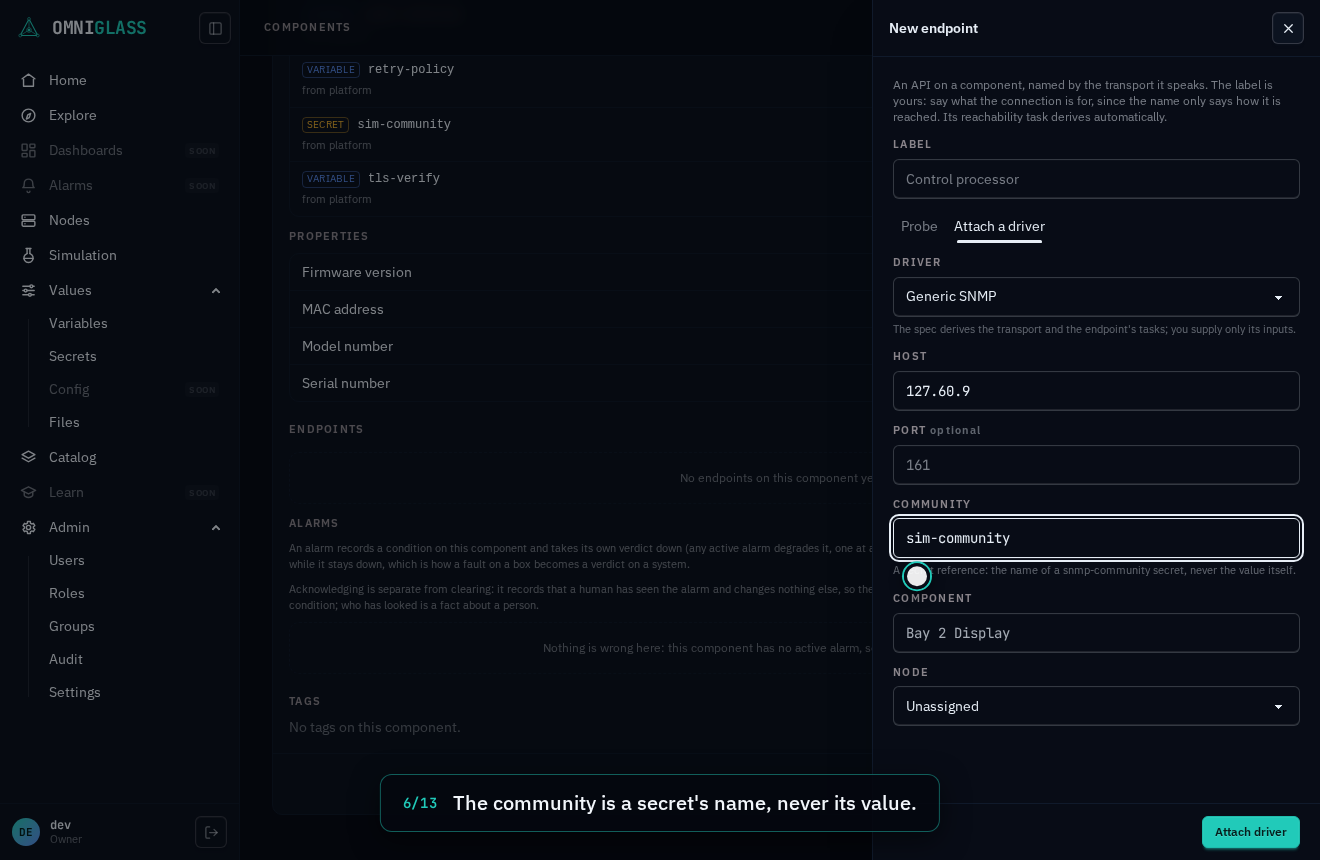
The community is a secret's name, never its value.
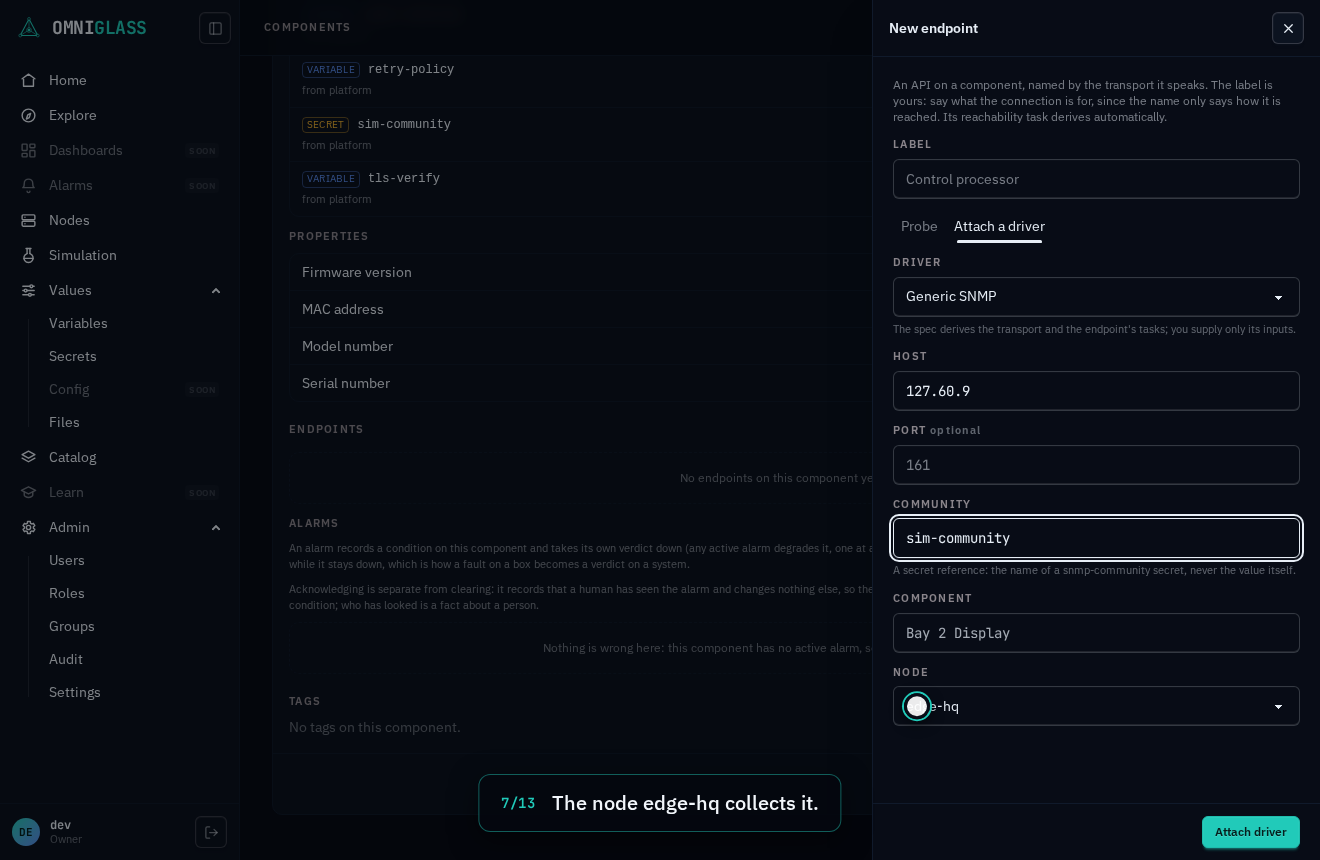
The node edge-hq collects it.
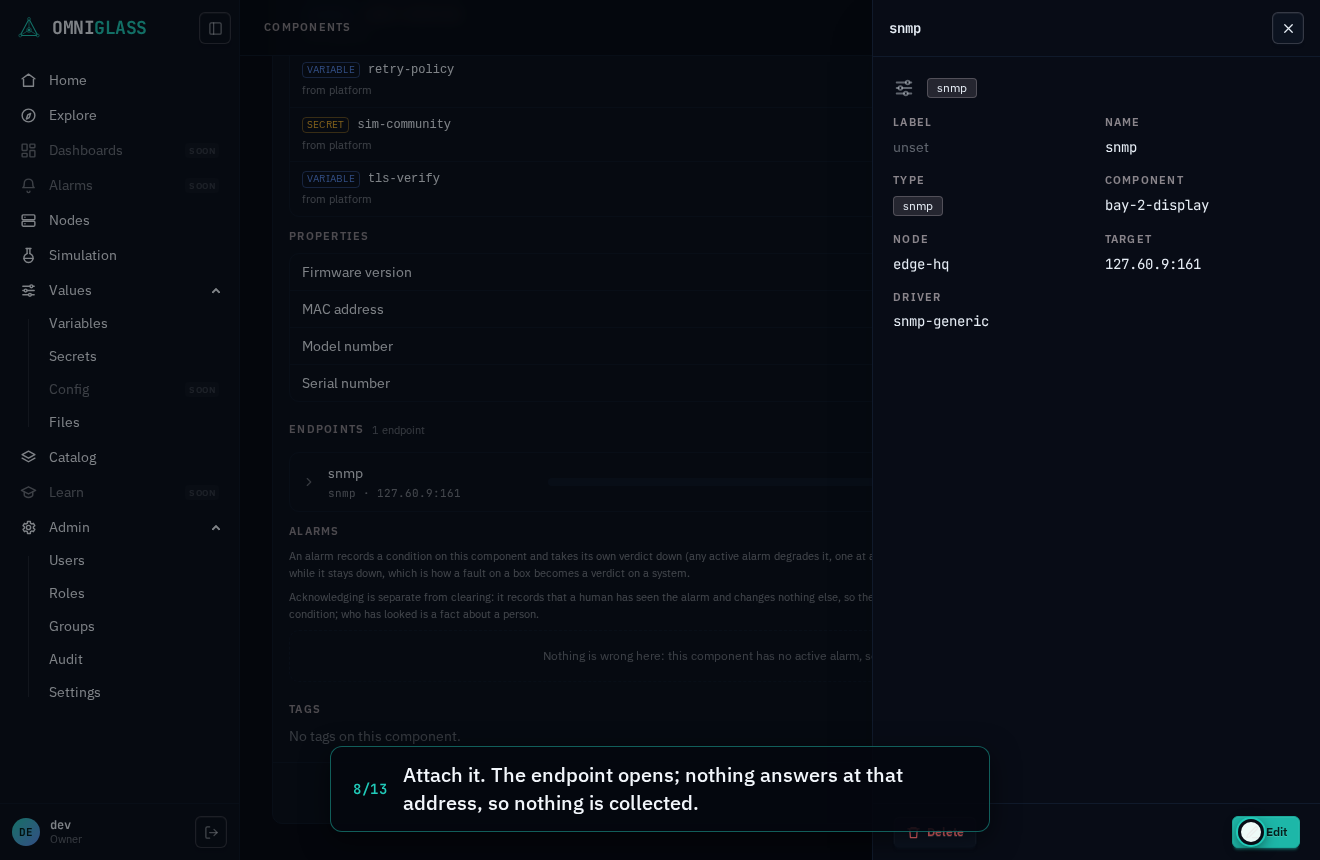
Attach it. The endpoint opens; nothing answers at that address, so nothing is collected.
Its inputs edit in place, the same ones the attach asked for.
Add the missing octet. The driver checks the value, and the target moves with it.
Save. No re-attach; the node reconnects on the new address at its next check-in.
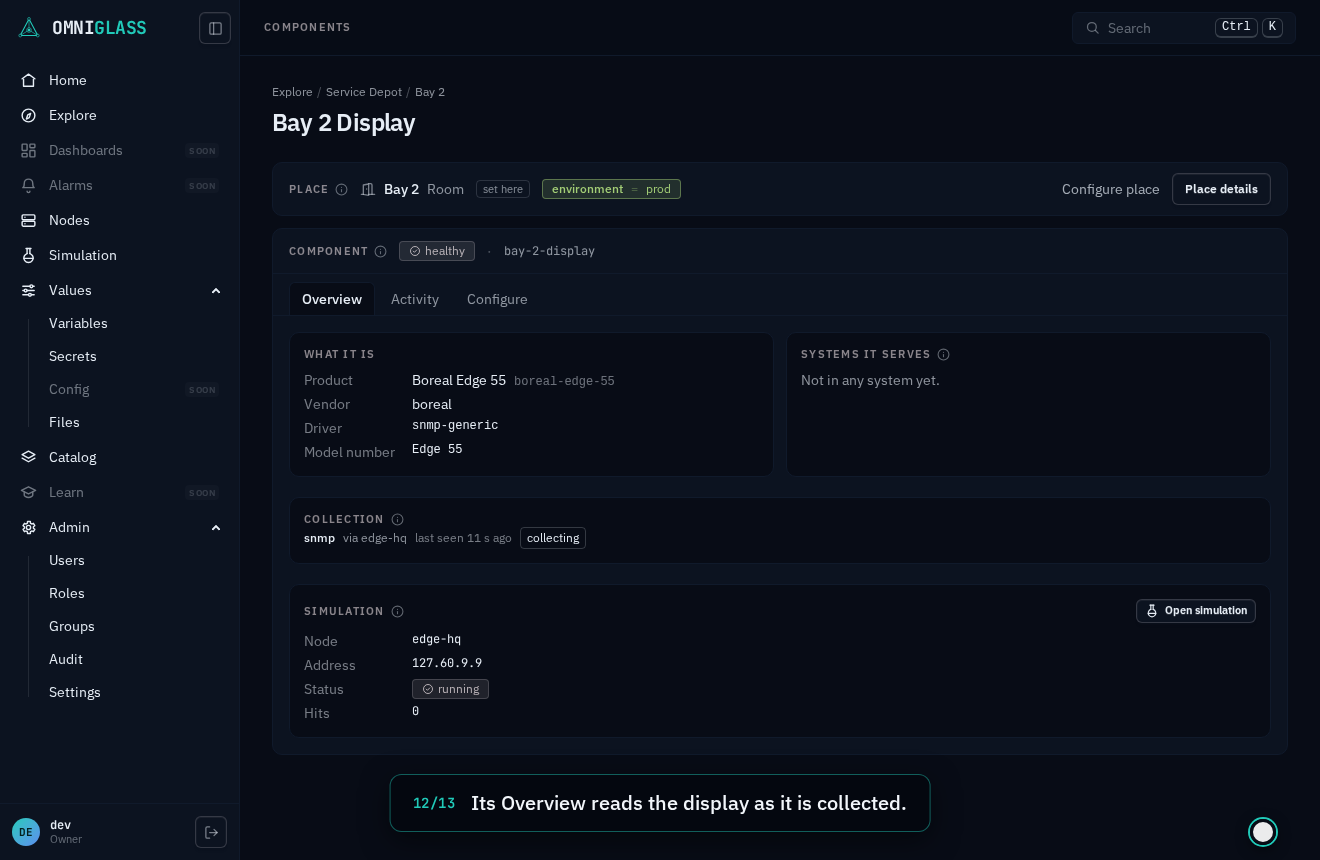
Its Overview reads the display as it is collected.
Samples arrived. The uptime the display reports now lands.
Because an endpoint belongs to a component, it inherits that component’s scope: an endpoint on a component outside your scope is not shown. A node purge cascades its endpoints and their derived tasks.
A task is the collection work a node runs, and it is derived, not authored: creating an
endpoint creates its one poll task. A task has no name: it is a binding, a function
running over an endpoint, so it reads as its endpoint (the anchor) plus that function,
never a redundant label. There is no standalone Tasks surface. A node’s derived tasks read as a
panel on the node’s detail (open a node from Nodes, with task:read): each
shows its endpoint, the function it runs (the built-in reachability check, or a driver
function carried whole in the task’s spec: snmp-generic/scalars, newtron-nvp/status, a
standing listener), and an enabled state; the node it runs on follows its endpoint’s
placement. To change what a node
collects, add or remove the endpoint; there is no task create, edit, or delete.
Reachability
Section titled “Reachability”Every component’s detail carries an Endpoints panel showing composed reachability: is each
of its endpoints reachable, and why. One row per endpoint shows the endpoint (its label, or its
transport name where it has none) and its address, a verdict
pill (responding, down, stale, or unknown; a verdict is stored only when it changes, so the
pill ages an endpoint by when the server last received anything its task delivered, its last
seen, and an endpoint answering every probe stays responding however long ago it last changed
state), an availability strip drawn from the
verdict’s up/down transitions over time, and an expandable gate breakdown with each probe’s signal and timing, then the composed
verdict (the endpoint is up only when every applicable probe passed). Every row also wears its
reachability ladder, the rungs a connection is checked on bottom up: reachable (a ping,
informational only, so its chip is dashed and a component that blocks ping never reads down for
it), responsive (the transport answering: a connect, the protocol’s handshake, or, where an open
port cannot be detected, a named request answered; this is the gate, and nothing above it is tried
until it passes) and authenticated (the login, shown once a
credential was actually tried). Hover or focus a rung for what it checks and what it says now. A
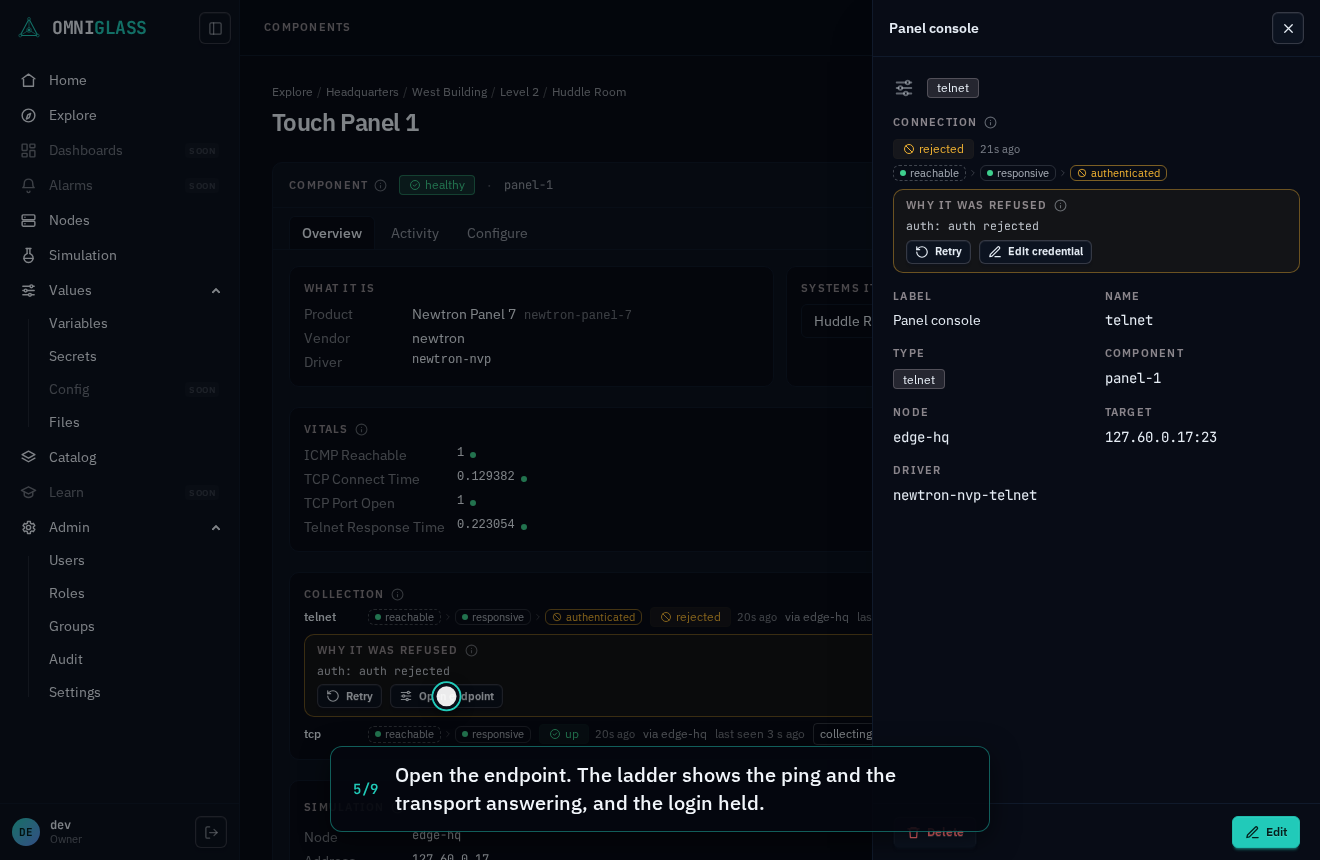
rung a refusal holds wears the refusal glyph and the rungs above it read untried, while the rungs
below keep their readings: an endpoint whose login was refused still shows its ping and its
transport answering. A down endpoint also shows a plain-language why line. Every value is a
real reading from the node, and the panel is also the authoring surface: its header carries Add
endpoint (with endpoint:create) and each row that maps to an endpoint a Manage affordance
opening that endpoint’s detail.
A tls or https endpoint’s breakdown adds three rows, each teaching itself on hover: the handshake (the
transport rung, the TLS handshake answered, and how long it took), the certificate (its days
left, amber inside a month and red once expired, and its expiry date; while a certificate is
refused it says so rather than show the last accepted one’s) and trust, how the endpoint
judges the certificate: verified against the node’s roots, pinned on first use (with the key it
pins), or not verified. Skipping verification is an operator’s choice, never a driver’s default,
so its row reads it in amber and the endpoint’s row wears unverified without being expanded. The
mode is one of the endpoint’s driver inputs (tls-mode), edited on the endpoint’s detail like its
host or port. A pinned key that changes reads rejected with class certificate, naming both
keys; once you know the component was replaced, omniglass endpoint retry <component>/https --certificate <the offered key> trusts the new one (tls).
An http or https endpoint’s driver sends real requests, each carrying the endpoint’s
credential (a basic login, a bearer token, or an API key, by the driver’s declared scheme). Its
authenticated rung is proven by those requests, never the probe, which sends no credential: the
first answer that accepts the credential reads yes. A component that refuses it (a 401) gates the
endpoint, class auth, its row saying why and offering Retry (a refusal with no
session), and nothing that carries the credential is sent again until
the endpoint changes (point it at the right secret, or rotate the secret) or you retry it, while its
ping and its transport keep reporting (http and https).
A driver whose component signs in once (a form login that sets a cookie, a JSON login that answers
a token) logs in before its first request and keeps that session for every poll and command after,
in the node’s memory alone: never in the database, the console or a log line. When the component
forgets the session (a reboot, an idle timeout) the next request logs in exactly once more, and the
endpoint stays up. A wrong password is one login attempt: the endpoint reads rejected, class
auth, with the component’s reason (auth: the login was sent back to the login page (302 to /login)), and logs in again only once you fix the secret (or point the endpoint at the right one)
(logging in over http). A component answering
HTTP digest is read the same way, its password never sent.
An http or https endpoint whose driver holds the component’s server-sent events stream (the seeded Kestrel driver does) has a session like a line endpoint’s: its session pill reads up while the stream is open, and every change the component announces lands the moment it happens, no poll involved. A dropped stream reads recovering, then picks up where it left off (from the last event it was sent, which the component replays after), so nothing is lost or counted twice; a component that refuses the stream’s credential reads rejected with the reason, and holds the endpoint’s polls beneath the same refusal until you fix the secret (a server-sent events stream).
A udp endpoint has no port to open, so its breakdown lists its request rung beside the ping:
the driver’s named request, answered (with its round trip) or not, which is the layer its verdict
follows. A component
that answers ping but not the request reads down, and its why line says the request goes
unanswered (the service is down, the port is closed, or the datagrams are lost); one that blocks
ping but answers reads up. A lost datagram is re-sent within the endpoint’s timeout, so a little
loss never reads down. The endpoint binds its own port on the node (its driver’s listen-port
input, else one the node picks), which the component’s pushes arrive on; edit it on the endpoint’s
detail like its host or port (udp).
To author a reachability check, add an endpoint to the component (above), from this panel’s own header: a bare probe endpoint is the reachability check, and attaching a driver is the authoring flow for real collection (the spec’s functions become the endpoint’s tasks, and their samples land on the component). There is no standalone Endpoints page.
Held sessions
Section titled “Held sessions”An endpoint whose driver holds its connection open (a line protocol over tcp, tls, telnet or
ssh) is a session, and its state wears a pill beside the ladder on the component’s
Collection card, on the Endpoints panel, and on the endpoint’s own detail: establishing
(the first connection, dialing then logging in), up (held and logged in; polls and commands
borrow it), recovering (it dropped and the node is redialing on a backoff), down (five
attempts in a row failed; the node keeps redialing slowly, so a component that returns comes back
on its own) or rejected (the component refused in a way retrying cannot fix, such as a wrong
password, a changed host key or a certificate; the node dials no more). Rejected is amber with a refusal glyph,
apart from down’s red, because it is the one state the node will not leave without someone acting.
Beside the pill is how long ago the state changed. A state is stored only when it changes, so the
pill is judged by the endpoint’s last seen: an endpoint that has delivered nothing for a while
turns the pill grey, and its tooltip says what it last read.
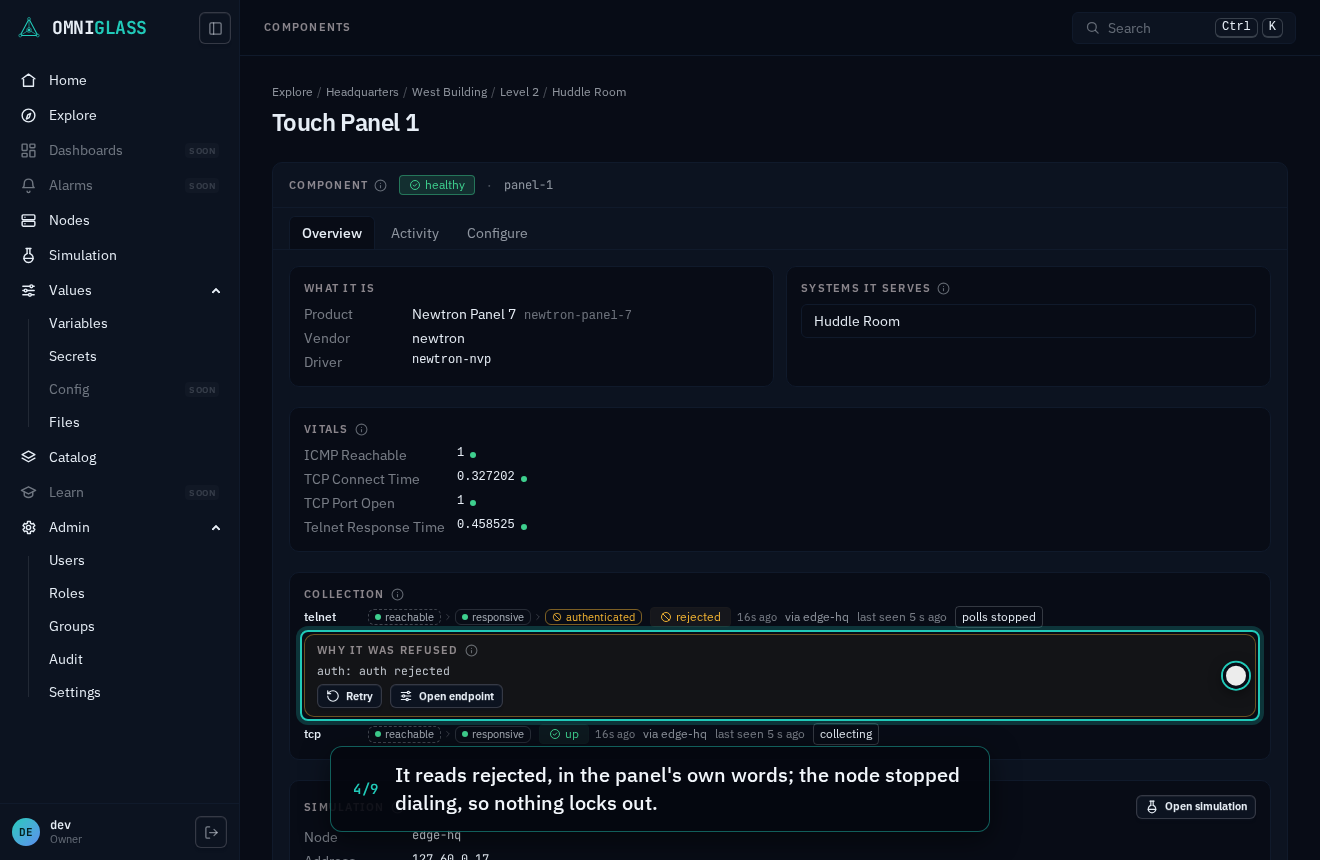
A down or rejected session also says why, in the node’s words for down and, for
rejected, the refusal’s class and the component’s own text (auth: auth rejected), scrubbed by the
node of anything it sent, so a credential never reaches the console. A rejected session offers two
ways out:
- Retry, with
endpoint:retry(operators hold it), redials once with the endpoint as it is: the right move when the component itself was fixed (its account unlocked, its password reset to what the secret holds). It is audited, and the button holds its spinner until the session moves. Without the permission the button is greyed and its tooltip says so, and the server refuses the call anyway. - Fix the endpoint: on the Collection card and the Endpoints panel the notice opens the
endpoint, whose own notice offers Edit credential (with
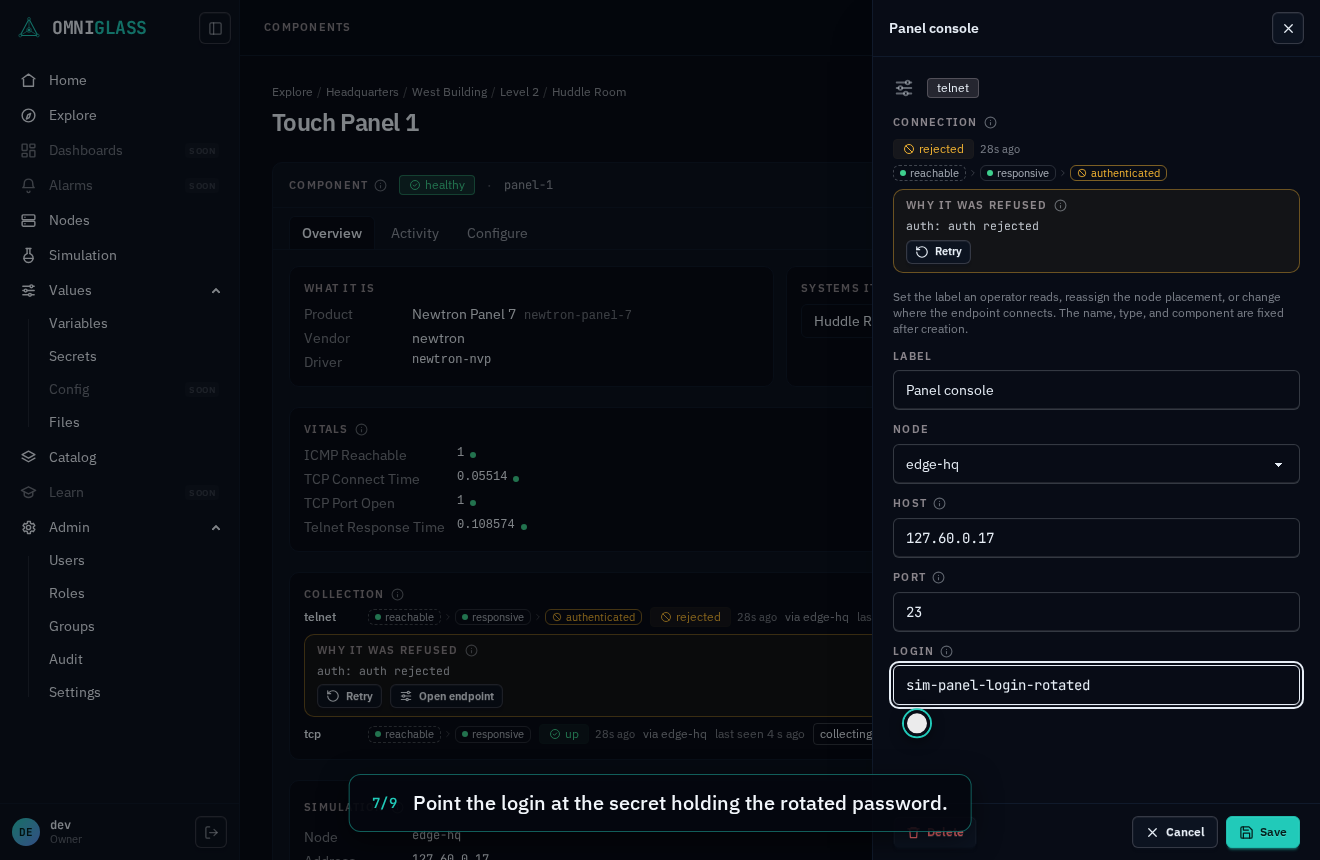
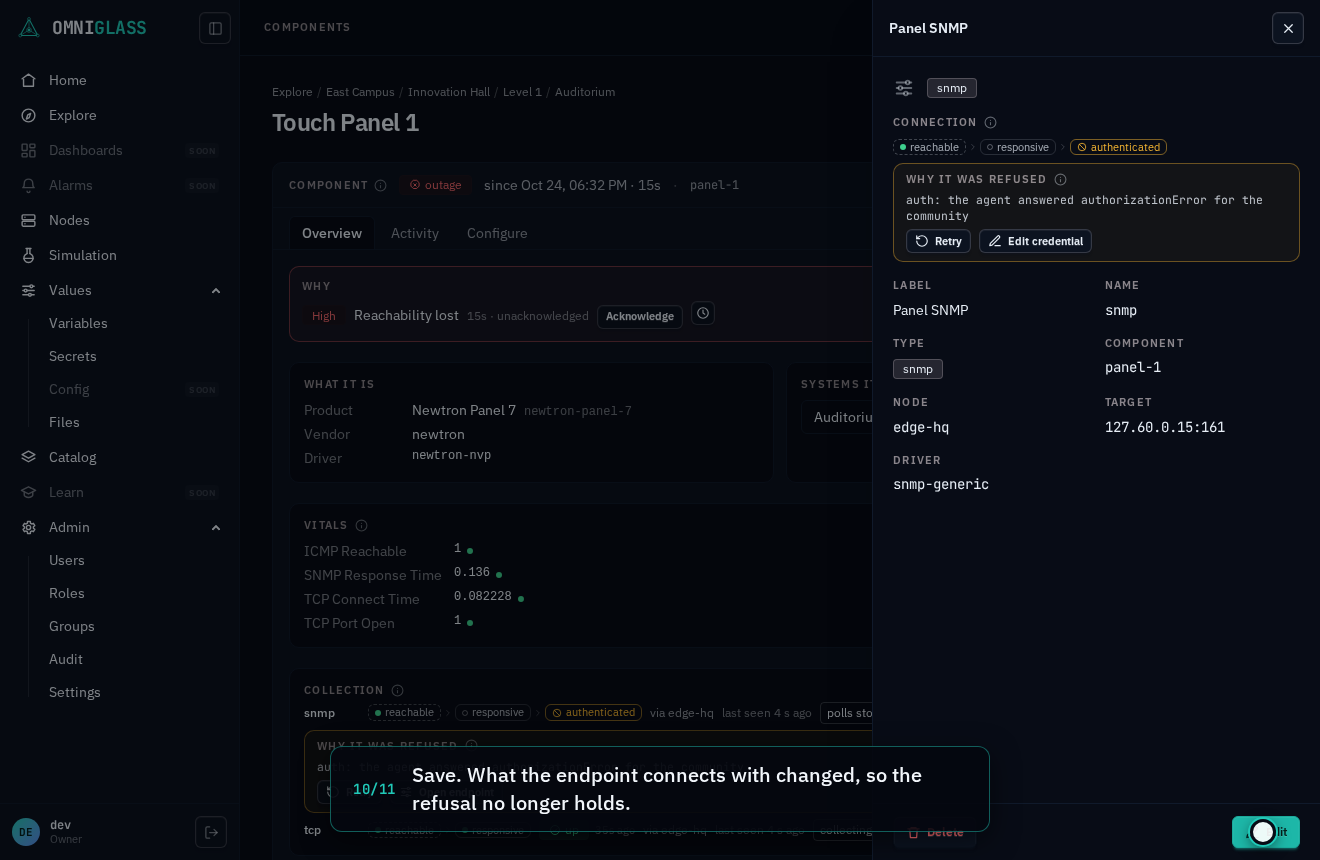
endpoint:update), its edit face with the secret input focused. Pointing the login at the secret holding the right credential, rotating that secret’s value, or correcting the address or port changes what the endpoint connects with, so the refusal no longer holds and the node tries again at its next check-in, with no retry.
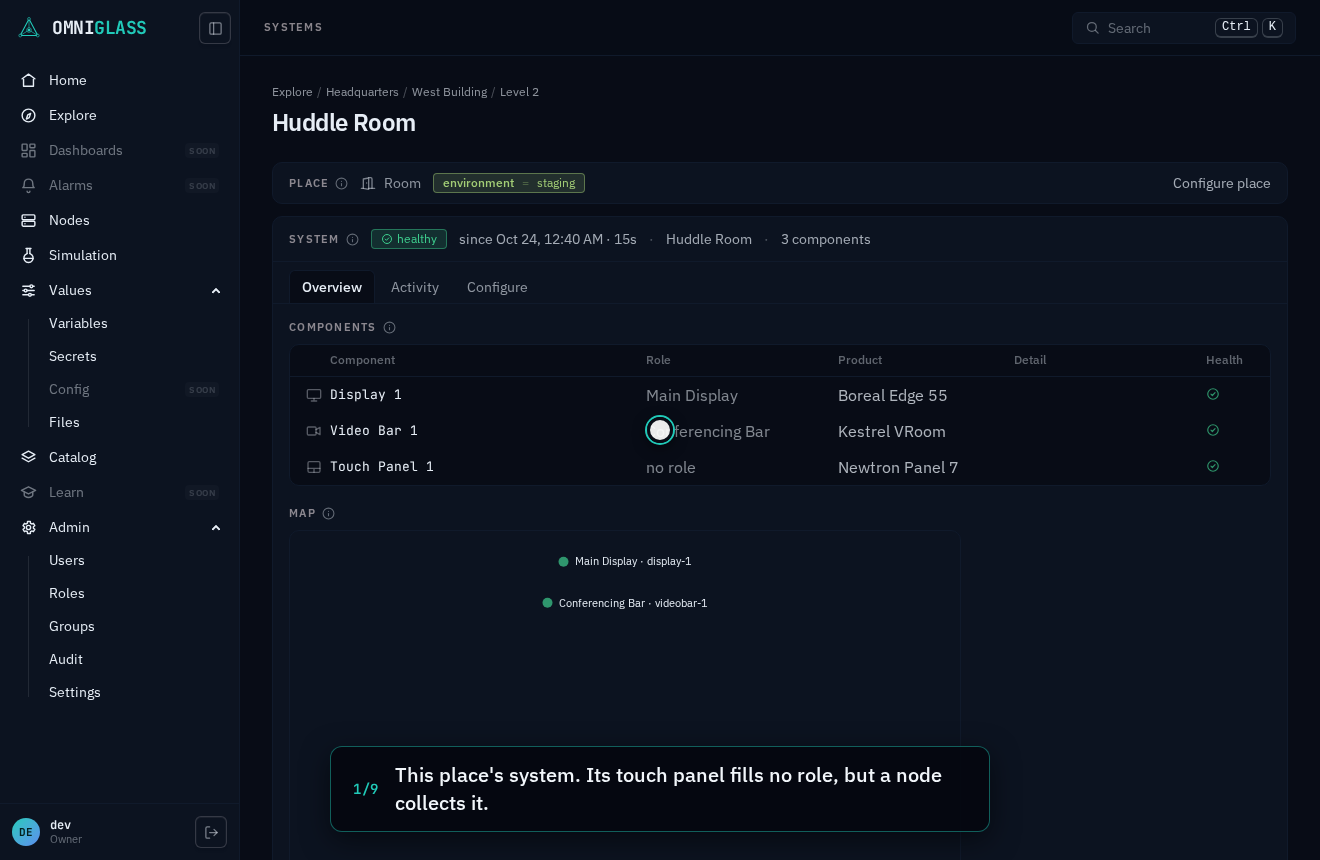
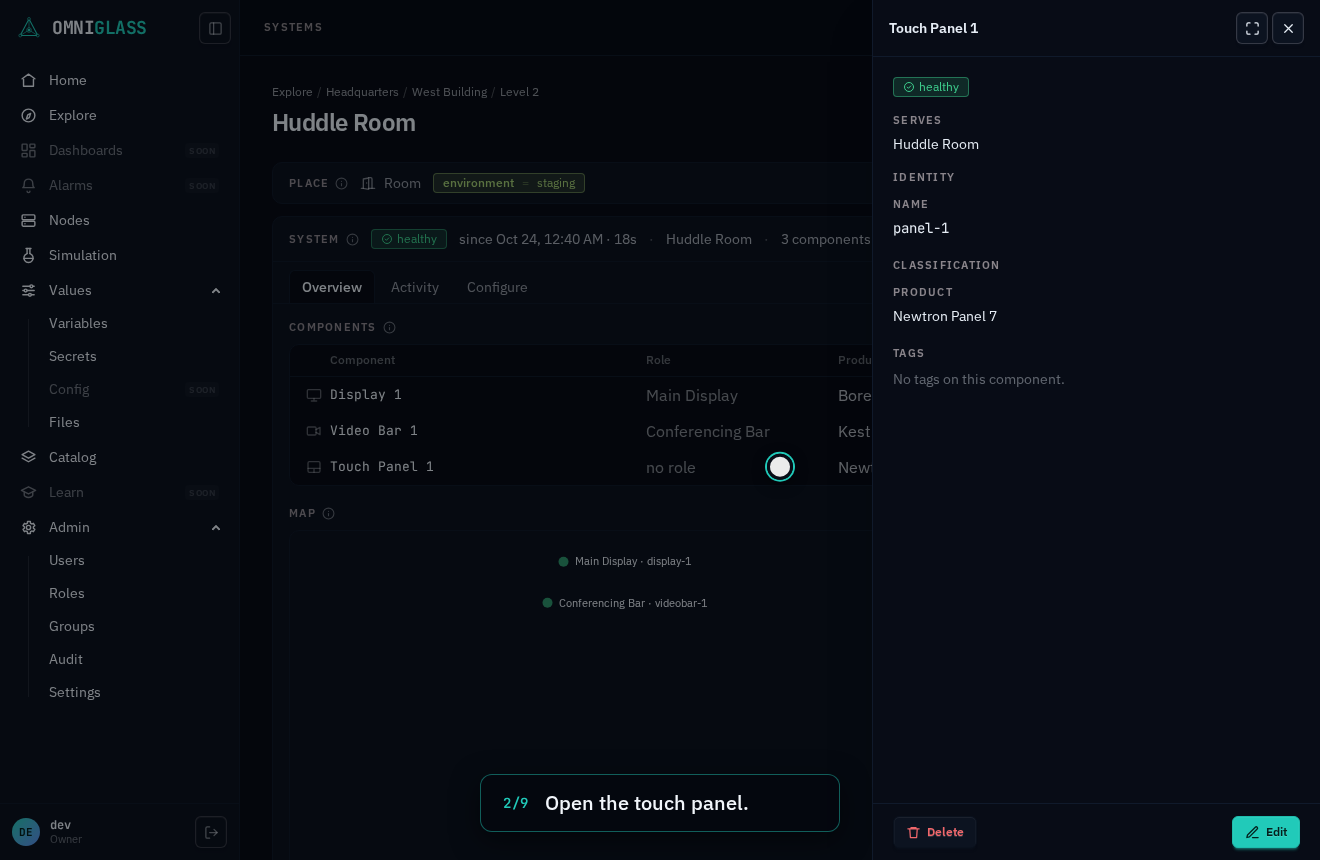
A component whose console password was rotated while its endpoint kept the old secret reads rejected; pointing the login at the rotated secret brings the session up seconds later. The walkthrough runs against a simulated touch panel, so the node really logs in.
Every step, captioned (9 steps)
This place's system. Its touch panel fills no role, but a node collects it.
Open the touch panel.
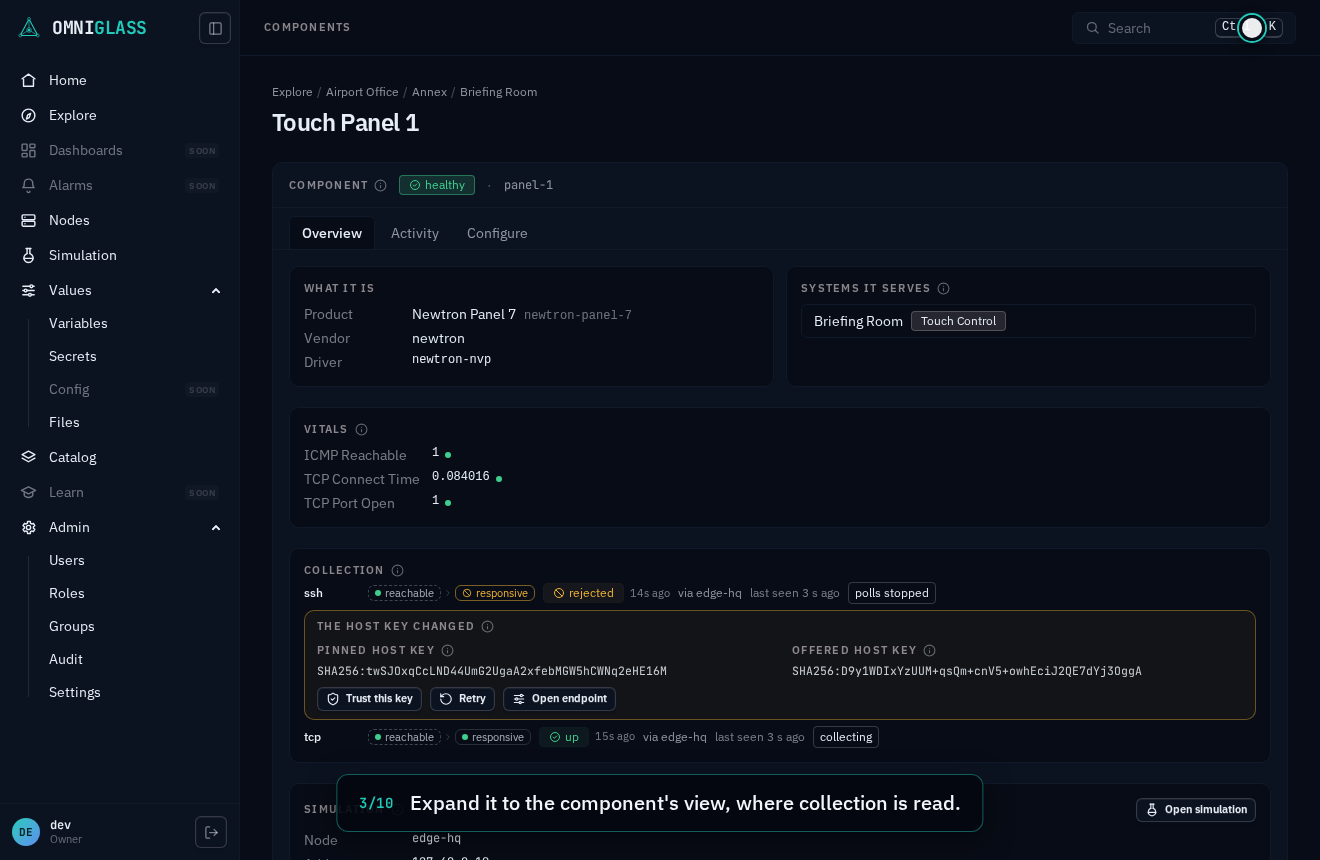
Expand it to the component's view, where collection is read.
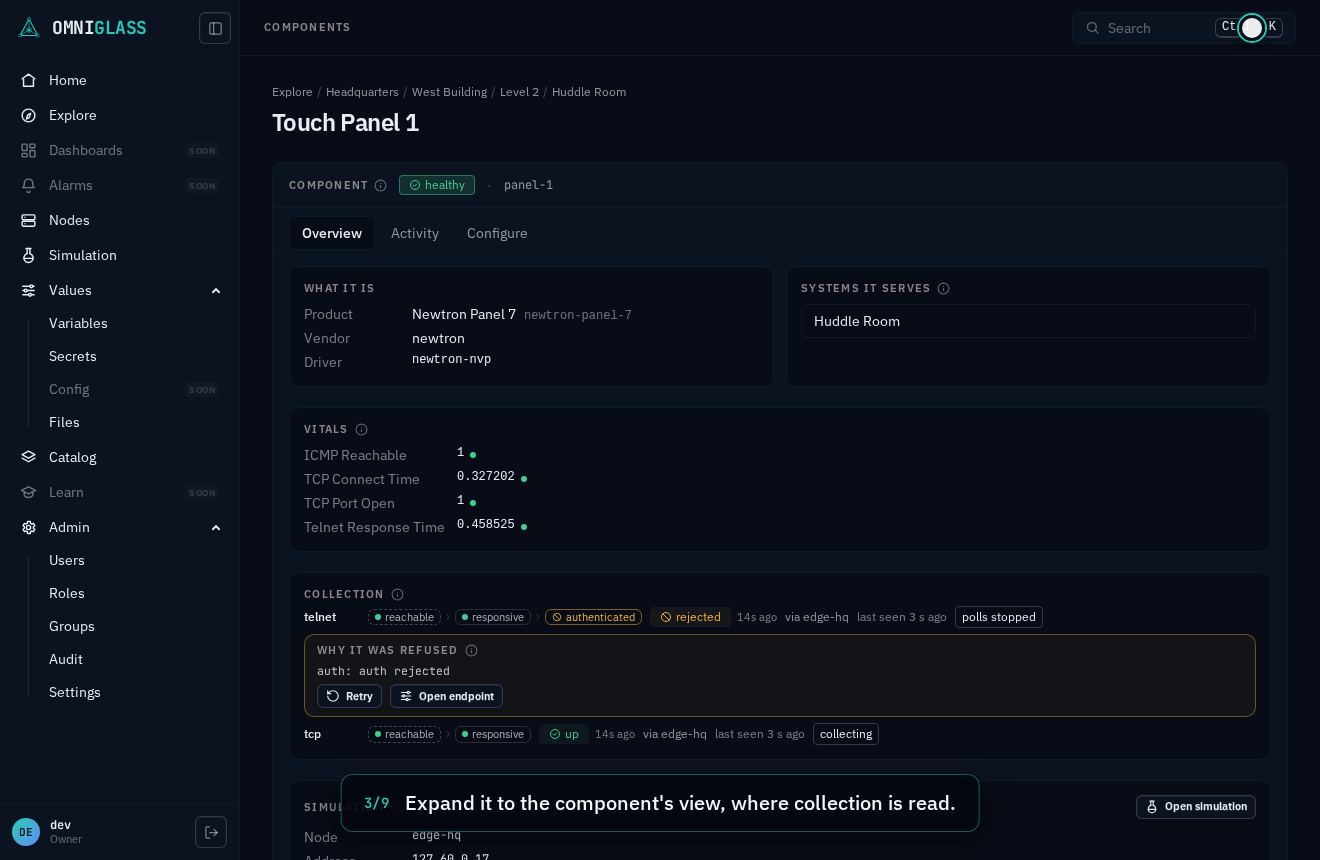
It reads rejected, in the panel's own words; the node stopped dialing, so nothing locks out.
Open the endpoint. The ladder shows the ping and the transport answering, and the login held.
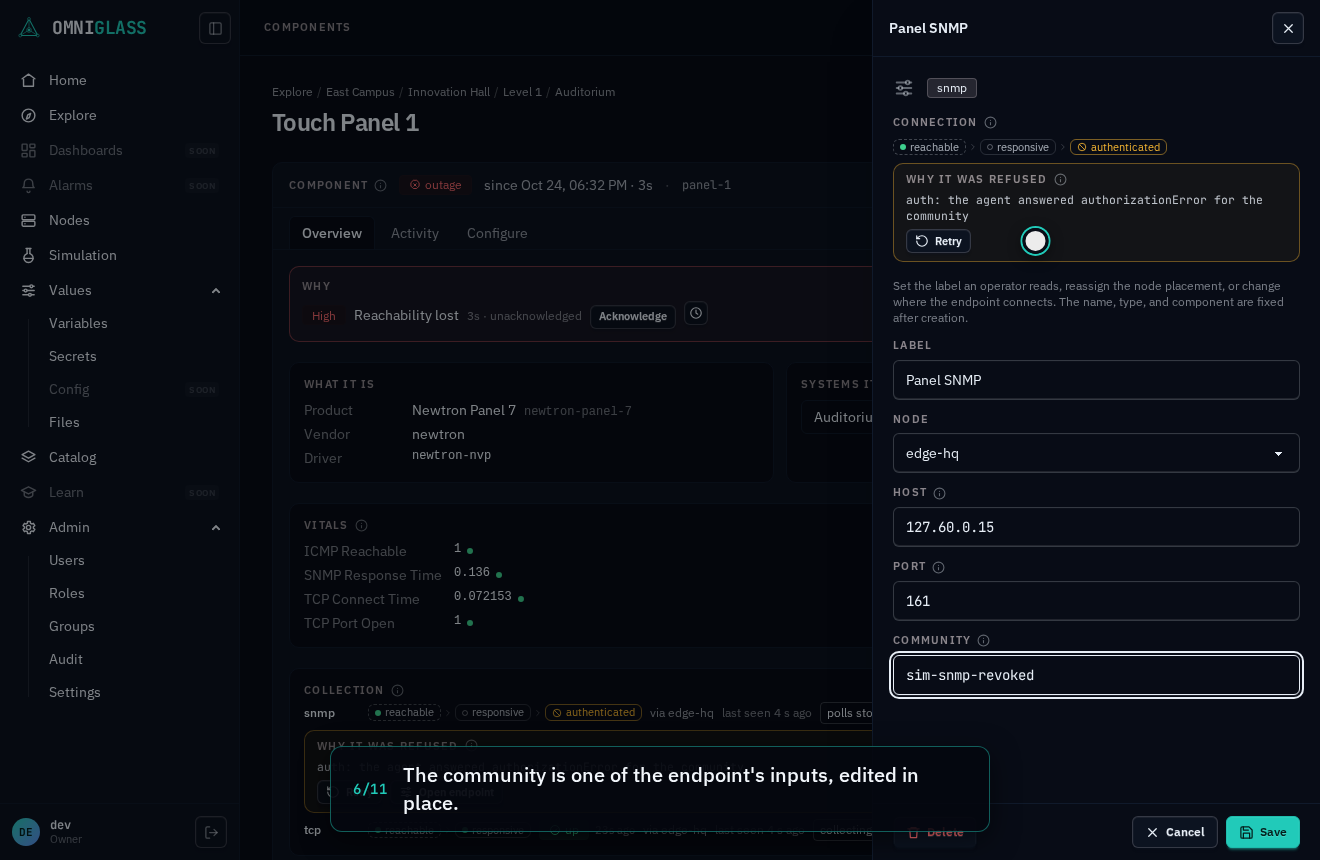
The credential is one of the endpoint's inputs, edited in place.
Point the login at the secret holding the rotated password.
Save. What the endpoint connects with changed, so the refusal no longer holds.
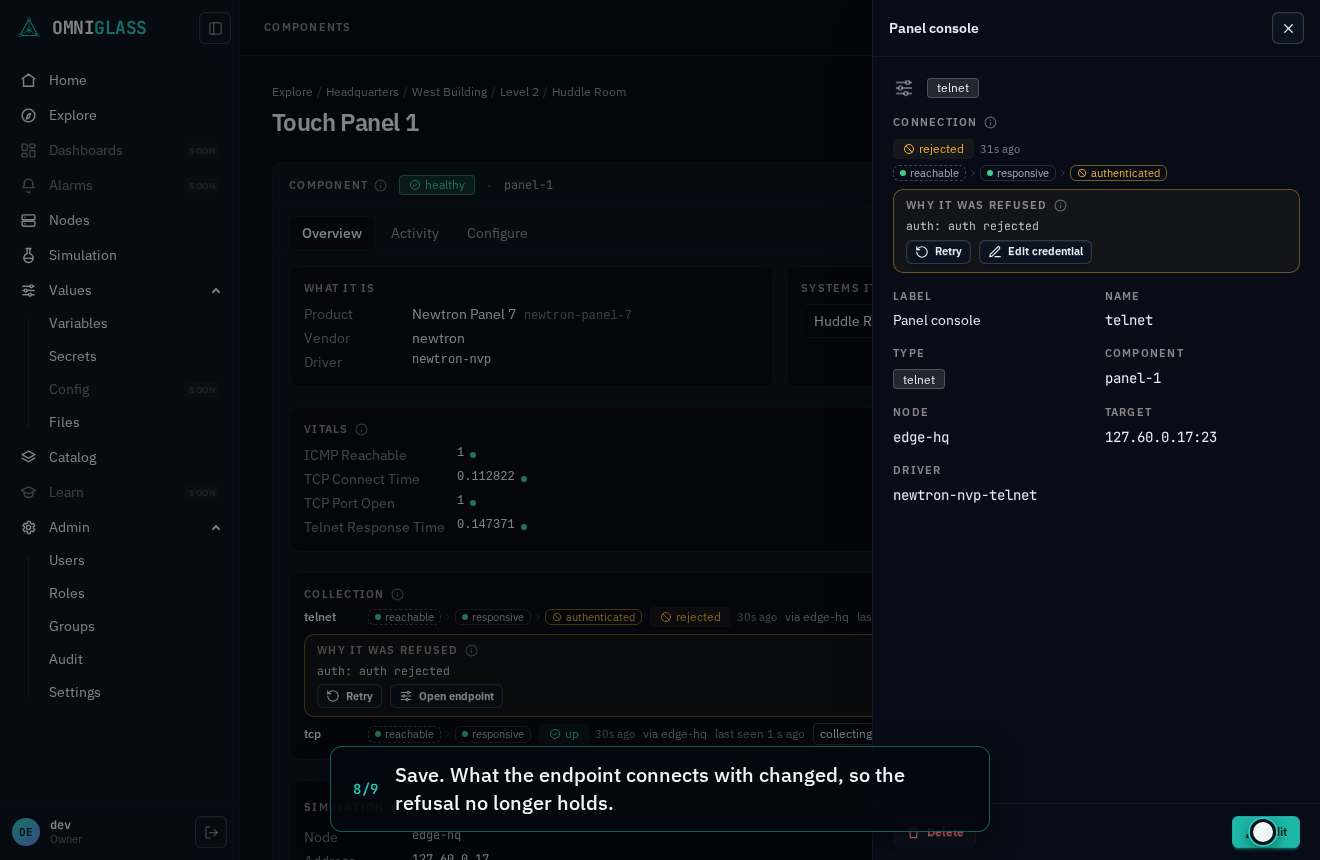
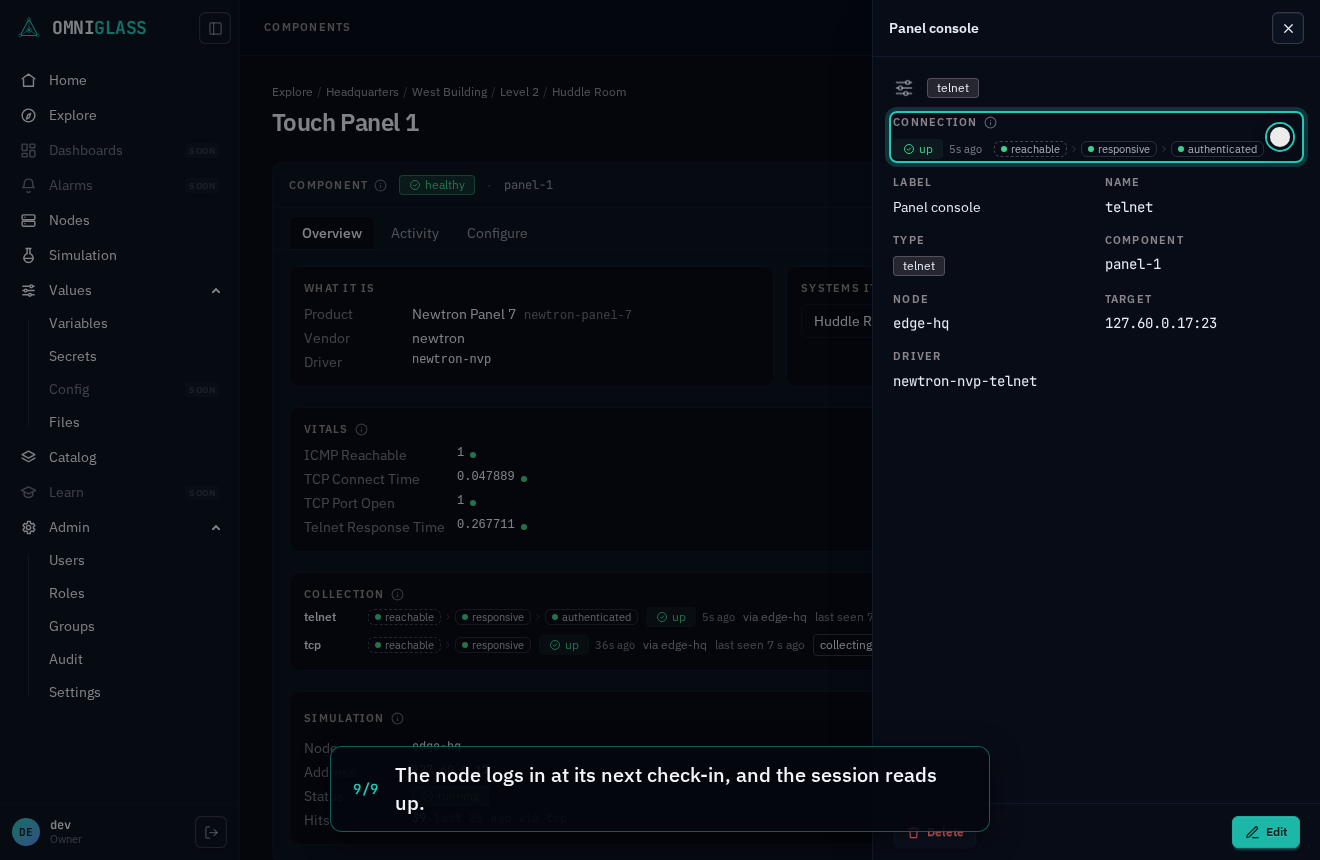
The node logs in at its next check-in, and the session reads up.
A changed key
Section titled “A changed key”An ssh endpoint pins the host key its component presents: the node trusts the first key it sees,
and every later connection must present the same one. A component that presents another (it was
reinstalled, its hardware was swapped, or something sits in the middle answering in its place)
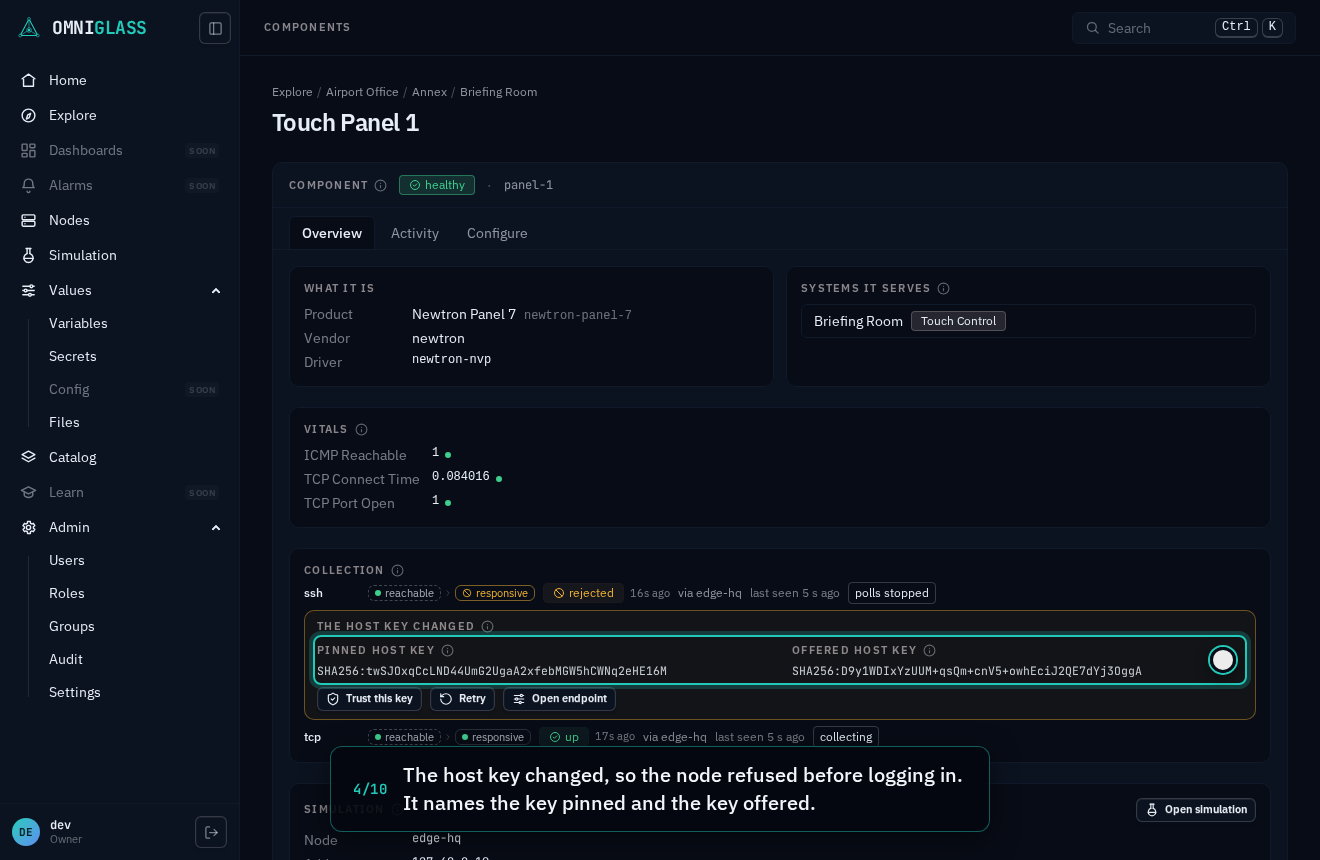
reads rejected before anything logs in, and the notice says The host key changed and names
both keys: the pinned one and the one the component offered instead. Both come from the
node’s refusal as data, so what the console shows is exactly what the node refused.
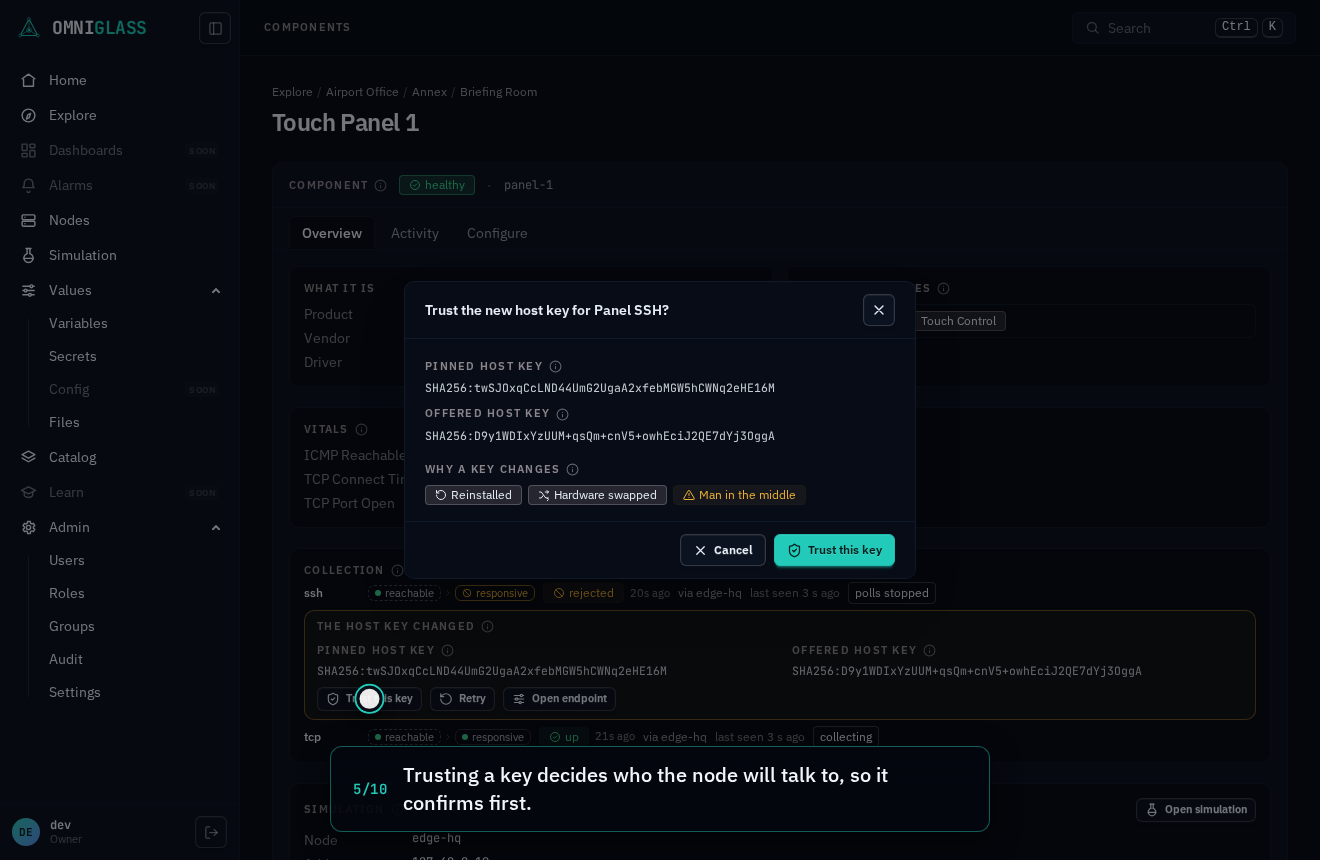
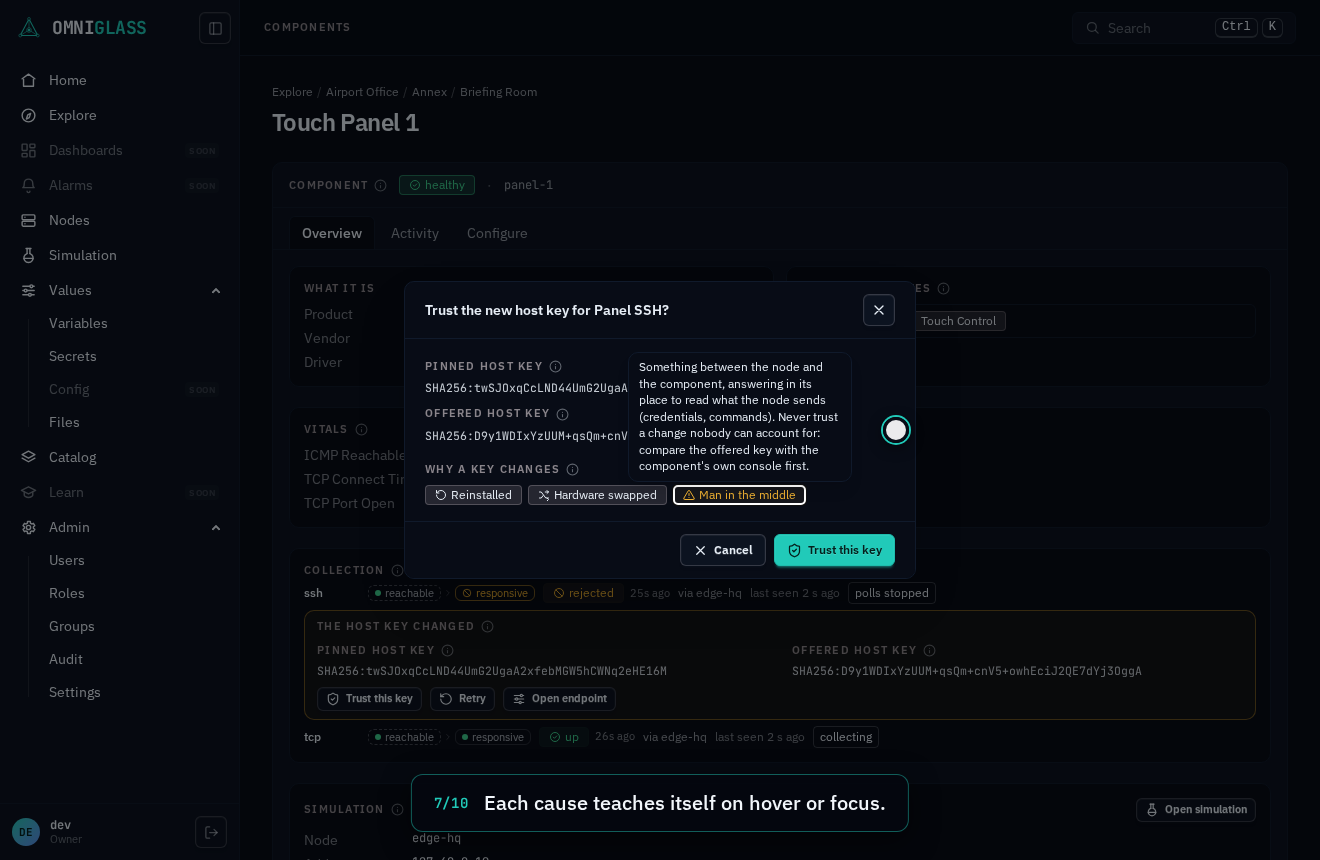
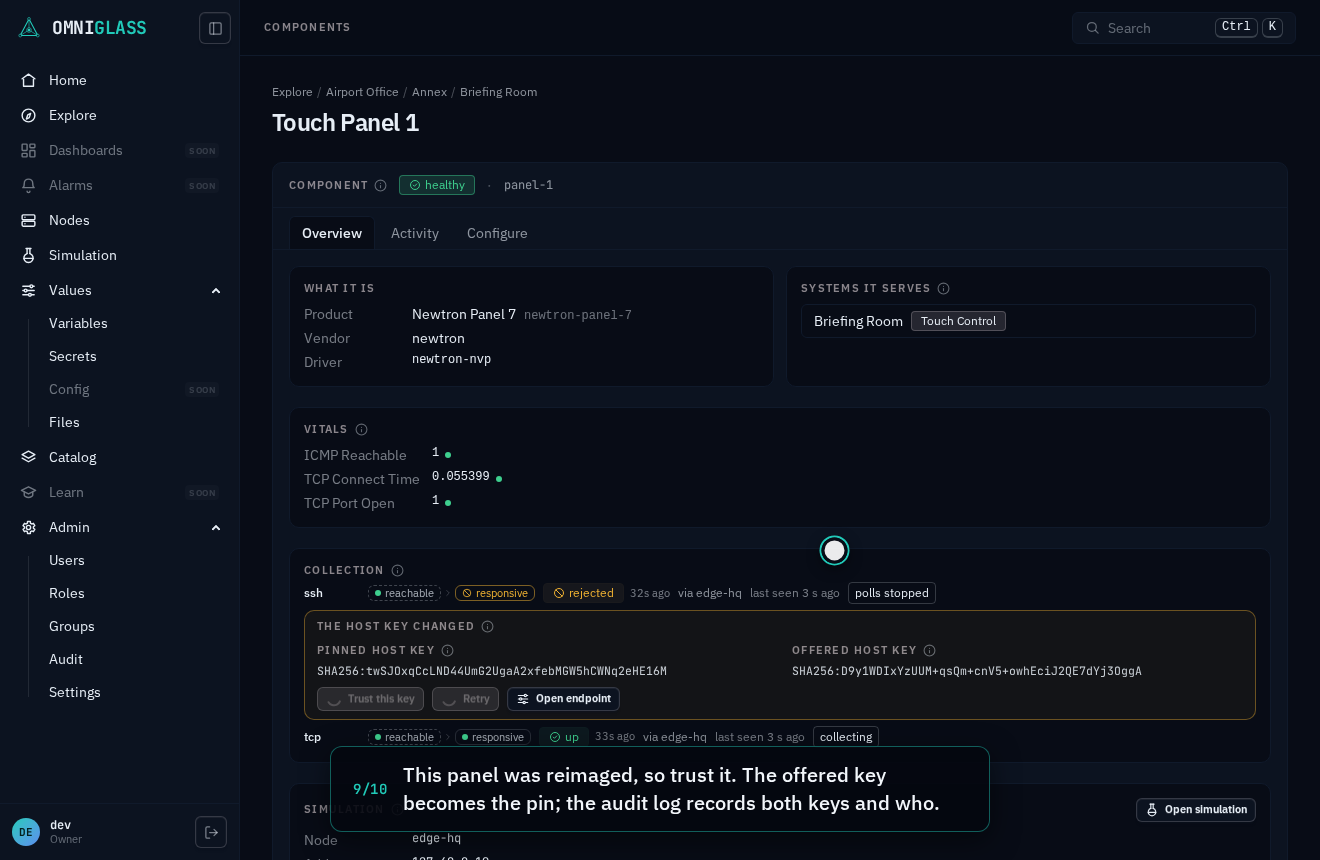
Trust this key, with endpoint:retry, makes the offered key the new pin. It confirms first:
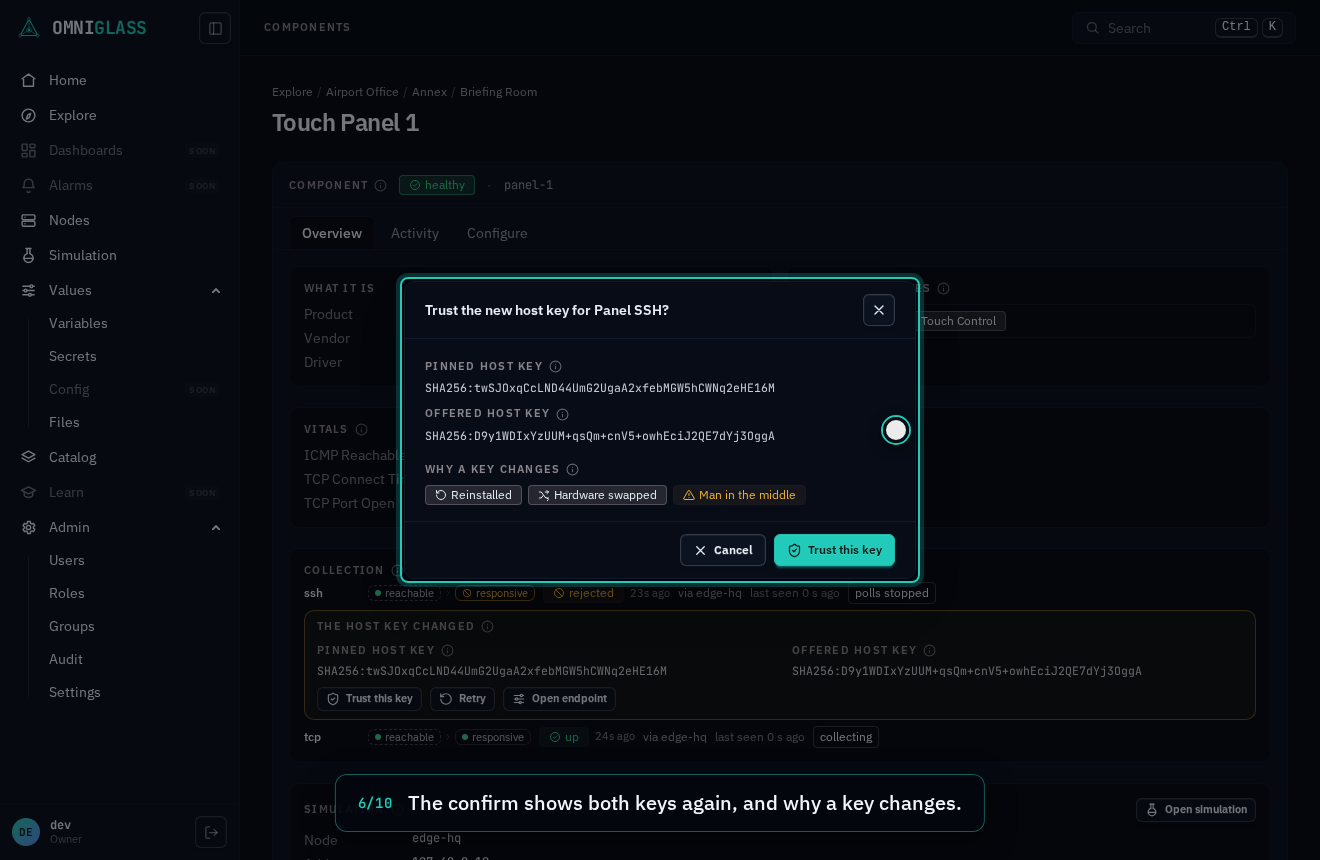
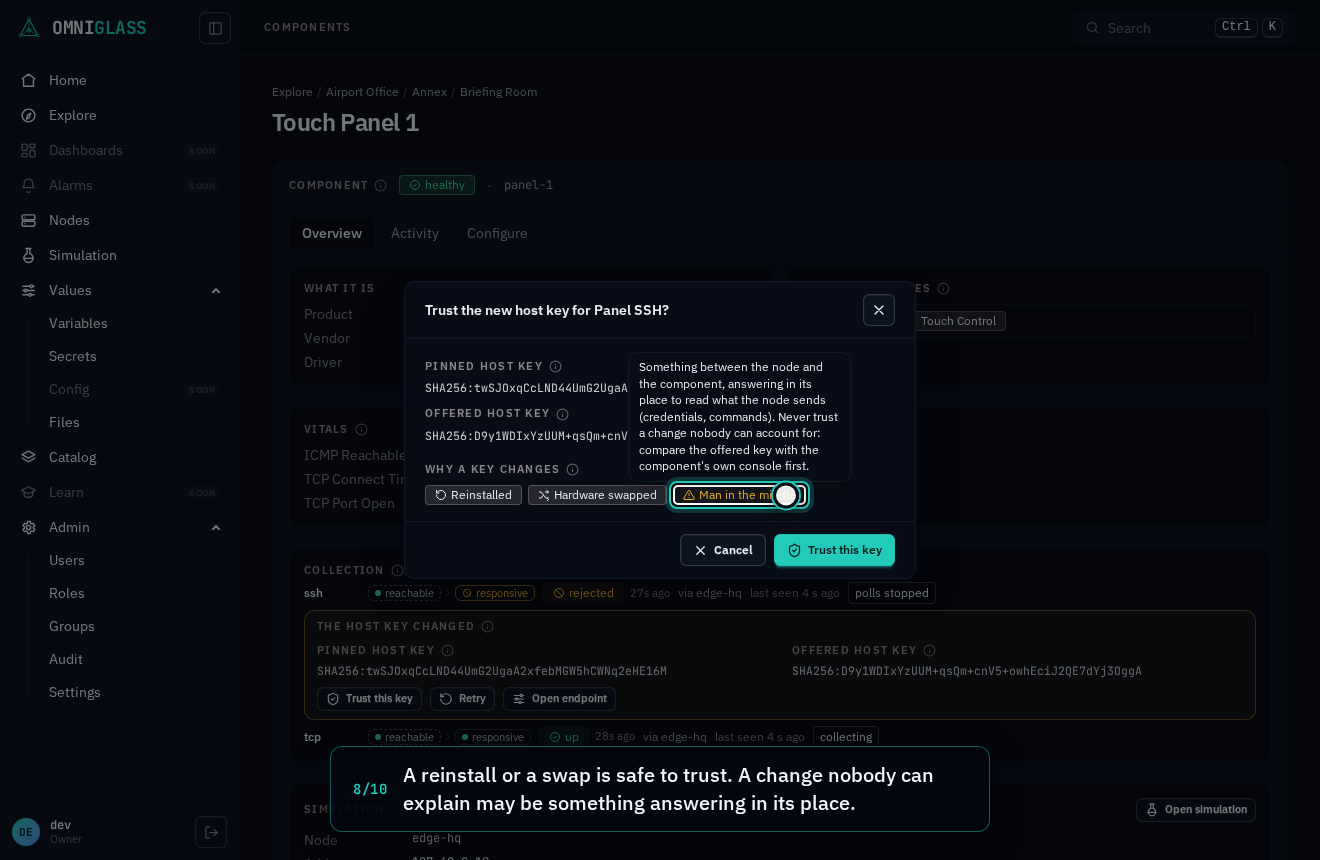
the confirm shows both keys again, and Why a key changes names the three causes, each
explained on hover, since only the first two are safe to trust. Compare the offered key with the
one the component’s own console shows before trusting a change nobody can account for. On
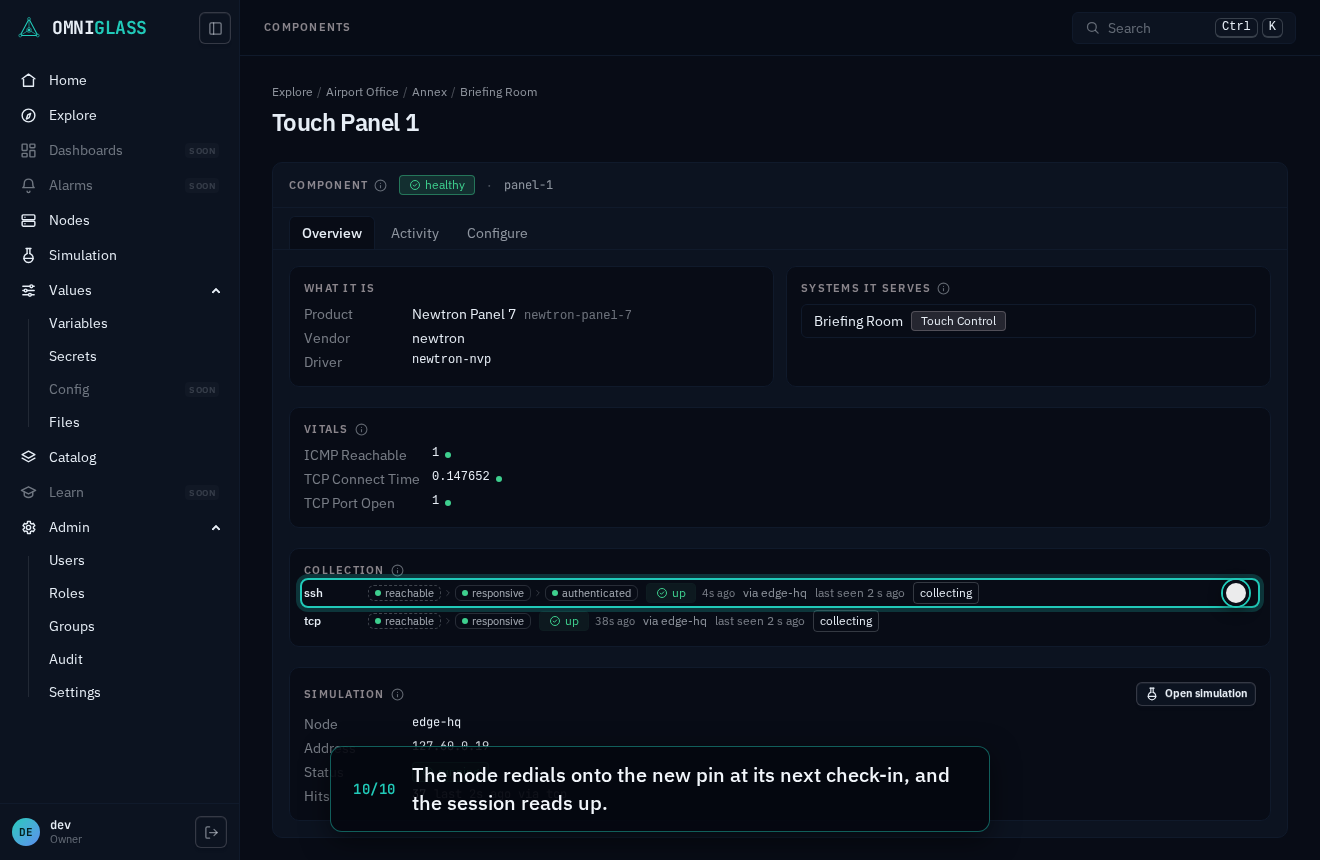
confirming, the node redials onto the new pin once and the session comes up; the audit log records
the key replaced, the key trusted, and who trusted it. The confirm sends exactly the key it shows:
if the offer on record moves while it is open, the confirm says so and will not send, and the server
refuses any key other than the one the refusal on record names. That record is the node’s last word,
and a refused node dials no more, so a component that changed again since (its own console shows a
third key) needs a Retry first: the node reads the key it offers now, and that is the one to
trust. Without the permission the
button is greyed and its tooltip says so, while the two keys still read, so a viewer can tell an
operator what changed. Retry stays beside it for the rarer case where the original component
came back.
In the simulated fleet, the touch panel in the place named briefing pins the key it had before it
was reimaged, so it reads rejected for a changed host key; trusting the offered key brings it up.
Every step, captioned (10 steps)
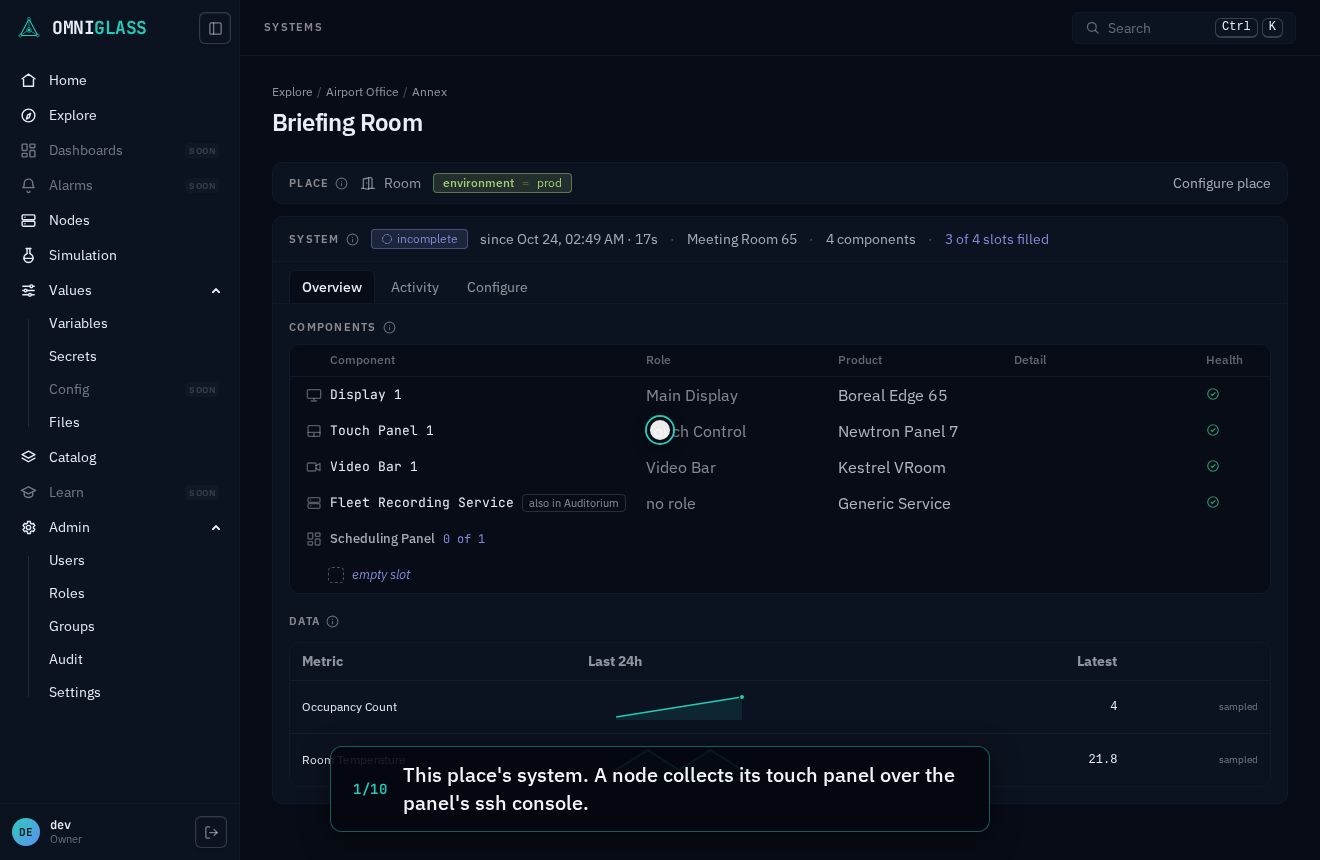
This place's system. A node collects its touch panel over the panel's ssh console.
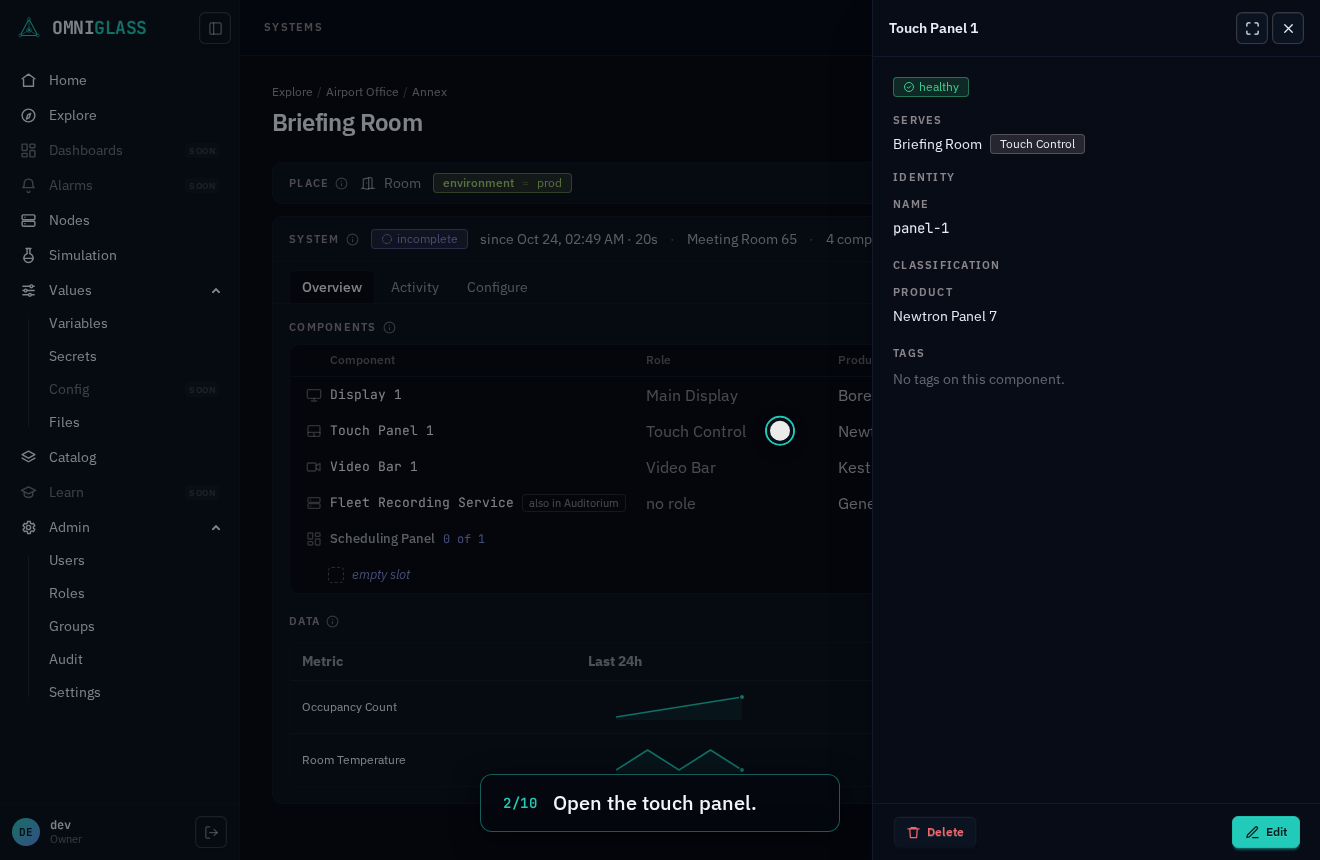
Open the touch panel.
Expand it to the component's view, where collection is read.
The host key changed, so the node refused before logging in. It names the key pinned and the key offered.
Trusting a key decides who the node will talk to, so it confirms first.
The confirm shows both keys again, and why a key changes.
Each cause teaches itself on hover or focus.
A reinstall or a swap is safe to trust. A change nobody can explain may be something answering in its place.
This panel was reimaged, so trust it. The offered key becomes the pin; the audit log records both keys and who.
The node redials onto the new pin at its next check-in, and the session reads up.
A refusal with no session
Section titled “A refusal with no session”An endpoint that holds no session is still checked by its reachability probe, and a probe can be
refused in a way retrying cannot fix too: an snmp agent answering authorizationError for the
endpoint’s community, a udp reply its driver declares terminal, a tls certificate that fails
verification, or the ssh probe’s credential. The node gates the endpoint exactly as it gates a
session, and the row says so the same way, with no session pill beside the ladder: the held rung
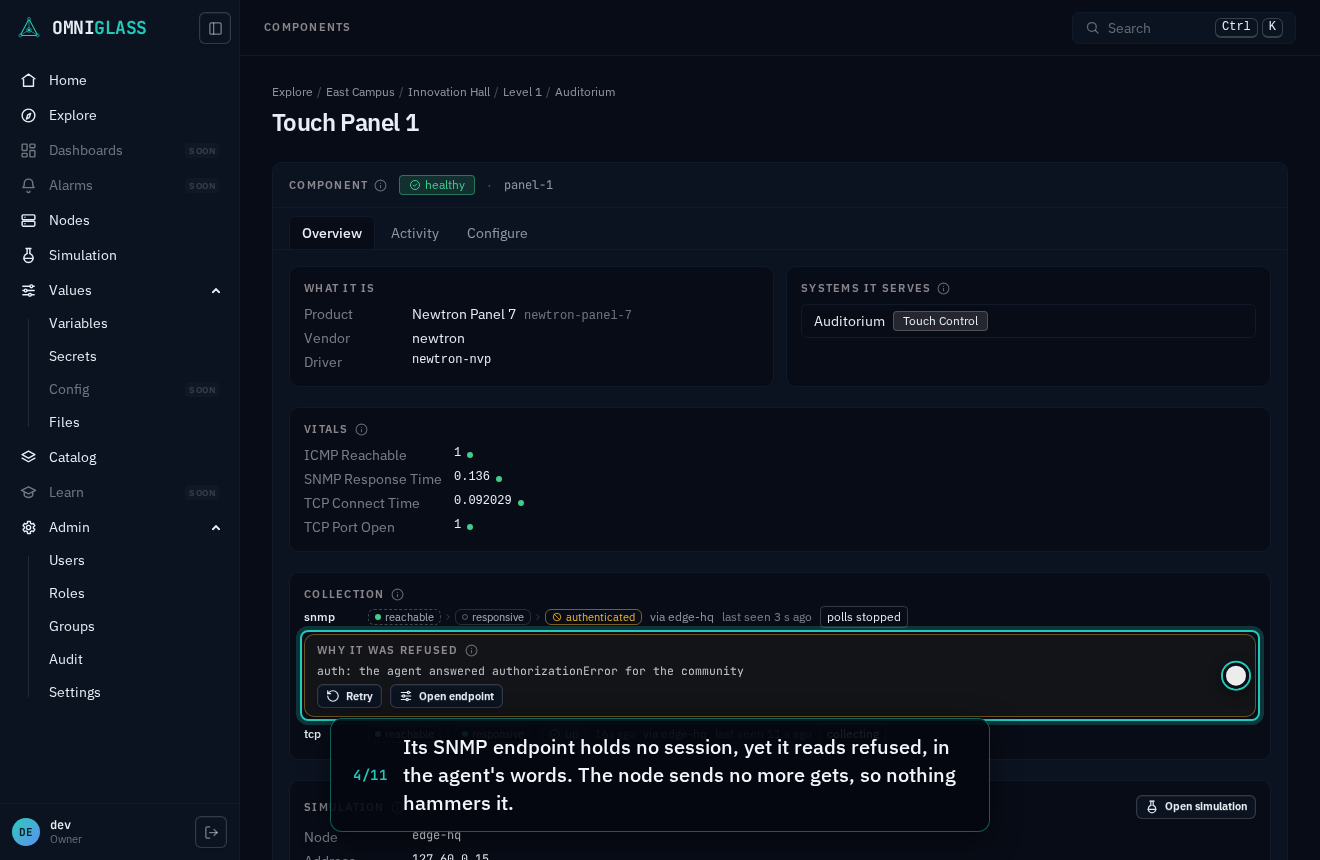
wears the refusal glyph, and beneath the row Why it was refused gives the class and the
component’s own words (auth: the agent answered authorizationError for the community), with
Retry and the way into the endpoint, whose own notice offers Edit credential with the secret
input focused (an snmp endpoint’s community). A changed key the probe met names both keys and
offers Trust this key, as above. Retry holds its spinner until the refusal moves: the node lifts
the gate at its next check-in and tries once, and a refusal met again sets it anew. Without
endpoint:retry the button is greyed and its tooltip says so, while the reason still reads. Where
the gate holds the endpoint’s polls too (any refusal at the transport rung, and a credential every
poll carries: an snmp community, or an http or https driver’s credential), the Collection card reads
polls stopped beside it. An http or https endpoint holds no session unless its driver
holds the component’s event stream (above; a login’s session lives in its node’s memory, never as a
held connection), and its refusals read the same with or without one: a 401 to a request carrying its
credential gates it, class auth, with the reason auth: the component refused the credential (401), a login the component refuses gates it the same way with its own reason (auth: the login was sent back to the login page (302 to /login)), and an https certificate the endpoint refuses
gates it at the handshake, a changed key offering Trust this key.
In the simulated fleet, the touch panel in the place named auditorium answers SNMP, and its
endpoint reads its community from a secret holding the one the panel’s agent refuses, so it reads
refused, class auth; pointing its community input at sim-community lifts the gate.
Every step, captioned (11 steps)
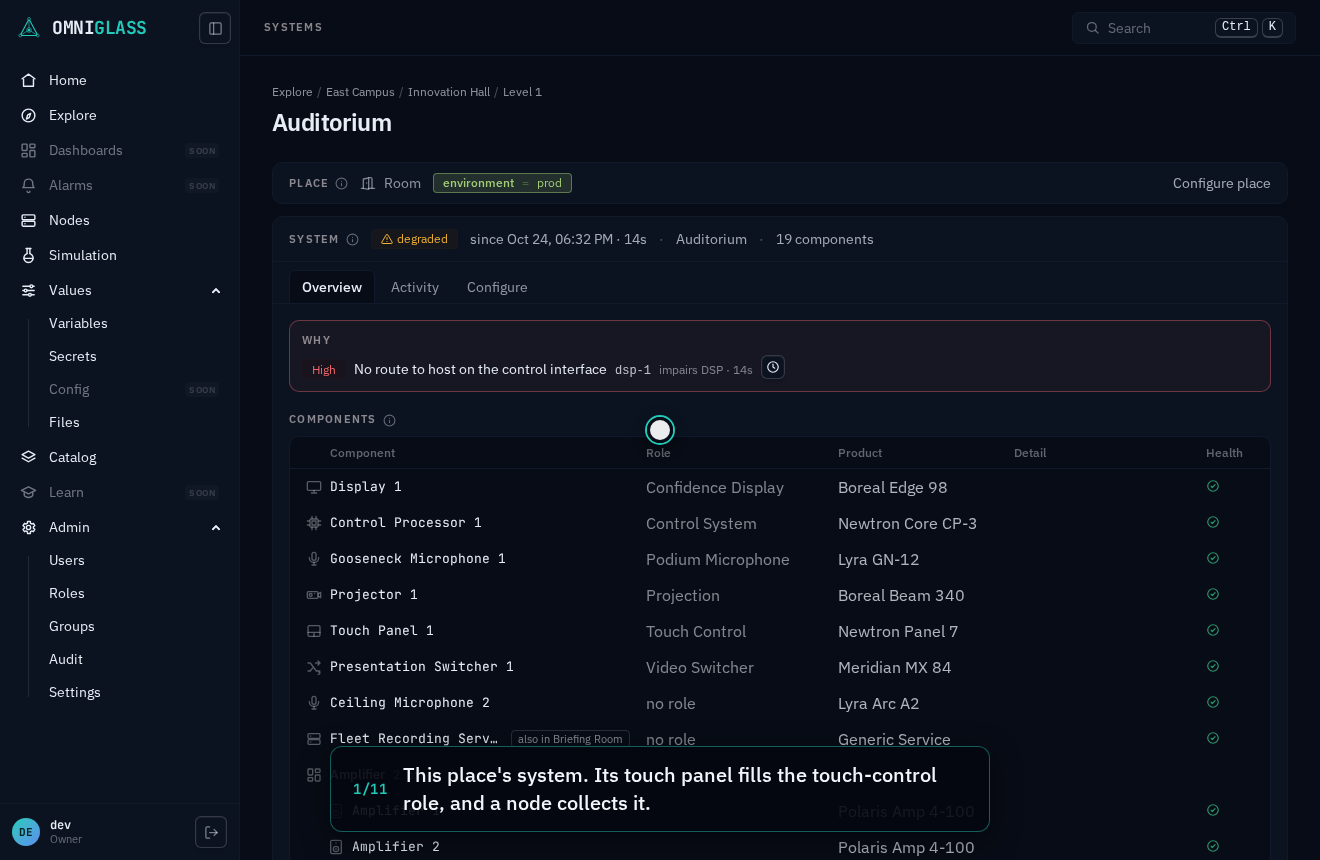
This place's system. Its touch panel fills the touch-control role, and a node collects it.
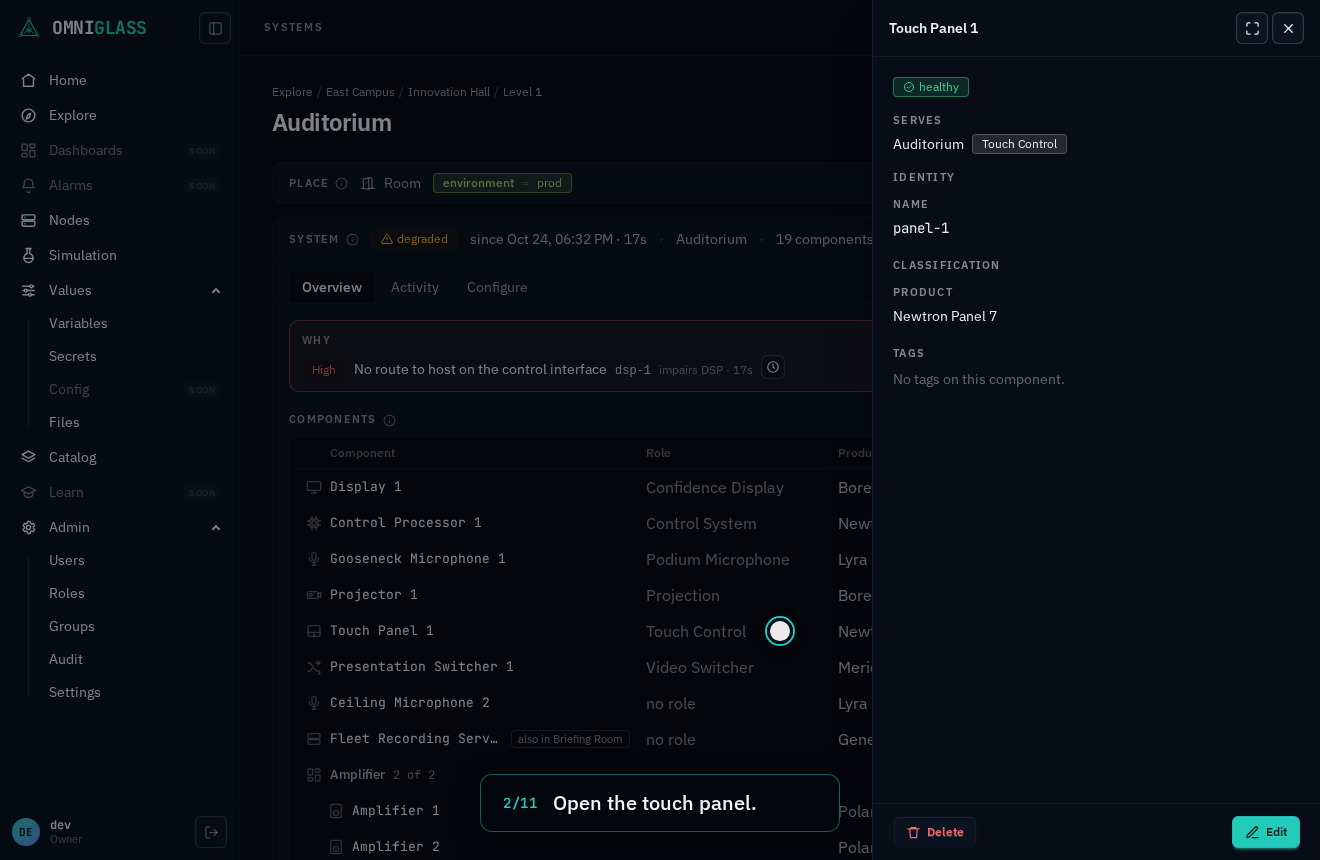
Open the touch panel.
Expand it to the component's view, where collection is read.
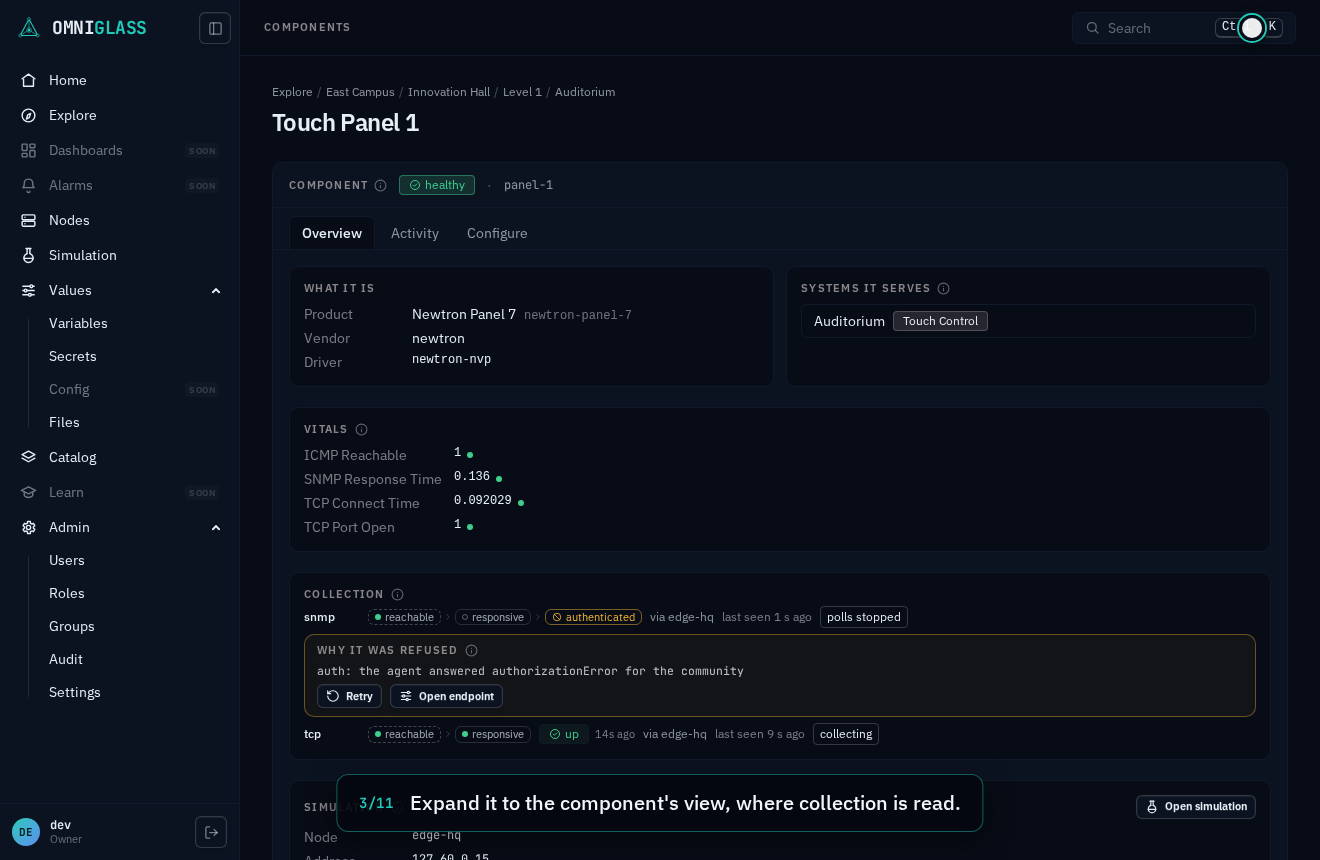
Its SNMP endpoint holds no session, yet it reads refused, in the agent's words. The node sends no more gets, so nothing hammers it.
Open the endpoint. The ladder shows the ping answering and the community held.
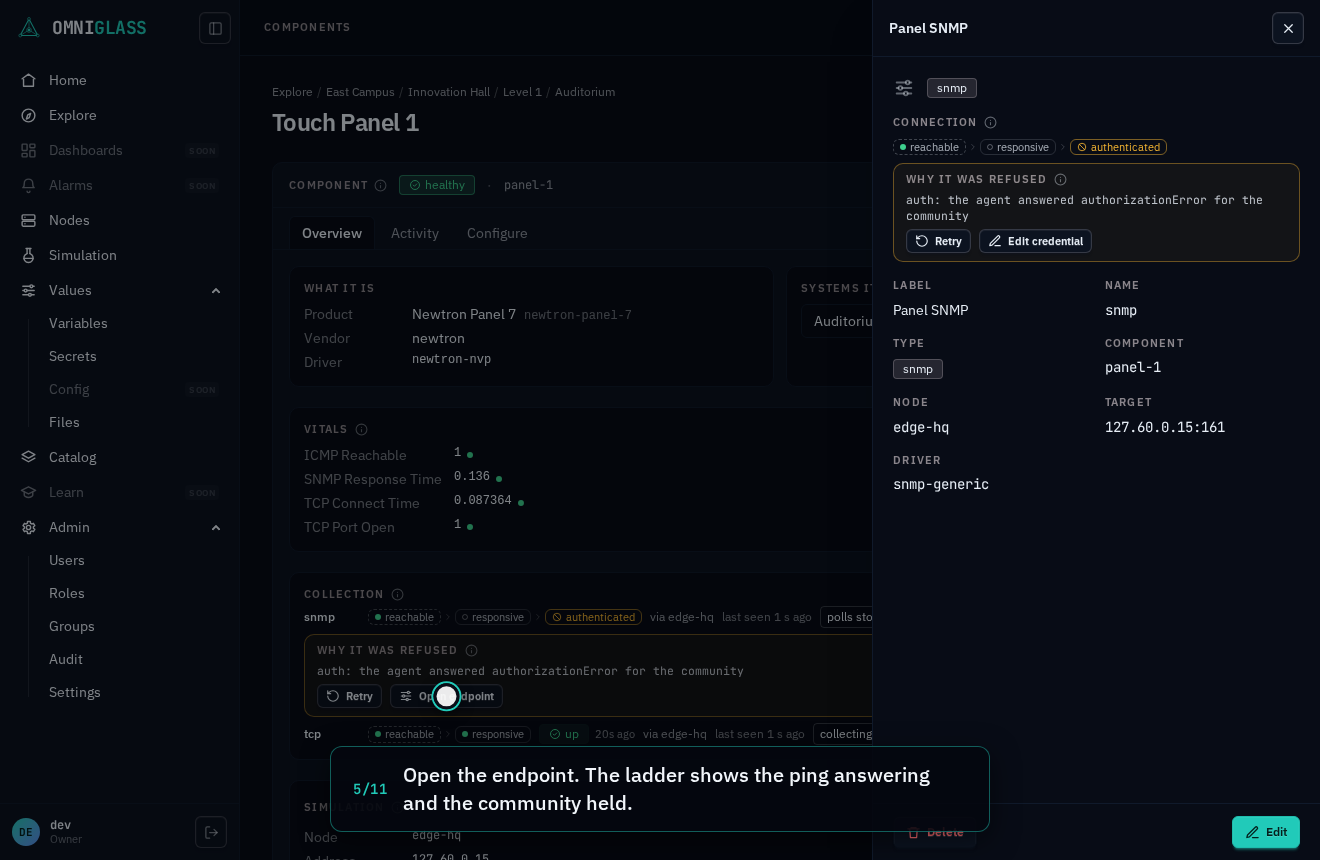
The community is one of the endpoint's inputs, edited in place.
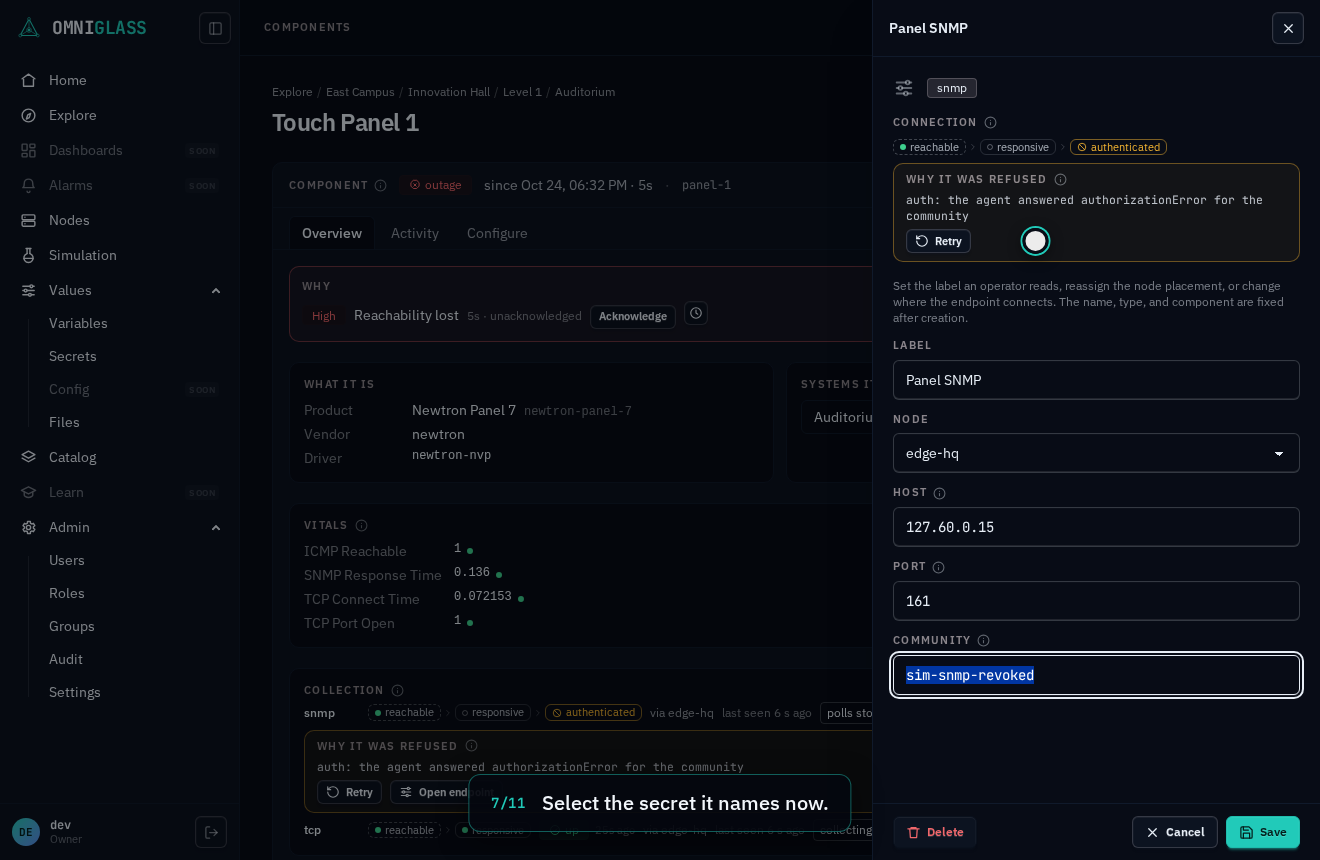
Select the secret it names now.
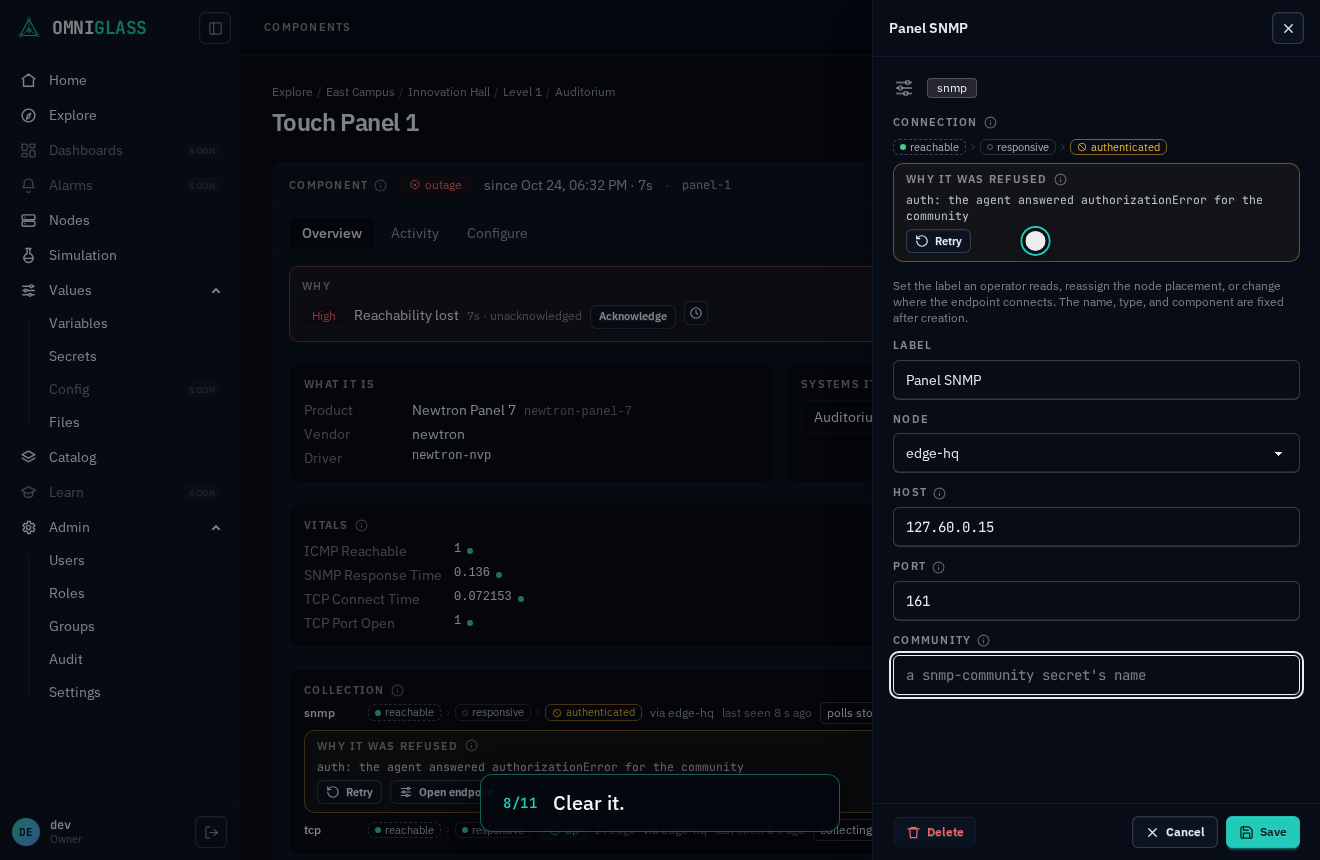
Clear it.
Name the secret holding the community the agent answers.
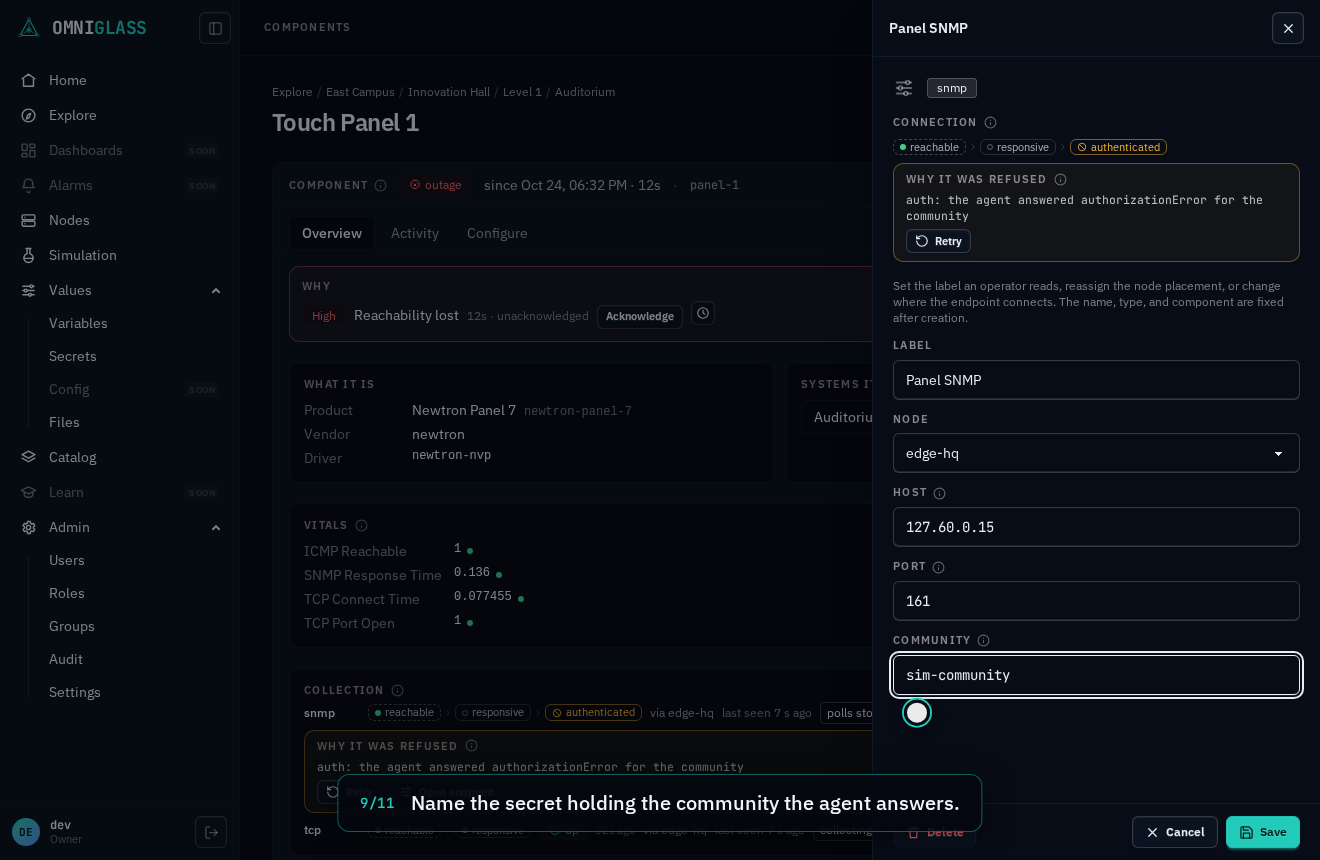
Save. What the endpoint connects with changed, so the refusal no longer holds.
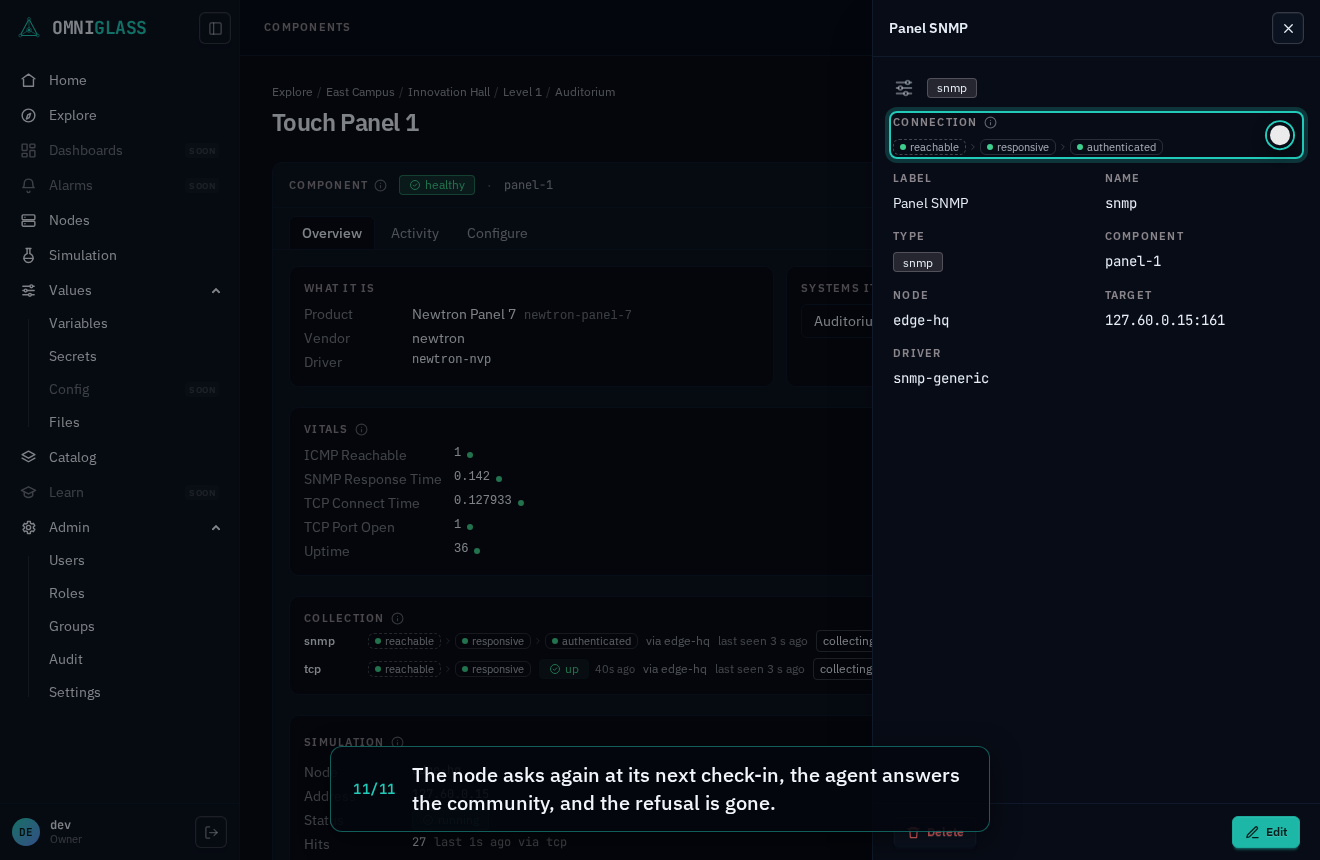
The node asks again at its next check-in, the agent answers the community, and the refusal is gone.
Events
Section titled “Events”Alongside sampled readings, a component carries two occurrence panels, both read-only and gated by
component:read. The Events panel shows the most recent typed events, newest first, over the
last 24 hours (capped at 200): discrete things that happened (a call-started) that a component
published natively or a rule derived, each row showing its time, the event type it is typed by,
the message, and any structured attributes. Below it, the Logs panel shows the component’s raw log lines
(the ingest lane, ADR-0066):
untyped device text a rule may later derive events from, each row showing its time, a severity
badge, the facility and source, the message, and its structured fields on demand. Most
log lines never become events.
Where a reachability verdict is a sampled state, an event or a log line is a past occurrence, so the panels are read differently: the verdict answers “is it reachable now”, the logs and events answer “what did it say, and when”. Both land under the same scope and owner checks as every other reading, so an out-of-scope component’s events and logs are a non-disclosing 404, exactly like its reachability. Every value is a real occurrence from the node.